
 1 von 7
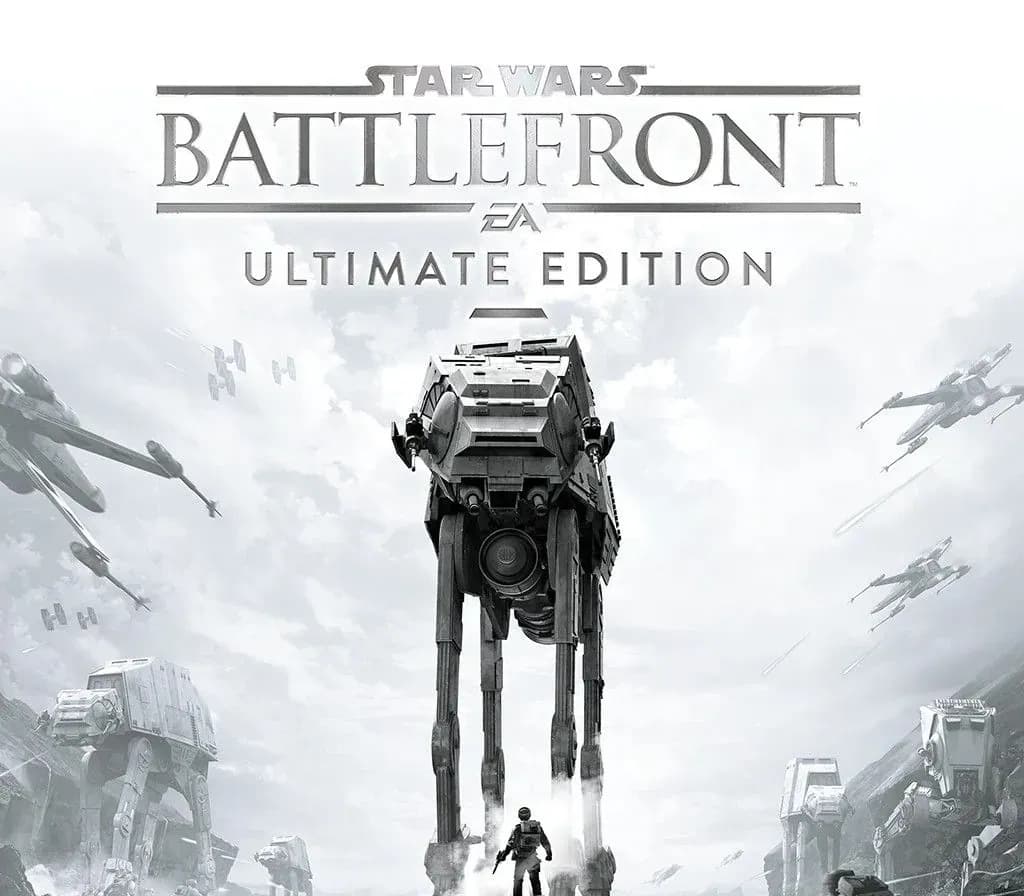
STAR WARS Battlefront Ultimate Edition PS4 Account
Release: 19. Nov. 2015 · Entwickler: DICE · Publisher: Electronic Arts
STAR WARS Battlefront Ultimate Edition — PSN account for PS4, Global. Not a code — read the account-ban notice before buying.
- Sicher bezahlenSofort
- Key in deinem Account sichtbar~60s
- Auf PlayStation einlösenDirekte Aktivierung
 Pago Móvil
 Binance Pay
 Kryptowährungen
 Wallet
154.000+ Verkäufe im Shop und auf Marktplätzen · Zuletzt ausgelieferte Bestellung: vor 33 Minuten
So aktivierst du
- 1Schalte die PlayStation ein, wähle "Benutzer hinzufügen" und klicke auf "Erste Schritte" (nicht als Gast anmelden).
- 2Melde dich im PSN mit der bereitgestellten E-Mail und dem Passwort an und gib bei Bedarf den 2FA-Code ein.
- 3Aktiviere das Teilen: Auf PS5 unter Einstellungen -> Benutzer und Konten -> Anderes -> "Konsolenfreigabe und Offline-Spiel" auf Aktivieren setzen (PS4: Einstellungen -> Kontoverwaltung -> "Als primäre PS4 aktivieren").
- 4Gehe in die Spielebibliothek -> "Deine Sammlung", starte den Download und wechsle zu deinem persönlichen Profil zum Spielen.
Über dieses Spiel
STAR WARS Battlefront Ultimate Edition PS4 Account ist ein Spielekonto für PlayStation, nicht regional gesperrt.
Important — please read before buying: This is a PlayStation account created and supplied by a third-party seller, not a code for your own account. Sony's Terms of Service do not allow buying or selling PSN accounts, so a ban of the account (or restrictions on the console) is a likely possibility, though not a certainty, and we cannot guarantee the account will not be restricted. Do not change the account's country/region or add a payment method; play on your own profile via Console Sharing and Offline Play.
The Star Wars™ Battlefront™ Ultimate Edition has everything fans need to live out their Star Wars™ battle fantasies. In addition to the Star Wars Battlefront Deluxe Edition, Rebels and Imperials alike will be able to expand their galaxy with the Star Wars Battlefront Season Pass, which includes 4 expansion packs filled with new content and an exclusive Shoot First emote.
Features
Immersive and Photorealistic Interactive Entertainment
Visit classic planets from the original Star Wars trilogy, detailed with an unprecedented amount of realism and sense of authenticity that will transport you to a galaxy far, far away. Experience amazing digital replicas of the original Star Wars movie models, brought to lifelike fidelity by DICE’s use of photogrammetry technology.
Ground-based Combat on a Galactic Scale
Engage in epic battles on iconic planets including Hoth, Endor, and Tatooine. Also, bring the fight to the previously unexplored planet, Sullust. Command a diverse set of ground-based vehicles including nimble speeder bikes, massive AT-ATs, and more.
Master the Battlefront with Iconic Star Wars Characters
Play as some of the most memorable characters in the Star Wars universe including Darth Vader and Boba Fett. Encounter a variety of beloved characters from the original trilogy such as C-3PO and R2-D2.
Take to the Skies in Epic Star Wars Dog Fights
Pilot the Millennium Falcon, X-wings, TIE fighters, and more of your favorite vehicles in exhilarating aerial combat.
Ultimate Edition Includes
Outer Rim Expansion Pack
Join Greedo and Nien Nunb in the Outer Rim. Blast your way through new maps, grab the latest gear and make it to the extraction point before it's too late.
Bespin Expansion Pack
Journey to Cloud City, where you’ll get access to new heroes Lando Calrissian and the bounty hunter Dengar, new weapons and the awesome new Sabotage mode.
Death Star Expansion Pack
The iconic space station joins Battlefront with new maps, deadly weapons, new heroes, Chewbacca and Bossk, and an all-new game mode set in and around the Death Star.
Rogue One™: Scarif Expansion Pack
Experience all-new content inspired by Rogue One™: A Star Wars Story, including 4 new maps, heroes Jyn Erso and Orson Krennic and a new multi-stage game mode.
Häufig gestellte Fragen
Für welche Region ist das?
Das ist die Global-Version: Sie ist nicht regional gesperrt.
Wie aktiviere ich STAR WARS Battlefront Ultimate Edition PS4 Account auf PlayStation?
1. Schalte die PlayStation ein, wähle "Benutzer hinzufügen" und klicke auf "Erste Schritte" (nicht als Gast anmelden). 2. Melde dich im PSN mit der bereitgestellten E-Mail und dem Passwort an und gib bei Bedarf den 2FA-Code ein. 3. Aktiviere das Teilen: Auf PS5 unter Einstellungen -> Benutzer und Konten -> Anderes -> "Konsolenfreigabe und Offline-Spiel" auf Aktivieren setzen (PS4: Einstellungen -> Kontoverwaltung -> "Als primäre PS4 aktivieren"). 4. Gehe in die Spielebibliothek -> "Deine Sammlung", starte den Download und wechsle zu deinem persönlichen Profil zum Spielen.
Was bedeutet „Konto“?
Du erhältst die Zugangsdaten für ein PlayStation-Konto, das das Spiel bereits besitzt.
Kundenbewertungen
Alle Bewertungen ansehen und eigene schreiben
Kundenbewertungen
Noch hat niemand dieses Spiel bewertet. Wenn du es kaufst, erzähl uns, wie es war.
Das könnte dir auch gefallen
 −70%
Star Wars Jedi: Fallen Order Deluxe Edition PS4 Account
 −69%
Nioh 2 Remastered – The Complete Edition PS4 Account
 −63%
Middle-earth: Shadow of War Definitive Edition PS4/PS5 Account
 −75%
Marvel's Spider-Man GOTY PS4 Account
 −67%