
 1 von 10
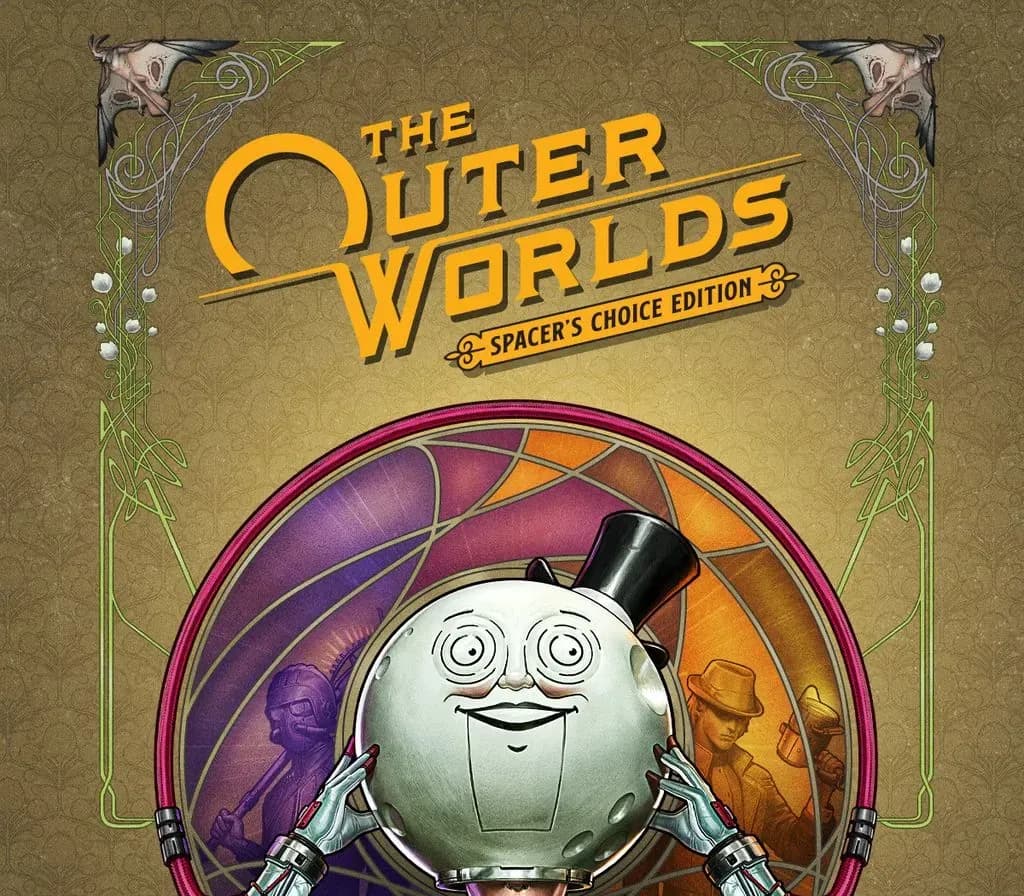
The Outer Worlds Spacer's Choice Edition PS5 Account
Release: 7. März 2023 · Entwickler: Obsidian Entertainment · Publisher: Xbox Game Studios
The Outer Worlds Spacer's Choice Edition — PSN account for PS5, Global. Not a code — read the account-ban notice before buying.
- Sicher bezahlenSofort
- Key in deinem Account sichtbar~60s
- Auf PlayStation einlösenDirekte Aktivierung
 Pago Móvil
 Binance Pay
 Kryptowährungen
 Wallet
154.000+ Verkäufe im Shop und auf Marktplätzen · Zuletzt ausgelieferte Bestellung: vor 34 Minuten
So aktivierst du
- 1Schalte die PlayStation ein, wähle "Benutzer hinzufügen" und klicke auf "Erste Schritte" (nicht als Gast anmelden).
- 2Melde dich im PSN mit der bereitgestellten E-Mail und dem Passwort an und gib bei Bedarf den 2FA-Code ein.
- 3Aktiviere das Teilen: Auf PS5 unter Einstellungen -> Benutzer und Konten -> Anderes -> "Konsolenfreigabe und Offline-Spiel" auf Aktivieren setzen (PS4: Einstellungen -> Kontoverwaltung -> "Als primäre PS4 aktivieren").
- 4Gehe in die Spielebibliothek -> "Deine Sammlung", starte den Download und wechsle zu deinem persönlichen Profil zum Spielen.
Über dieses Spiel
The Outer Worlds Spacer's Choice Edition PS5 Account ist ein Spielekonto für PlayStation, nicht regional gesperrt.
Important — please read before buying: This is a PlayStation account created and supplied by a third-party seller, not a code for your own account. Sony's Terms of Service do not allow buying or selling PSN accounts, so a ban of the account (or restrictions on the console) is a likely possibility, though not a certainty, and we cannot guarantee the account will not be restricted. Do not change the account's country/region or add a payment method; play on your own profile via Console Sharing and Offline Play.
The Outer Worlds: Spacer’s Choice Edition is the ultimate way to play the award-winning RPG from Obsidian Entertainment and Private Division.
You’ve tried the rest, now come back for the best! The Outer Worlds: Spacer’s Choice Edition includes the base game and all add-on content as the definitive way to play the beloved RPG from Obsidian Entertainment. This remastered masterpiece is optimized to be the absolute best version of The Outer Worlds… even if you choose to play this critically acclaimed RPG as the absolute worst version of your character.
Lost in transit while on a colonist ship bound for the edge of the galaxy, you awake decades later only to find yourself in the midst of a deep conspiracy threatening to destroy the colony. Explore the various planets and locations of Halcyon, including the mysterious Gorgon Asteroid and delightful distilleries of Eridanos. As you encounter various factions, all vying for power, the character you decide to become will determine how this player-driven story unfolds. In the corporate equation for the colony, you are the unplanned variable.
Key Features
2019’s hit RPG has been remastered with better graphics, improved performance, additional animations, higher-res environments, and a whole new feature: grenades!
In keeping with the Obsidian tradition, how you approach The Outer Worlds is up to you. Your choices affect not only the way the story develops, they also affect your character build, companion stories, and end game scenarios.
During your journey through the furthest colony, you will meet a host of characters who will want to join your crew. Armed with unique abilities, these companions all have their own missions, motivations, and ideals. It's up to you to help them achieve their goals, or exploit them to your own ends.
Halcyon is a colony at the edge of the galaxy owned and operated by a corporate board. They control everything... except for the alien monsters left behind when the terraforming of the colony’s two planets didn’t exactly go according to plan. Find your ship, build your crew, and explore the settlements, space stations, and other intriguing locations throughout Halcyon.
Häufig gestellte Fragen
Für welche Region ist das?
Das ist die Global-Version: Sie ist nicht regional gesperrt.
Wie aktiviere ich The Outer Worlds Spacer's Choice Edition PS5 Account auf PlayStation?
1. Schalte die PlayStation ein, wähle "Benutzer hinzufügen" und klicke auf "Erste Schritte" (nicht als Gast anmelden). 2. Melde dich im PSN mit der bereitgestellten E-Mail und dem Passwort an und gib bei Bedarf den 2FA-Code ein. 3. Aktiviere das Teilen: Auf PS5 unter Einstellungen -> Benutzer und Konten -> Anderes -> "Konsolenfreigabe und Offline-Spiel" auf Aktivieren setzen (PS4: Einstellungen -> Kontoverwaltung -> "Als primäre PS4 aktivieren"). 4. Gehe in die Spielebibliothek -> "Deine Sammlung", starte den Download und wechsle zu deinem persönlichen Profil zum Spielen.
Was bedeutet „Konto“?
Du erhältst die Zugangsdaten für ein PlayStation-Konto, das das Spiel bereits besitzt.
Kundenbewertungen
Alle Bewertungen ansehen und eigene schreiben
Kundenbewertungen
Noch hat niemand dieses Spiel bewertet. Wenn du es kaufst, erzähl uns, wie es war.
Das könnte dir auch gefallen
 −70%
Star Wars Jedi: Fallen Order Deluxe Edition PS4 Account
 −69%
Nioh 2 Remastered – The Complete Edition PS4 Account
 −63%
Middle-earth: Shadow of War Definitive Edition PS4/PS5 Account
 −75%
Marvel's Spider-Man GOTY PS4 Account
 −67%