Baldur's Gate: Enhanced Edition PC Steam CD Key
Baldur's Gate: Enhanced Edition PC Steam CD Key ist ein digitaler Key für Steam, nicht regional gesperrt. Sofortige Lieferung nach der Zahlung. Preis: $2.35, 88 % unter Steam UVP: $19.99.
⭐ 153,000+ Bestellungen seit 2018 geliefert
 Pago Móvil
 Binance Pay
Über dieses Spiel
Seit seiner Erstveröffentlichung 1998 hat Baldur's Gate Millionen Fans weltweit begeistert und unzählige Auszeichnungen erhalten. Diese klassische Saga voller Geheimnisse, Intrigen und Abenteuer setzt seitdem den Maßstab für Dungeons-&-Dragons™-Computer-Rollenspiele.
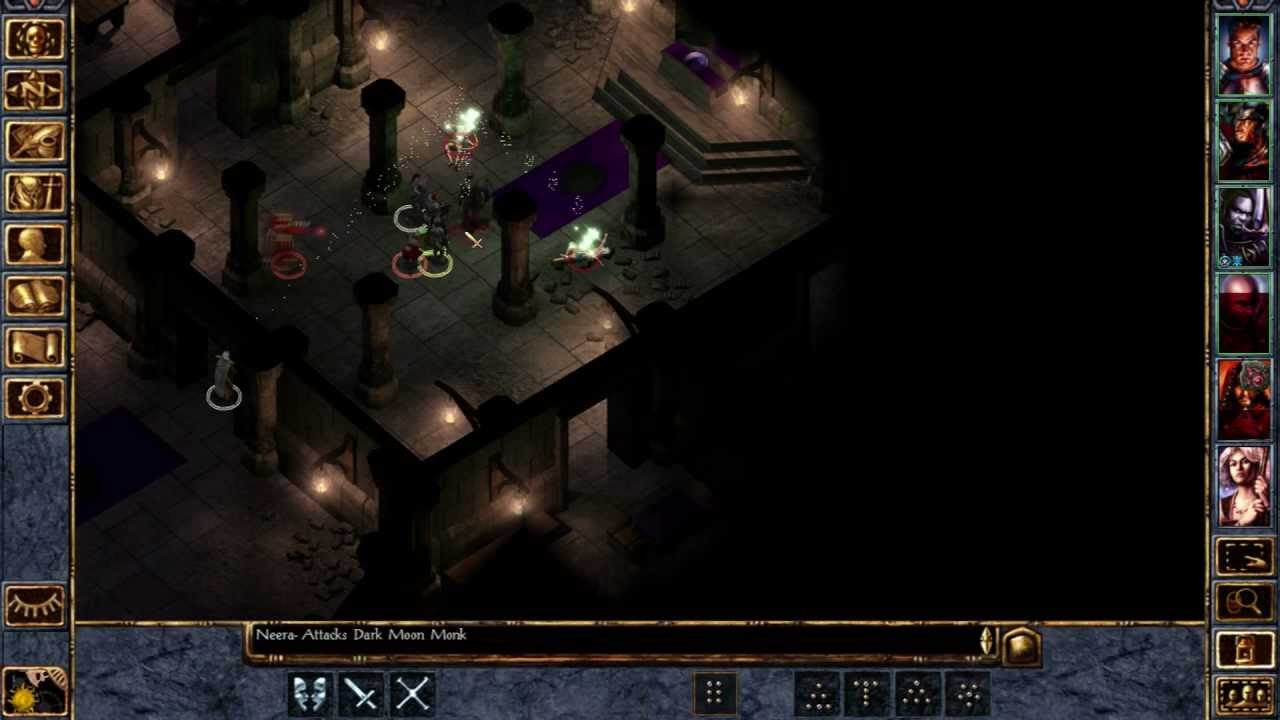
Auf einer verbesserten und aktualisierten Version der Infinity Engine bietet Baldur's Gate: Enhanced Edition™ das gesamte Baldur's-Gate-Abenteuer, das Erweiterungspaket Tales of the Sword Coast und nie zuvor gesehene Inhalte, darunter ein neues Abenteuer und drei neue Gruppenmitglieder: den calishitischen Mönch Rasaad yn Bashir, die Wildmagierin Neera und den bösen Schurken Dorn Il-Khan.
Merkmale
Neues Abenteuer: The Black Pits. Neuer Charakter: Dorn Il-Khan. Neuer Charakter: Neera, die Wildmagierin. Neuer Charakter: Rasaad yn Bashir. Eine neue Sammlung von Sprachpaketen für Spielercharaktere. Native Unterstützung für hochauflösende Breitbildschirme. Über 400 Verbesserungen am Originalspiel. Verbesserte Multiplayer-Unterstützung mit Konnektivität zwischen allen Plattformen.
Systemanforderungen
- Windows: Betriebssystem: Windows XP, Vista, 7, 8 Prozessor: 1 GHZ Arbeitsspeicher: 512 MB RAM Grafik: OpenGL-2.0-kompatibel (Intel-Grafikchipsätze werden NICHT unterstützt) Festplatte: 2 GB Festplattenspeicher Sound: Windows-kompatibel
So aktivierst du
- Starte den Steam-Client auf deinem PC und melde dich an, oder öffne store.steampowered.com/account/registerkey im Browser.
- Klicke oben auf das Menü "Spiele" (oder unten links auf "+ Spiel hinzufügen") und wähle "Ein Produkt bei Steam aktivieren...".
- Folge den Anweisungen, akzeptiere das Steam-Abonnement-Abkommen und gib deinen Key in das Feld "Produktschlüssel" ein.
- Klicke auf "Weiter" und "Fertigstellen". Das Spiel ist nun dauerhaft in deiner Steam-Bibliothek verfügbar und installationsbereit.
Kundenbewertungen
Häufig gestellte Fragen
Für welche Region ist das?
Das ist die Global-Version: Sie ist nicht regional gesperrt.
Wie aktiviere ich Baldur's Gate: Enhanced Edition PC Steam CD Key auf Steam?
1. Starte den Steam-Client auf deinem PC und melde dich an, oder öffne store.steampowered.com/account/registerkey im Browser. 2. Klicke oben auf das Menü "Spiele" (oder unten links auf "+ Spiel hinzufügen") und wähle "Ein Produkt bei Steam aktivieren...". 3. Folge den Anweisungen, akzeptiere das Steam-Abonnement-Abkommen und gib deinen Key in das Feld "Produktschlüssel" ein. 4. Klicke auf "Weiter" und "Fertigstellen". Das Spiel ist nun dauerhaft in deiner Steam-Bibliothek verfügbar und installationsbereit.
Wie schnell erfolgt die Lieferung?
Dein Key erscheint direkt nach der Zahlung in deinem Konto und wird dir per E-Mail geschickt.