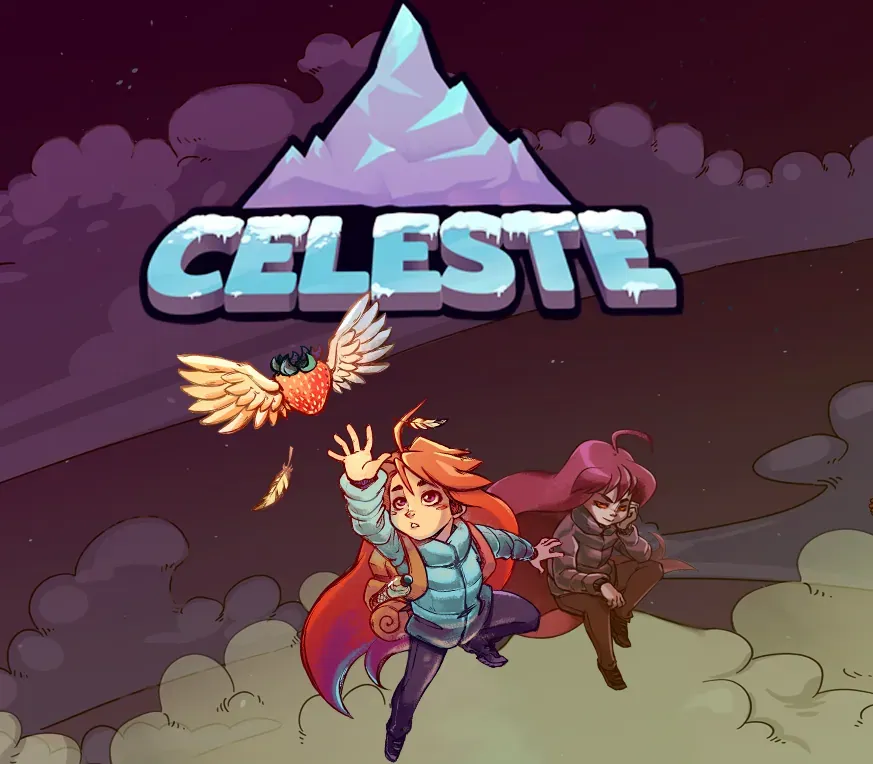

Celeste PC Steam CD Key
Celeste PC Steam CD Key ist ein digitaler Key für Steam, nicht regional gesperrt. Sofortige Lieferung nach der Zahlung. Preis: $3.73, 81 % unter Steam UVP: $19.99.
⭐ 153,000+ Bestellungen seit 2018 geliefert
 Pago Móvil
 Binance Pay
Über dieses Spiel
Hilf Madeline, ihre inneren Dämonen zu überleben, auf ihrer Reise zum Gipfel des Celeste-Bergs – in diesem extrem präzisen, handgefertigten Plattformer von den Machern des Multiplayer-Klassikers TowerFall.
Funktionen
Ein erzählgetriebenes Einzelspieler-Abenteuer wie aus alten Zeiten, mit einer charmanten Besetzung und einer berührenden Geschichte der Selbstfindung. Ein gewaltiger Berg mit über 700 Screens voller knallharter Plattformer-Herausforderungen und raffinierter Geheimnisse. Brutale B-Seiten-Kapitel zum Freischalten, gemacht nur für die mutigsten Bergsteiger. Finalist beim IGF „Excellence in Audio“, mit über 2 Stunden Originalmusik, angeführt von schillerndem Live-Klavier und eingängigen Synthie-Beats. Pie. Die Steuerung ist einfach und zugänglich – einfach springen, in der Luft dashen und klettern –, bietet aber vielschichtige, ausdrucksstarke Tiefe, die es zu meistern gilt, wobei jeder Tod eine Lektion ist. Blitzschnelle Respawns halten dich im Aufstieg, während du die Geheimnisse des Berges lüftest und seinen vielen Gefahren trotzt.
Jetzt oder nie, Madeline. Atme einfach. Du schaffst das.
Systemanforderungen
- Windows: OS: Windows 7 oder neuer Prozessor: Intel Core i3 M380 Arbeitsspeicher: 2 GB RAM Grafik: Intel HD 4000 DirectX: Version 10 Speicherplatz: 1200 MB verfügbarer Speicherplatz
- Mac: OS: Lion 10.7.5, 32/64-bit Prozessor: Intel Core i3 M380 Arbeitsspeicher: 2 GB RAM Grafik: OpenGL 3.0+ (2.1 mit ARB-Erweiterungen ebenfalls möglich) Speicherplatz: 1200 MB verfügbarer Speicherplatz
- Linux: OS: glibc 2.17+, 32/64-bit Prozessor: Intel Core i3 M380 Arbeitsspeicher: 2 GB RAM Grafik: OpenGL 3.0+ (2.1 mit ARB-Erweiterungen ebenfalls möglich) Speicherplatz: 1200 MB verfügbarer Speicherplatz
So aktivierst du
- Starte den Steam-Client auf deinem PC und melde dich an, oder öffne store.steampowered.com/account/registerkey im Browser.
- Klicke oben auf das Menü "Spiele" (oder unten links auf "+ Spiel hinzufügen") und wähle "Ein Produkt bei Steam aktivieren...".
- Folge den Anweisungen, akzeptiere das Steam-Abonnement-Abkommen und gib deinen Key in das Feld "Produktschlüssel" ein.
- Klicke auf "Weiter" und "Fertigstellen". Das Spiel ist nun dauerhaft in deiner Steam-Bibliothek verfügbar und installationsbereit.
Kundenbewertungen
Häufig gestellte Fragen
Für welche Region ist das?
Das ist die Global-Version: Sie ist nicht regional gesperrt.
Wie aktiviere ich Celeste PC Steam CD Key auf Steam?
1. Starte den Steam-Client auf deinem PC und melde dich an, oder öffne store.steampowered.com/account/registerkey im Browser. 2. Klicke oben auf das Menü "Spiele" (oder unten links auf "+ Spiel hinzufügen") und wähle "Ein Produkt bei Steam aktivieren...". 3. Folge den Anweisungen, akzeptiere das Steam-Abonnement-Abkommen und gib deinen Key in das Feld "Produktschlüssel" ein. 4. Klicke auf "Weiter" und "Fertigstellen". Das Spiel ist nun dauerhaft in deiner Steam-Bibliothek verfügbar und installationsbereit.
Wie schnell erfolgt die Lieferung?
Dein Key erscheint direkt nach der Zahlung in deinem Konto und wird dir per E-Mail geschickt.