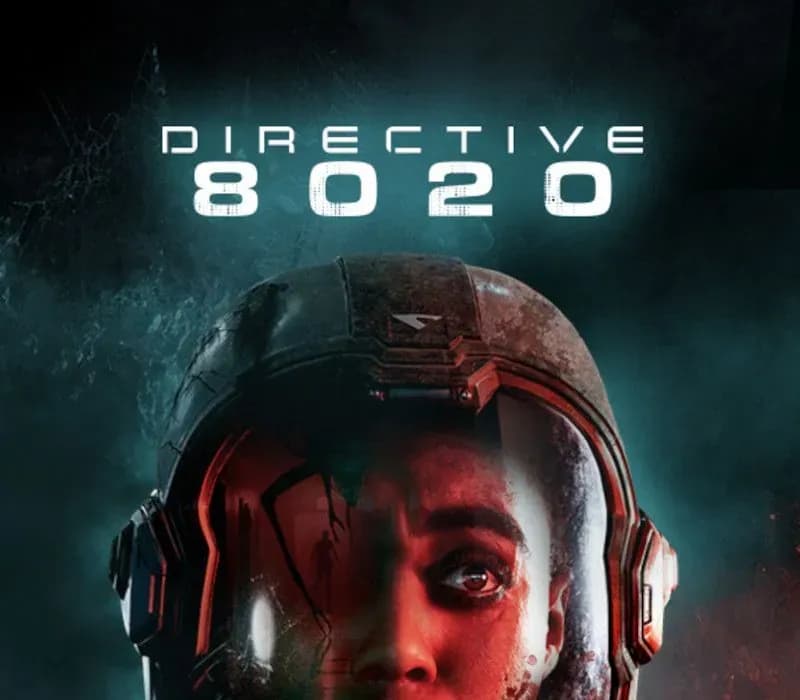
 1 von 12
Directive 8020 PS5 Account
Release: 12. Mai 2026 · Entwickler: Supermassive Games · Publisher: Avalanche Studios
Directive 8020 — PSN account for PS5, Global. Not a code — read the account-ban notice before buying.
- Sicher bezahlenSofort
- Key in deinem Account sichtbar~60s
- Auf PlayStation einlösenDirekte Aktivierung
 Pago Móvil
 Binance Pay
 Kryptowährungen
 Wallet
154.000+ Verkäufe im Shop und auf Marktplätzen · Zuletzt ausgelieferte Bestellung: vor 32 Minuten
So aktivierst du
- 1Schalte die PlayStation ein, wähle "Benutzer hinzufügen" und klicke auf "Erste Schritte" (nicht als Gast anmelden).
- 2Melde dich im PSN mit der bereitgestellten E-Mail und dem Passwort an und gib bei Bedarf den 2FA-Code ein.
- 3Aktiviere das Teilen: Auf PS5 unter Einstellungen -> Benutzer und Konten -> Anderes -> "Konsolenfreigabe und Offline-Spiel" auf Aktivieren setzen (PS4: Einstellungen -> Kontoverwaltung -> "Als primäre PS4 aktivieren").
- 4Gehe in die Spielebibliothek -> "Deine Sammlung", starte den Download und wechsle zu deinem persönlichen Profil zum Spielen.
Über dieses Spiel
Directive 8020 PS5 Account ist ein Spielekonto für PlayStation, nicht regional gesperrt.
Important — please read before buying: This is a PlayStation account created and supplied by a third-party seller, not a code for your own account. Sony's Terms of Service do not allow buying or selling PSN accounts, so a ban of the account (or restrictions on the console) is a likely possibility, though not a certainty, and we cannot guarantee the account will not be restricted. Do not change the account's country/region or add a payment method; play on your own profile via Console Sharing and Offline Play.
From the creators of UNTIL DAWN and THE QUARRY, an all-new cinematic sci-fi horror adventure that blends intense survival gameplay with meaningful choices and a branching storyline.
Earth is dying and humanity is running out of time. 12 light years from home, Tau Ceti f offers a small sliver of hope. When the colony ship Cassiopeia crash lands on the planet, its crew soon realize they are far from being alone.
Hunted by an alien organism capable of mimicking its prey, the crew of the Cassiopeia must outwit their pursuers to make it home alive. As they battle to survive, they are confronted with the hardest choice of all: to save themselves, they must risk the lives of everyone on Earth.
Featuring Hollywood actor, Lashana Lynch (Bob Marley: One Love, The Woman King) as the ground-breaking astronaut, ‘Young’, experience immersive cinematic storytelling and edge-of-your-seat horror on a deep space mission to save humanity.
Evade a deadly alien threat that roams the dark corridors of the ship, intent on eradicating human life. Overcome your enemies using improvised weapons, lightning reflexes, and stealth.
Encounter an alien lifeform that perfectly imitates its prey. Years of training and trust are lost among the crew when their enemy hides in plain sight. Who is human and who is not? Your choices are now more important than ever!
Rewrite your destiny and change the course of your story with our new Turning Points story tree. Uncover multiple endings, unlock hidden paths, and save your crew from their fateful deaths.
Recruit up to five players to join you on your mission in couch-co-op movie night mode. Choose which crew members to control and work together with your friends to survive alien infiltrators, deadly dilemmas, and catastrophic system failures.
Häufig gestellte Fragen
Für welche Region ist das?
Das ist die Global-Version: Sie ist nicht regional gesperrt.
Wie aktiviere ich Directive 8020 PS5 Account auf PlayStation?
1. Schalte die PlayStation ein, wähle "Benutzer hinzufügen" und klicke auf "Erste Schritte" (nicht als Gast anmelden). 2. Melde dich im PSN mit der bereitgestellten E-Mail und dem Passwort an und gib bei Bedarf den 2FA-Code ein. 3. Aktiviere das Teilen: Auf PS5 unter Einstellungen -> Benutzer und Konten -> Anderes -> "Konsolenfreigabe und Offline-Spiel" auf Aktivieren setzen (PS4: Einstellungen -> Kontoverwaltung -> "Als primäre PS4 aktivieren"). 4. Gehe in die Spielebibliothek -> "Deine Sammlung", starte den Download und wechsle zu deinem persönlichen Profil zum Spielen.
Was bedeutet „Konto“?
Du erhältst die Zugangsdaten für ein PlayStation-Konto, das das Spiel bereits besitzt.
Kundenbewertungen
Alle Bewertungen ansehen und eigene schreiben
Kundenbewertungen
Noch hat niemand dieses Spiel bewertet. Wenn du es kaufst, erzähl uns, wie es war.