
 1 von 8
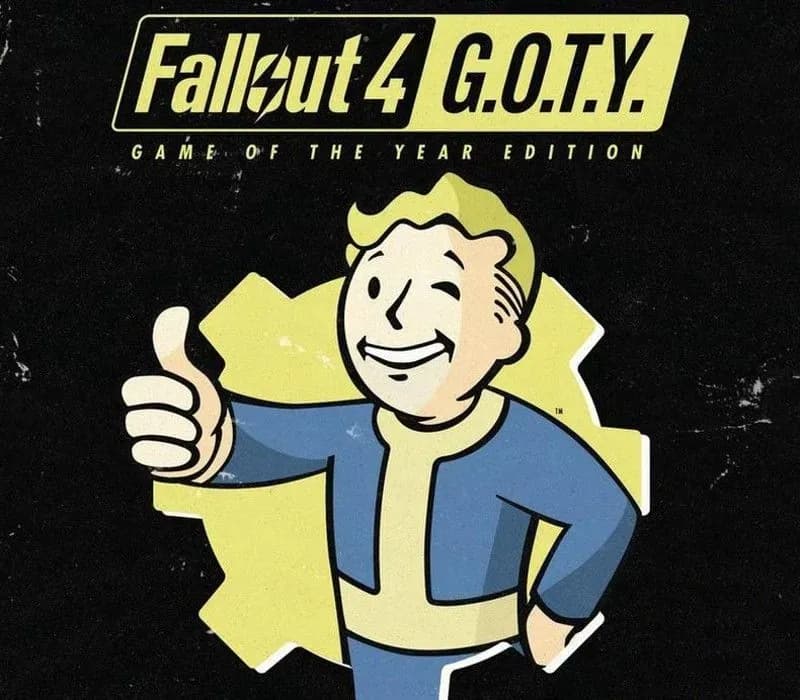
Fallout 4 GOTY Edition PS4 Account
Release: 26. Sept. 2017 · Entwickler: Bethesda Game Studios · Publisher: Bethesda Softworks
Fallout 4 GOTY Edition — PSN account for PS4, Global. Not a code — read the account-ban notice before buying.
Wähle deine Version
Dein Land: Vereinigte Staaten- Sicher bezahlenSofort
- Key in deinem Account sichtbar~60s
- Auf PlayStation einlösenDirekte Aktivierung
 Pago Móvil
 Binance Pay
 Kryptowährungen
 Wallet
154.000+ Verkäufe im Shop und auf Marktplätzen · Zuletzt ausgelieferte Bestellung: vor 33 Minuten
So aktivierst du
- 1Schalte die PlayStation ein, wähle "Benutzer hinzufügen" und klicke auf "Erste Schritte" (nicht als Gast anmelden).
- 2Melde dich im PSN mit der bereitgestellten E-Mail und dem Passwort an und gib bei Bedarf den 2FA-Code ein.
- 3Aktiviere das Teilen: Auf PS5 unter Einstellungen -> Benutzer und Konten -> Anderes -> "Konsolenfreigabe und Offline-Spiel" auf Aktivieren setzen (PS4: Einstellungen -> Kontoverwaltung -> "Als primäre PS4 aktivieren").
- 4Gehe in die Spielebibliothek -> "Deine Sammlung", starte den Download und wechsle zu deinem persönlichen Profil zum Spielen.
Über dieses Spiel
Fallout 4 GOTY Edition PS4 Account ist ein Spielekonto für PlayStation, nicht regional gesperrt.
Important — please read before buying: This is a PlayStation account created and supplied by a third-party seller, not a code for your own account. Sony's Terms of Service do not allow buying or selling PSN accounts, so a ban of the account (or restrictions on the console) is a likely possibility, though not a certainty, and we cannot guarantee the account will not be restricted. Do not change the account's country/region or add a payment method; play on your own profile via Console Sharing and Offline Play.
From Bethesda Game Studios, the award-winning creators of Starfield and The Elder Scrolls V: Skyrim, comes Fallout 4. A landmark in open-world RPG design and winner of over 200 ‘Best Of’ honors, including the DICE and BAFTA Game of the Year.
You are the sole survivor of Vault 111, emerging into a world reduced to ash by nuclear war. Every moment is a battle for survival, every decision shapes the future. Rebuild, reshape, and reclaim the Wasteland—your way.
Welcome home.
Key Features
Do whatever you want in a massive open world filled with hundreds of locations, characters, and quests. Join factions, forge alliances or go it alone. The choices are yours, and every one of them matters.
Create your own unique character with the S.P.E.C.I.A.L. system. Choose from hundreds of Perks and develop your own playstyle, whether you’re a smooth-talking diplomat, stealthy sniper, or walking tank in Power Armor.
An all-new next generation graphics and lighting engine brings to life the world of Fallout like never before. From the blasted forests of the Commonwealth to the ruins of Boston, every location is packed with dynamic detail.
Use the dynamic Vault-Tec Assisted Targeting System (V.A.T.S.) to slow down time in combat and target enemies with cinematic precision—or take the fight into your own hands with real-time gunplay.
Scavenge, craft, and customize like never before. Build thousands of items—armor, weapons, food, and more—and even construct and manage entire settlements across the Commonwealth.
Häufig gestellte Fragen
Für welche Region ist das?
Das ist die Global-Version: Sie ist nicht regional gesperrt.
Wie aktiviere ich Fallout 4 GOTY Edition PS4 Account auf PlayStation?
1. Schalte die PlayStation ein, wähle "Benutzer hinzufügen" und klicke auf "Erste Schritte" (nicht als Gast anmelden). 2. Melde dich im PSN mit der bereitgestellten E-Mail und dem Passwort an und gib bei Bedarf den 2FA-Code ein. 3. Aktiviere das Teilen: Auf PS5 unter Einstellungen -> Benutzer und Konten -> Anderes -> "Konsolenfreigabe und Offline-Spiel" auf Aktivieren setzen (PS4: Einstellungen -> Kontoverwaltung -> "Als primäre PS4 aktivieren"). 4. Gehe in die Spielebibliothek -> "Deine Sammlung", starte den Download und wechsle zu deinem persönlichen Profil zum Spielen.
Was bedeutet „Konto“?
Du erhältst die Zugangsdaten für ein PlayStation-Konto, das das Spiel bereits besitzt.
Kundenbewertungen
Alle Bewertungen ansehen und eigene schreiben
Kundenbewertungen
Noch hat niemand dieses Spiel bewertet. Wenn du es kaufst, erzähl uns, wie es war.
Das könnte dir auch gefallen
 −70%
Star Wars Jedi: Fallen Order Deluxe Edition PS4 Account
 −69%
Nioh 2 Remastered – The Complete Edition PS4 Account
 −63%
Middle-earth: Shadow of War Definitive Edition PS4/PS5 Account
 −75%
Marvel's Spider-Man GOTY PS4 Account
 −67%