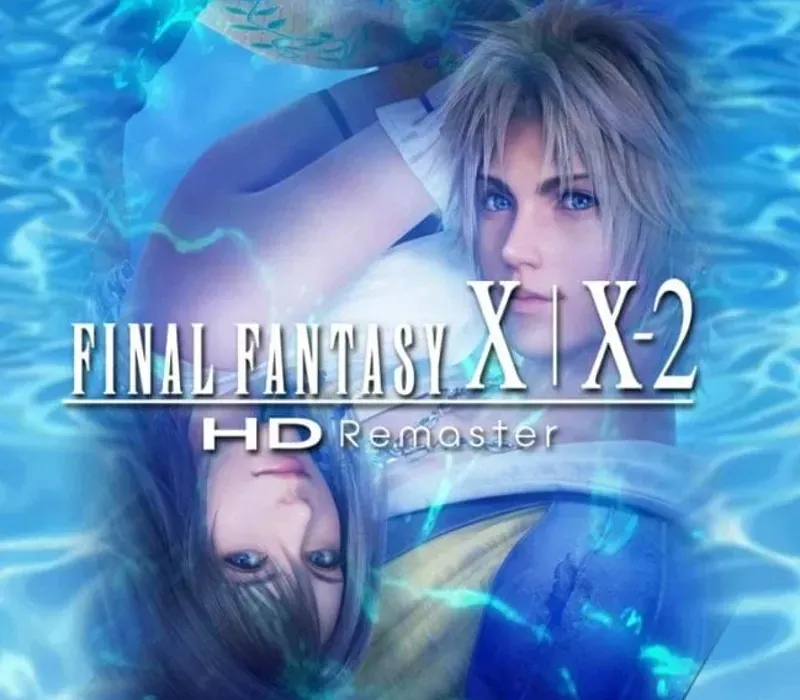

FINAL FANTASY X/X-2 HD Remaster PC Steam CD Key
FINAL FANTASY X/X-2 HD Remaster PC Steam CD Key ist ein digitaler Key für Steam, nicht regional gesperrt. Sofortige Lieferung nach der Zahlung. Preis: $13.97, 53 % unter Steam UVP: $29.99.
⭐ 153,000+ Bestellungen seit 2018 geliefert
 Pago Móvil
 Binance Pay
Über dieses Spiel
Final Fantasy X erzählt die Geschichte des Blitzball-Stars Tidus, der mit der jungen, schönen Beschwörerin Yuna reist, um die Welt Spira vor dem endlosen Kreislauf der Zerstörung durch die gewaltige Bedrohung namens Sin zu retten. Final Fantasy X-2 kehrt zwei Jahre nach Beginn der Ewigen Ruhe in die Welt von Spira zurück.
Nachdem Yuna in einer Sphäre ein rätselhaftes, aber vertrautes Bild gesehen hat, wird sie zur Sphärenjägerin und macht sich gemeinsam mit ihren Gefährtinnen Rikku und Paine auf eine Reise um die Welt, um die Antworten auf das darin verborgene Rätsel zu finden. Basierend auf den internationalen Versionen der Spiele, die zuvor nur in Japan und Europa erschienen waren, bringt Final Fantasy X/X-2 HD Remaster diese zeitlosen Klassiker zur heutigen Generation von Fans, alten wie neuen.
Features
Charaktere, Monster und Umgebungen wurden mit HD-Details verfeinert und bieten ein reichhaltigeres, tieferes visuelles Final-Fantasy-Erlebnis. Weitere Features der PC-Version sind ein remasterter/neu arrangierter Soundtrack, Inhalte der International Edition, Autospeichern und 5 Spiel-Booster, darunter Modi für hohe Geschwindigkeit und ohne Begegnungen.
Systemanforderungen
- Windows: Betriebssystem: Windows Vista oder neuer Prozessor: Dual-Core-CPU mit 2 GHz Arbeitsspeicher: 1 GB RAM Grafik: NVIDIA Geforce 9600GT 512 MB VRAM oder mehr / ATI Radeon HD 2600XT 512 MB VRAM oder mehr Speicherplatz: 37 GB verfügbar Soundkarte: DirectX-kompatible Soundkarte
So aktivierst du
- Starte den Steam-Client auf deinem PC und melde dich an, oder öffne store.steampowered.com/account/registerkey im Browser.
- Klicke oben auf das Menü "Spiele" (oder unten links auf "+ Spiel hinzufügen") und wähle "Ein Produkt bei Steam aktivieren...".
- Folge den Anweisungen, akzeptiere das Steam-Abonnement-Abkommen und gib deinen Key in das Feld "Produktschlüssel" ein.
- Klicke auf "Weiter" und "Fertigstellen". Das Spiel ist nun dauerhaft in deiner Steam-Bibliothek verfügbar und installationsbereit.
Kundenbewertungen
Häufig gestellte Fragen
Für welche Region ist das?
Das ist die Global-Version: Sie ist nicht regional gesperrt.
Wie aktiviere ich FINAL FANTASY X/X-2 HD Remaster PC Steam CD Key auf Steam?
1. Starte den Steam-Client auf deinem PC und melde dich an, oder öffne store.steampowered.com/account/registerkey im Browser. 2. Klicke oben auf das Menü "Spiele" (oder unten links auf "+ Spiel hinzufügen") und wähle "Ein Produkt bei Steam aktivieren...". 3. Folge den Anweisungen, akzeptiere das Steam-Abonnement-Abkommen und gib deinen Key in das Feld "Produktschlüssel" ein. 4. Klicke auf "Weiter" und "Fertigstellen". Das Spiel ist nun dauerhaft in deiner Steam-Bibliothek verfügbar und installationsbereit.
Wie schnell erfolgt die Lieferung?
Dein Key erscheint direkt nach der Zahlung in deinem Konto und wird dir per E-Mail geschickt.