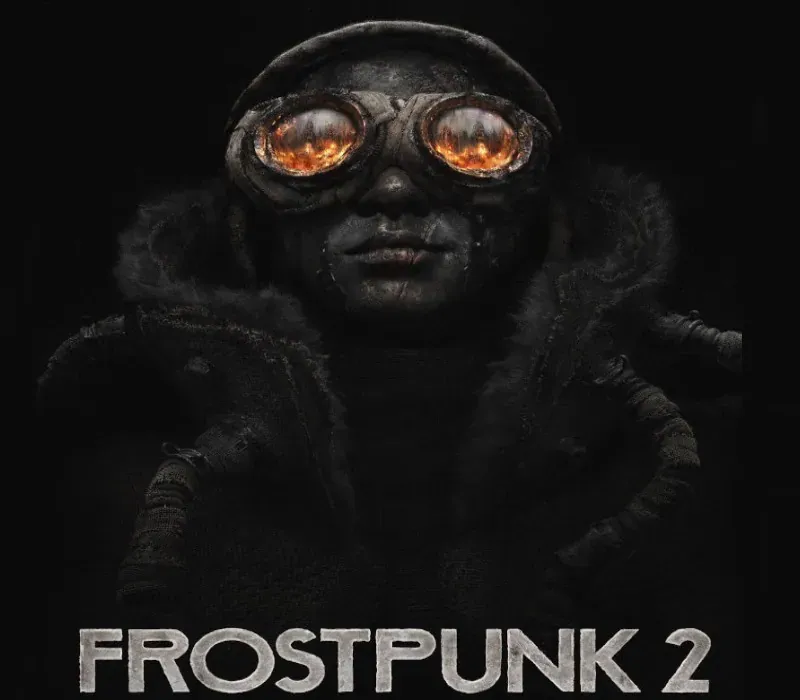
Frostpunk 2 PC Steam CD Key
Frostpunk 2 PC Steam CD Key ist ein digitaler Key für Steam, nicht regional gesperrt. Sofortige Lieferung nach der Zahlung. Preis: $7.48, 83 % unter Steam UVP: $44.99.
⭐ 153,000+ Bestellungen seit 2018 geliefert
 Pago Móvil
 Binance Pay
Über dieses Spiel
Frostpunk 2 hebt das Genre des Städteüberlebens auf ein neues Level. Übernimm die Rolle eines Stewards und führe deine Stadt durch eine Kaskade von Katastrophen in einer postapokalyptischen, verschneiten Welt. Errichte große Stadtbezirke mit ihrer Kette endloser Bedürfnisse und Forderungen. Manövriere zwischen den widerstreitenden Interessen der Fraktionen, die deine Metropole bevölkern. Während die Bedürfnisse der Stadt wachsen und die Macht der Fraktionen in ihrem Kern zunimmt, kannst nur du die Gesellschaft in eine ungewisse Zukunft steuern.
Die Welt wird von einem allgegenwärtigen Winter heimgesucht, wodurch die Expansion der Stadt der einzige Weg zum Überleben der Menschheit ist. Um zu wachsen, braucht die Metropole Ressourcen wie Kohle und Öl, so wie ihre Bürger Nahrung und Wärme benötigen. In Frostpunk 2 ist es deine Aufgabe, dich diesem endlosen Kreislauf aus Angebot und Nachfrage zu stellen.
Die Zahl deiner Bürger wächst stetig, was die Aufgabe, sie zu regieren und ihre Forderungen zu erfüllen, immer anspruchsvoller macht. Als Steward musst du vorsichtig zwischen den Interessen der vielen Gruppen navigieren, die in der Stadt leben.
Die Menschen deiner Stadt wollen bei deiner Amtsführung mitreden. Jede Fraktion hat ihre eigene Ideologie und eigene Vorstellungen von der Zukunft, doch sie haben auch eines gemeinsam – einen unstillbaren Durst nach Macht. Wähle deine Verbündeten in der Ratshalle weise.
Triff harte Entscheidungen über Leben und Tod, während du die Wärme in deiner Stadt verteilst, unterstützt durch neue Forschungsthemen und wärmeorientierte Gesetze. Wähle mithilfe des Wärmemanagement-Systems mit detaillierter Temperaturanzeige die Bezirke aus, die am meisten Wärme benötigen.
Die Geschichte von Frostpunk 2 bietet eine mehrkapitelige Saga in den gefrorenen Einöden. Diese Kampagne, die das gesamte Leben des Stewards umspannt, lässt dich die Last der Führung spüren, wenn du die Verantwortung für Tausende Leben übernimmst. Gleichzeitig bietet der Sandbox-Modus namens Utopia Builder mit unendlicher Spielzeit Raum für grenzenlose gesellschaftliche und infrastrukturelle Experimente.
Frostpunk 2 enthält ein umfangreiches und vielseitiges Modding-Tool. Mit FrostKit kannst du deine eigenen Karten, Modelle und Szenarien direkt im Spiel erstellen. Jetzt setzt nur noch deine Fantasie dem Ziel deiner Stadt Grenzen!
Systemanforderungen
Minimum
- Betriebssystem: Windows 10/11 (64-Bit)
- Prozessor: AMD Ryzen 5 1600 / Intel Core i5-8400
- Arbeitsspeicher: 8 GB RAM
- Grafik: AMD RX 550 4 GB VRAM / NVIDIA GTX 1050Ti 4 GB VRAM / INTEL ARC A310 4GB VRAM
- DirectX: Version 12
- Speicherplatz: 30 GB freier Speicherplatz
- Zusätzliche Hinweise: SSD erforderlich.
Empfohlen
- Betriebssystem: Windows 10/11 (64-Bit)
- Prozessor: AMD Ryzen 7 3700x / Intel Core i7-10700
- Arbeitsspeicher: 16 GB RAM
- Grafik: AMD RX 5700 8 GB VRAM / NVIDIA 2060 Super RTX 8 GB VRAM / INTEL ARC A770 8GB VRAM
- DirectX: Version 12
- Speicherplatz: 30 GB freier Speicherplatz
- Zusätzliche Hinweise: SSD erforderlich.
So aktivierst du
- Starte den Steam-Client auf deinem PC und melde dich an, oder öffne store.steampowered.com/account/registerkey im Browser.
- Klicke oben auf das Menü "Spiele" (oder unten links auf "+ Spiel hinzufügen") und wähle "Ein Produkt bei Steam aktivieren...".
- Folge den Anweisungen, akzeptiere das Steam-Abonnement-Abkommen und gib deinen Key in das Feld "Produktschlüssel" ein.
- Klicke auf "Weiter" und "Fertigstellen". Das Spiel ist nun dauerhaft in deiner Steam-Bibliothek verfügbar und installationsbereit.
Kundenbewertungen
Häufig gestellte Fragen
Für welche Region ist das?
Das ist die Global-Version: Sie ist nicht regional gesperrt.
Wie aktiviere ich Frostpunk 2 PC Steam CD Key auf Steam?
1. Starte den Steam-Client auf deinem PC und melde dich an, oder öffne store.steampowered.com/account/registerkey im Browser. 2. Klicke oben auf das Menü "Spiele" (oder unten links auf "+ Spiel hinzufügen") und wähle "Ein Produkt bei Steam aktivieren...". 3. Folge den Anweisungen, akzeptiere das Steam-Abonnement-Abkommen und gib deinen Key in das Feld "Produktschlüssel" ein. 4. Klicke auf "Weiter" und "Fertigstellen". Das Spiel ist nun dauerhaft in deiner Steam-Bibliothek verfügbar und installationsbereit.
Wie schnell erfolgt die Lieferung?
Dein Key erscheint direkt nach der Zahlung in deinem Konto und wird dir per E-Mail geschickt.