
 1 von 11
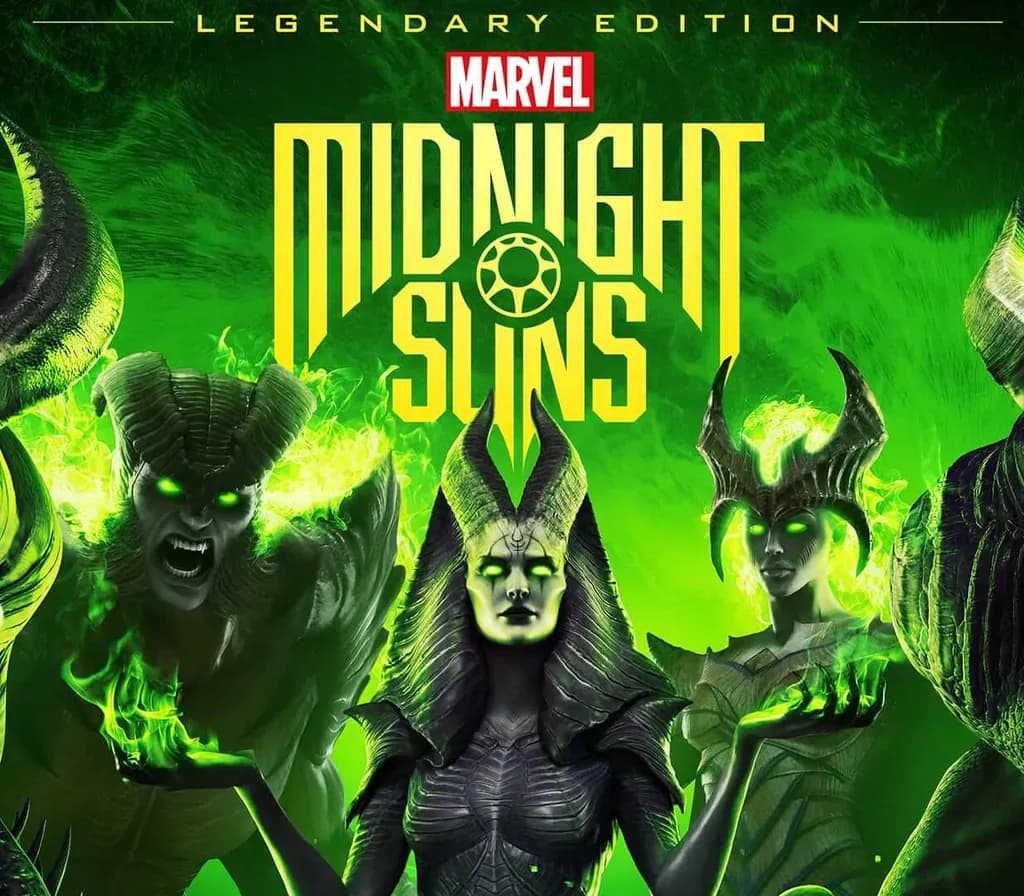
Marvel's Midnight Suns Legendary Edition PS4 Account
Release: 2. Dez. 2022 · Entwickler: Firaxis Games · Publisher: 2K
Marvel's Midnight Suns Legendary Edition — PSN account for PS4, Global. Not a code — read the account-ban notice before buying.
Wähle deine Version
- Sicher bezahlenSofort
- Key in deinem Account sichtbar~60s
- Auf PlayStation einlösenDirekte Aktivierung
 Pago Móvil
 Binance Pay
 Kryptowährungen
 Wallet
154.000+ Verkäufe im Shop und auf Marktplätzen · Zuletzt ausgelieferte Bestellung: vor 34 Minuten
So aktivierst du
- 1Schalte die PlayStation ein, wähle "Benutzer hinzufügen" und klicke auf "Erste Schritte" (nicht als Gast anmelden).
- 2Melde dich im PSN mit der bereitgestellten E-Mail und dem Passwort an und gib bei Bedarf den 2FA-Code ein.
- 3Aktiviere das Teilen: Auf PS5 unter Einstellungen -> Benutzer und Konten -> Anderes -> "Konsolenfreigabe und Offline-Spiel" auf Aktivieren setzen (PS4: Einstellungen -> Kontoverwaltung -> "Als primäre PS4 aktivieren").
- 4Gehe in die Spielebibliothek -> "Deine Sammlung", starte den Download und wechsle zu deinem persönlichen Profil zum Spielen.
Über dieses Spiel
Marvel's Midnight Suns Legendary Edition PS4 Account ist ein Spielekonto für PlayStation, nicht regional gesperrt.
Important — please read before buying: This is a PlayStation account created and supplied by a third-party seller, not a code for your own account. Sony's Terms of Service do not allow buying or selling PSN accounts, so a ban of the account (or restrictions on the console) is a likely possibility, though not a certainty, and we cannot guarantee the account will not be restricted. Do not change the account's country/region or add a payment method; play on your own profile via Console Sharing and Offline Play.
Marvel’s Midnight Suns is the ultimate crossover event combining the rich story, character relationships, customization and progression of an RPG with the tactical strategy and combat mechanics of a revolutionary new card-based tactics game. Set in the darker side of the Marvel Universe, you will forge unbreakable bonds with legendary Marvel Super Heroes and dangerous supernatural warriors in the fight against the world’s greatest threat yet…the demonic forces of Lilith and the elder god Chthon.
Your Marvel Adventure
You are the Hunter, the first fully-customizable original hero in the Marvel Universe. Personalize your appearance, choose your reactions to situations, and build friendships with Marvel legends spanning The Avengers, X-Men, Runaways, and more. Decide who to take with you on missions, which missions to embark on, and a host of other options to make this a unique experience.
Fight and Think like a Super Hero
From the creators of the critically-acclaimed tactical XCOM series comes an engaging and deeply customizable card-based battle system that rewards clever thinking with Super Hero flair. Deploy a squad of Super Heroes on tactical turn-based missions to thwart the forces of evil. Use your environment, move around the battlefield lining up the perfect shot or combo, and then launch devastating hero abilities to gain the advantage in each epic encounter. The combat leverages the best elements from tactical games and card-based combat in a truly unique and thrilling experience.
Live Among the Legends
Spend time exploring what Super Heroes do in their off hours. Explore The Abbey—your very own mystical secret base—to discover powerful hidden items and secrets to aid you in the conflict against Lilith and her minions. Befriend and get to really know some of your favorite Marvel heroes as you interact with them in ways beyond the comics or the films.
Häufig gestellte Fragen
Für welche Region ist das?
Das ist die Global-Version: Sie ist nicht regional gesperrt.
Wie aktiviere ich Marvel's Midnight Suns Legendary Edition PS4 Account auf PlayStation?
1. Schalte die PlayStation ein, wähle "Benutzer hinzufügen" und klicke auf "Erste Schritte" (nicht als Gast anmelden). 2. Melde dich im PSN mit der bereitgestellten E-Mail und dem Passwort an und gib bei Bedarf den 2FA-Code ein. 3. Aktiviere das Teilen: Auf PS5 unter Einstellungen -> Benutzer und Konten -> Anderes -> "Konsolenfreigabe und Offline-Spiel" auf Aktivieren setzen (PS4: Einstellungen -> Kontoverwaltung -> "Als primäre PS4 aktivieren"). 4. Gehe in die Spielebibliothek -> "Deine Sammlung", starte den Download und wechsle zu deinem persönlichen Profil zum Spielen.
Was bedeutet „Konto“?
Du erhältst die Zugangsdaten für ein PlayStation-Konto, das das Spiel bereits besitzt.
Kundenbewertungen
Alle Bewertungen ansehen und eigene schreiben
Kundenbewertungen
Noch hat niemand dieses Spiel bewertet. Wenn du es kaufst, erzähl uns, wie es war.
Das könnte dir auch gefallen
 −63%
Middle-earth: Shadow of War Definitive Edition PS4/PS5 Account

Madden NFL 24 Deluxe Edition PS4 Account
 −67%
Kingdom Come: Deliverance Royal Edition PS4 Account
 −63%
GreedFall Gold Edition PS5 Account
 −70%