 1 von 8
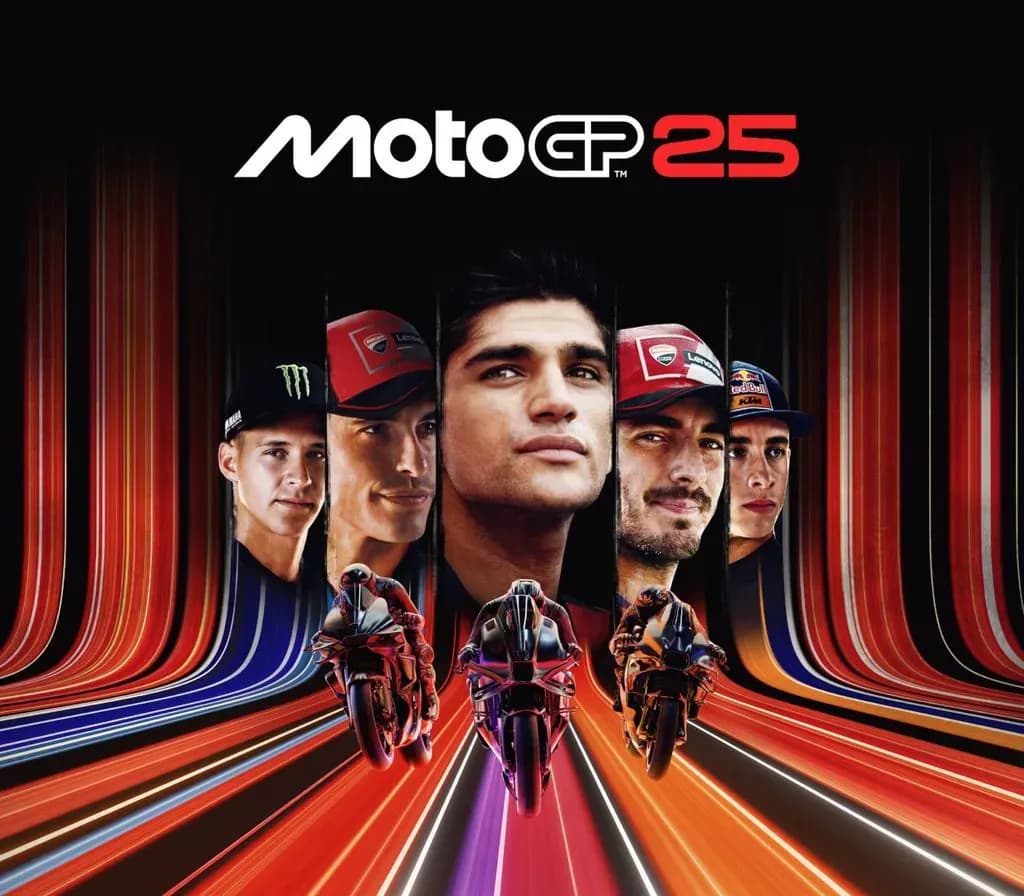
MotoGP 25 PS5 Account
Release: 30. Apr. 2025 · Entwickler: Milestone S.r.l.
MotoGP 25 — PSN account for PS5, Global. Not a code — read the account-ban notice before buying.
- Sicher bezahlenSofort
- Key in deinem Account sichtbar~60s
- Auf PlayStation einlösenDirekte Aktivierung
 Pago Móvil
 Binance Pay
 Kryptowährungen
 Wallet
154.000+ Verkäufe im Shop und auf Marktplätzen · Zuletzt ausgelieferte Bestellung: vor 32 Minuten
So aktivierst du
- 1Schalte die PlayStation ein, wähle "Benutzer hinzufügen" und klicke auf "Erste Schritte" (nicht als Gast anmelden).
- 2Melde dich im PSN mit der bereitgestellten E-Mail und dem Passwort an und gib bei Bedarf den 2FA-Code ein.
- 3Aktiviere das Teilen: Auf PS5 unter Einstellungen -> Benutzer und Konten -> Anderes -> "Konsolenfreigabe und Offline-Spiel" auf Aktivieren setzen (PS4: Einstellungen -> Kontoverwaltung -> "Als primäre PS4 aktivieren").
- 4Gehe in die Spielebibliothek -> "Deine Sammlung", starte den Download und wechsle zu deinem persönlichen Profil zum Spielen.
Über dieses Spiel
MotoGP 25 PS5 Account ist ein Spielekonto für PlayStation, nicht regional gesperrt.
Important — please read before buying: This is a PlayStation account created and supplied by a third-party seller, not a code for your own account. Sony's Terms of Service do not allow buying or selling PSN accounts, so a ban of the account (or restrictions on the console) is a likely possibility, though not a certainty, and we cannot guarantee the account will not be restricted. Do not change the account's country/region or add a payment method; play on your own profile via Console Sharing and Offline Play.
Get ready to take part in MotoGP™25!
FEEL EVERY DETAIL OF THE 2025 SEASON
Join the official Championship and step into the boots of your favorite riders to master the most iconic bikes and tracks of the season. Live the most realistic race thrills ever thanks to Unreal Engine 5, MotoGP™ Stewards ensuring fair battles, and an overhauled sound design, recorded on-site from official bikes.
FORGE YOUR RACING LEGACY
Your path to becoming a MotoGP™ Legend starts here! Deep dive into your bike's evolution, choose your own career Turning Points during the season and develop social relationships off track, then watch how these choices evolve over the weekend. Master the Riders Market dynamics to make your journey always unique.
MASTER YOUR CRAFT
Train like a champion with the new Race Off disciplines available in Career and Quick Modes. Ride Motard, Flat Track and Minibikes bikes on 4 dedicated tracks across 2 original environments. Take on challenges like elimination and relay races, boost your rider's fitness, unlock accessories and sharpen your skills to dominate the track!
RACE YOUR OWN WAY
Maximum playability or full-sim challenge? Jump right into the action with the new Arcade Experience for immediate adrenaline-pumping fun. Or master every detail of the track, fuel consumption, and electronics in the Pro Experience, for an authentic MotoGP™ realism!
Take full control of your bike with an improved Adaptive Difficulty Mode, Neural Aid System and new Tutorial.
DOMINATE THE SCENE
Ranked races and full cross-play will let you challenge friends and opponents with similar skills, no matter what platform* they race on.
Unleash your creativity and show the world your style thanks to a full set of in-game editors.
*Nintendo Switch excluded
Häufig gestellte Fragen
Für welche Region ist das?
Das ist die Global-Version: Sie ist nicht regional gesperrt.
Wie aktiviere ich MotoGP 25 PS5 Account auf PlayStation?
1. Schalte die PlayStation ein, wähle "Benutzer hinzufügen" und klicke auf "Erste Schritte" (nicht als Gast anmelden). 2. Melde dich im PSN mit der bereitgestellten E-Mail und dem Passwort an und gib bei Bedarf den 2FA-Code ein. 3. Aktiviere das Teilen: Auf PS5 unter Einstellungen -> Benutzer und Konten -> Anderes -> "Konsolenfreigabe und Offline-Spiel" auf Aktivieren setzen (PS4: Einstellungen -> Kontoverwaltung -> "Als primäre PS4 aktivieren"). 4. Gehe in die Spielebibliothek -> "Deine Sammlung", starte den Download und wechsle zu deinem persönlichen Profil zum Spielen.
Was bedeutet „Konto“?
Du erhältst die Zugangsdaten für ein PlayStation-Konto, das das Spiel bereits besitzt.
Kundenbewertungen
Alle Bewertungen ansehen und eigene schreiben
Kundenbewertungen
Noch hat niemand dieses Spiel bewertet. Wenn du es kaufst, erzähl uns, wie es war.