
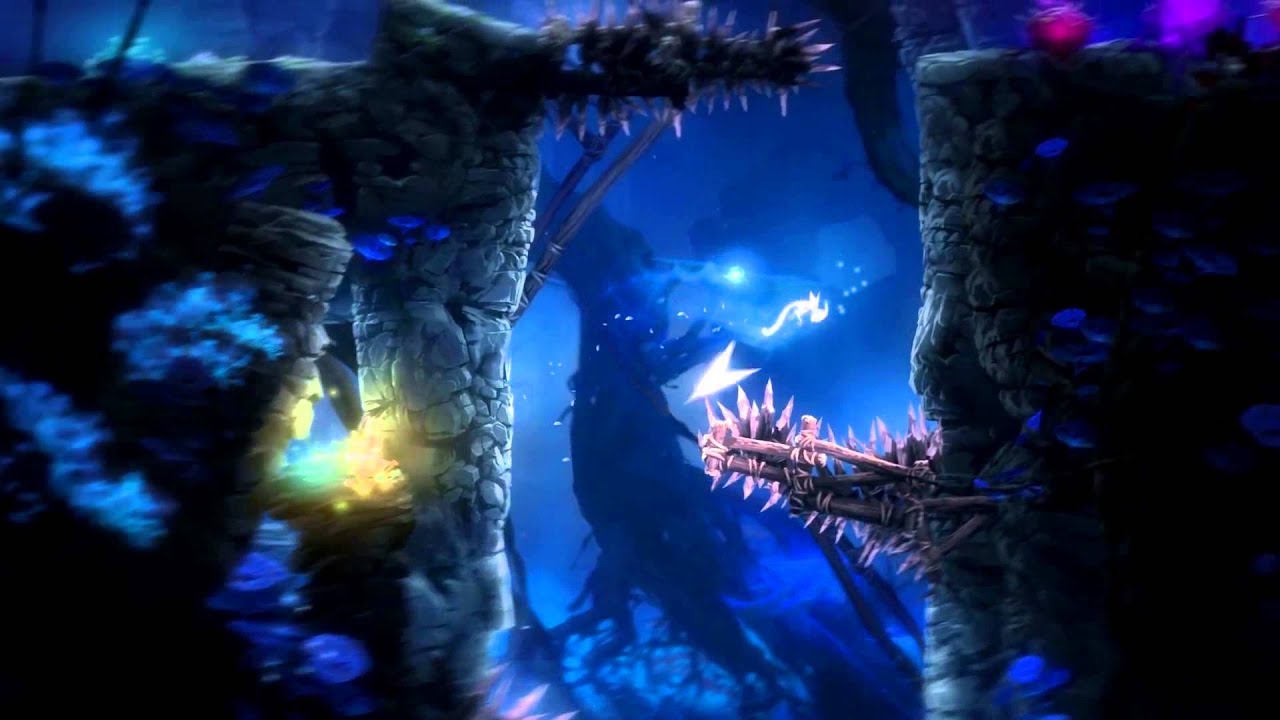
Ori and the Blind Forest Definitive Edition PC Steam CD Key
Ori and the Blind Forest Definitive Edition PC Steam CD Key ist ein digitaler Key für Steam, nicht regional gesperrt. Sofortige Lieferung nach der Zahlung. Preis: $5.19, 74 % unter Steam UVP: $19.99.
⭐ 153,000+ Bestellungen seit 2018 geliefert
 Pago Móvil
 Binance Pay
Über dieses Spiel
Neu in der Definitive Edition: jede Menge neue und zusätzliche Inhalte – neue Gebiete, neue Geheimnisse, neue Fähigkeiten, mehr Story-Sequenzen, mehrere Schwierigkeitsgrade, volle Unterstützung für Backtracking und vieles mehr! Entdecke Narus Vergangenheit in zwei völlig neuen Umgebungen. Meistere zwei mächtige neue Fähigkeiten – Dash und Light Burst. Finde neue geheime Gebiete und erkunde Nibel schneller, indem du dich zwischen den Geisterbrunnen teleportierst.
Der Wald von Nibel stirbt. Nachdem ein gewaltiger Sturm eine Reihe verheerender Ereignisse in Gang gesetzt hat, muss ein unwahrscheinlicher Held eine Reise antreten, um seinen Mut zu finden und sich einem finsteren Widersacher zu stellen, um seine Heimat zu retten. Ori and the Blind Forest erzählt die Geschichte eines jungen Waisen, der zum Heldentum bestimmt ist – in einem optisch beeindruckenden Action-Plattformer von Moon Studios für PC.
Mit handgemalter Grafik, sorgfältig animierten Charakteren und einem vollständig orchestrierten Soundtrack erzählt Ori and the Blind Forest eine zutiefst emotionale Geschichte über Liebe und Opferbereitschaft und über die Hoffnung, die in uns allen steckt.
Systemanforderungen
- Windows: Betriebssystem: Windows 7 Prozessor: Intel Core 2 Duo E4500 @ 2.2GHz oder AMD Athlon 64 X2 5600+ @ 2.8 GHz Arbeitsspeicher: 4 GB RAM Grafik: GeForce 240 GT oder Radeon HD 6570 – 1024 MB (1 gig) DirectX: Version 9.0c Speicherplatz: 11 GB verfügbarer Speicherplatz
So aktivierst du
- Starte den Steam-Client auf deinem PC und melde dich an, oder öffne store.steampowered.com/account/registerkey im Browser.
- Klicke oben auf das Menü "Spiele" (oder unten links auf "+ Spiel hinzufügen") und wähle "Ein Produkt bei Steam aktivieren...".
- Folge den Anweisungen, akzeptiere das Steam-Abonnement-Abkommen und gib deinen Key in das Feld "Produktschlüssel" ein.
- Klicke auf "Weiter" und "Fertigstellen". Das Spiel ist nun dauerhaft in deiner Steam-Bibliothek verfügbar und installationsbereit.
Kundenbewertungen
Häufig gestellte Fragen
Für welche Region ist das?
Das ist die Global-Version: Sie ist nicht regional gesperrt.
Wie aktiviere ich Ori and the Blind Forest Definitive Edition PC Steam CD Key auf Steam?
1. Starte den Steam-Client auf deinem PC und melde dich an, oder öffne store.steampowered.com/account/registerkey im Browser. 2. Klicke oben auf das Menü "Spiele" (oder unten links auf "+ Spiel hinzufügen") und wähle "Ein Produkt bei Steam aktivieren...". 3. Folge den Anweisungen, akzeptiere das Steam-Abonnement-Abkommen und gib deinen Key in das Feld "Produktschlüssel" ein. 4. Klicke auf "Weiter" und "Fertigstellen". Das Spiel ist nun dauerhaft in deiner Steam-Bibliothek verfügbar und installationsbereit.
Wie schnell erfolgt die Lieferung?
Dein Key erscheint direkt nach der Zahlung in deinem Konto und wird dir per E-Mail geschickt.