
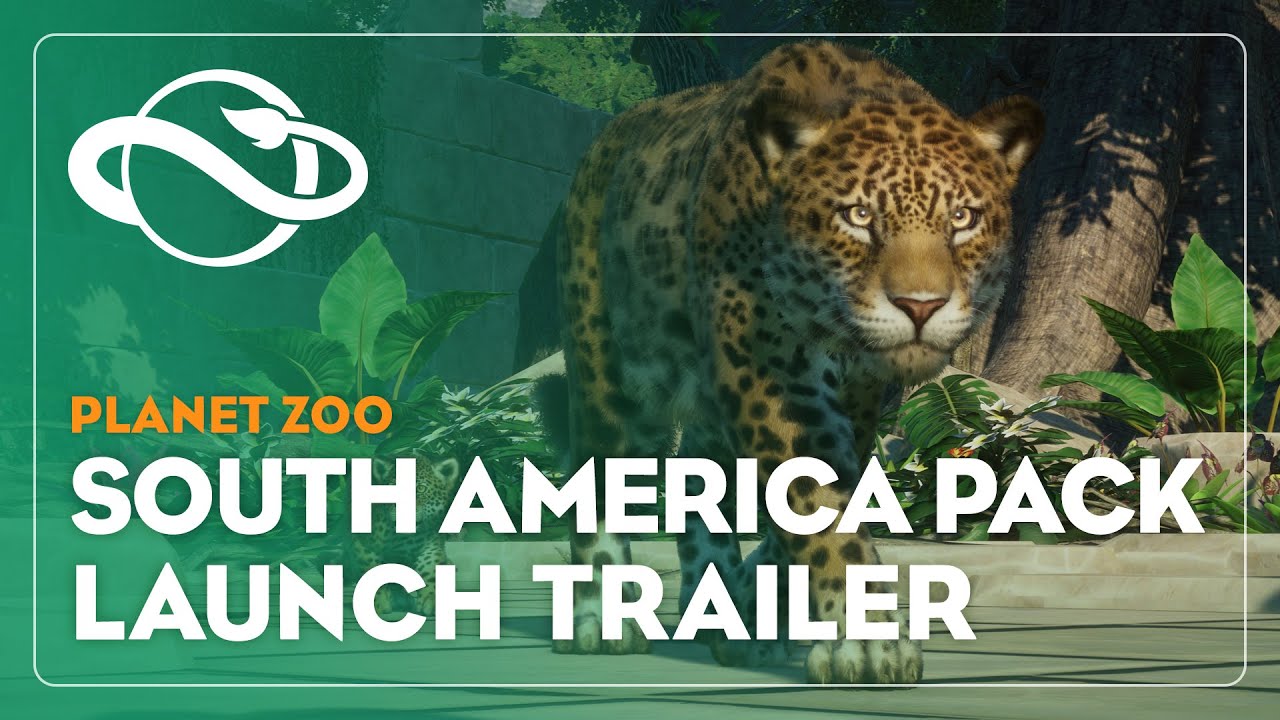
Planet Zoo: South America Pack PC Steam CD Key
Planet Zoo: South America Pack PC Steam CD Key ist ein digitaler Key für Steam, nicht regional gesperrt. Sofortige Lieferung nach der Zahlung. Preis: $4.58, 54 % unter Steam UVP: $9.99.
⭐ 153,000+ Bestellungen seit 2018 geliefert
 Pago Móvil
 Binance Pay
Über dieses Spiel
Bereichere deinen Zoo mit über 250 neuen Dekorationselementen, inspiriert vom wunderbar vielfältigen südamerikanischen Kontinent. Betreue und erforsche fünf einzigartige neue Tiere und gestalte Zoos mit unverwechselbarer Vegetation und Architektur, vom üppigen Grün des Amazonasbeckens bis zu den Höhen der Anden.
5 ERSTAUNLICHE NEUE TIERE
Heiße fünf ikonische neue Tiere aus der südamerikanischen Region in deinen Zoos willkommen: den Jaguar, das Lama, den Kapuzineraffen, den Großen Ameisenbären und den Rotaugenlaubfrosch. Jedes dieser Tiere hat seine eigenen Bedürfnisse und Anforderungen an den Lebensraum, und es liegt an dir, sie in deinen Parks gesund und glücklich zu halten.
ÜBER 250 NEUE DEKORATIONSELEMENTE
Erschaffe dein eigenes Dschungelabenteuer! Errichte einen aztekischen Tempel als Parkeingang, gestalte deine Lebensräume mit Schätzen vergangener Zivilisationen oder baue deinen eigenen Regenwald – über 250 neue Bau-, Dekorations- und Vegetationselemente stehen zur Auswahl und inspirieren dich!
Systemanforderungen
- Windows: Minimum: Betriebssystem *: Windows 7 (SP1+)/8.1/10 64bit Prozessor: Intel i5-2500 / AMD FX-6350 Arbeitsspeicher: 8 GB RAM Grafik: NVIDIA GeForce GTX 770 (2GB) / AMD Radeon R9 270X (2GB) Zusätzliche Hinweise: Die Mindestspezifikationen können sich während der Entwicklung ändern
So aktivierst du
- Starte den Steam-Client auf deinem PC und melde dich an, oder öffne store.steampowered.com/account/registerkey im Browser.
- Klicke oben auf das Menü "Spiele" (oder unten links auf "+ Spiel hinzufügen") und wähle "Ein Produkt bei Steam aktivieren...".
- Folge den Anweisungen, akzeptiere das Steam-Abonnement-Abkommen und gib deinen Key in das Feld "Produktschlüssel" ein.
- Klicke auf "Weiter" und "Fertigstellen". Das Spiel ist nun dauerhaft in deiner Steam-Bibliothek verfügbar und installationsbereit.
Kundenbewertungen
Häufig gestellte Fragen
Für welche Region ist das?
Das ist die Global-Version: Sie ist nicht regional gesperrt.
Wie aktiviere ich Planet Zoo: South America Pack PC Steam CD Key auf Steam?
1. Starte den Steam-Client auf deinem PC und melde dich an, oder öffne store.steampowered.com/account/registerkey im Browser. 2. Klicke oben auf das Menü "Spiele" (oder unten links auf "+ Spiel hinzufügen") und wähle "Ein Produkt bei Steam aktivieren...". 3. Folge den Anweisungen, akzeptiere das Steam-Abonnement-Abkommen und gib deinen Key in das Feld "Produktschlüssel" ein. 4. Klicke auf "Weiter" und "Fertigstellen". Das Spiel ist nun dauerhaft in deiner Steam-Bibliothek verfügbar und installationsbereit.
Wie schnell erfolgt die Lieferung?
Dein Key erscheint direkt nach der Zahlung in deinem Konto und wird dir per E-Mail geschickt.