
 1 von 14
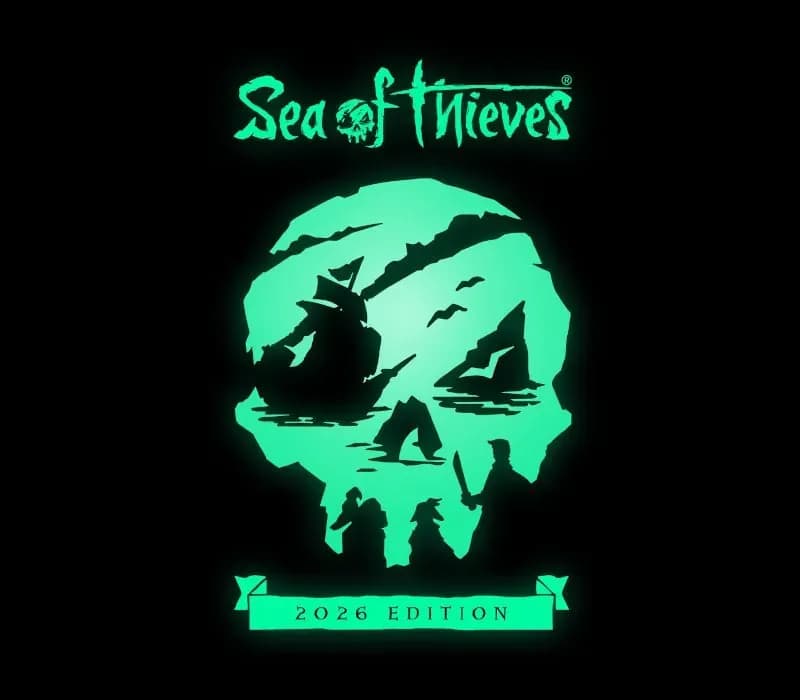
Sea of Thieves 2026 Deluxe Edition PS5 Account
Release: 22. März 2024 · Entwickler: Rare Ltd · Publisher: Xbox Game Studios
Sea of Thieves 2026 Deluxe Edition — PSN account for PS5, Global. Not a code — read the account-ban notice before buying.
- Sicher bezahlenSofort
- Key in deinem Account sichtbar~60s
- Auf PlayStation einlösenDirekte Aktivierung
 Pago Móvil
 Binance Pay
 Kryptowährungen
 Wallet
154.000+ Verkäufe im Shop und auf Marktplätzen · Zuletzt ausgelieferte Bestellung: vor 34 Minuten
So aktivierst du
- 1Schalte die PlayStation ein, wähle "Benutzer hinzufügen" und klicke auf "Erste Schritte" (nicht als Gast anmelden).
- 2Melde dich im PSN mit der bereitgestellten E-Mail und dem Passwort an und gib bei Bedarf den 2FA-Code ein.
- 3Aktiviere das Teilen: Auf PS5 unter Einstellungen -> Benutzer und Konten -> Anderes -> "Konsolenfreigabe und Offline-Spiel" auf Aktivieren setzen (PS4: Einstellungen -> Kontoverwaltung -> "Als primäre PS4 aktivieren").
- 4Gehe in die Spielebibliothek -> "Deine Sammlung", starte den Download und wechsle zu deinem persönlichen Profil zum Spielen.
Über dieses Spiel
Sea of Thieves 2026 Deluxe Edition PS5 Account ist ein Spielekonto für PlayStation, nicht regional gesperrt.
Important — please read before buying: This is a PlayStation account created and supplied by a third-party seller, not a code for your own account. Sony's Terms of Service do not allow buying or selling PSN accounts, so a ban of the account (or restrictions on the console) is a likely possibility, though not a certainty, and we cannot guarantee the account will not be restricted. Do not change the account's country/region or add a payment method; play on your own profile via Console Sharing and Offline Play.
Sea of Thieves offers the essential pirate experience, from sailing and fighting to exploring and looting – everything you need to live the pirate life and become a legend in your own right. With no set roles, you have complete freedom to approach the world, and other players, however you choose. Whether you’re voyaging as a group or sailing solo, you’re bound to encounter other crews in this shared world adventure – but will they be friends or foes, and how will you respond? Discover the Seas Sea of Thieves encourages you to pick a point on the horizon and set sail to uncover all that awaits, from the deepest underground passages to the highest island peaks. Wherever you go, there’s always something for inquisitive players to unearth. The Excitement Never Ends Every Sea of Thieves session is unpredictable. Even a simple Voyage to a tranquil island can unfold into a skeleton ambush, a pitched battle against a fleet of Ghost Ships or a daring chase in pursuit of rival pirates making off with your plunder! Become Legend On your journey to become a Pirate Legend you’ll amass loot, build a reputation and define a unique personal style with your hard-earned rewards. Adventurer. Explorer. Conqueror. What will your legend be? A Game That’s Always Growing Each new Season of Sea of Thieves improves and expands upon game features while delivering a calendar of themed and recurring Live Events. Check back regularly to see what’s been added, even as you climb the 50 levels of the free Season Pass to unlock a wealth of rewards. Additional Bonuses Additional digital bonuses* include access to the latest version of the Sea of Thieves Original Soundtrack, the Sea of Thieves: Athena's Fortune audiobook and The Rough Guide to Sea of Thieves eBook.
Häufig gestellte Fragen
Für welche Region ist das?
Das ist die Global-Version: Sie ist nicht regional gesperrt.
Wie aktiviere ich Sea of Thieves 2026 Deluxe Edition PS5 Account auf PlayStation?
1. Schalte die PlayStation ein, wähle "Benutzer hinzufügen" und klicke auf "Erste Schritte" (nicht als Gast anmelden). 2. Melde dich im PSN mit der bereitgestellten E-Mail und dem Passwort an und gib bei Bedarf den 2FA-Code ein. 3. Aktiviere das Teilen: Auf PS5 unter Einstellungen -> Benutzer und Konten -> Anderes -> "Konsolenfreigabe und Offline-Spiel" auf Aktivieren setzen (PS4: Einstellungen -> Kontoverwaltung -> "Als primäre PS4 aktivieren"). 4. Gehe in die Spielebibliothek -> "Deine Sammlung", starte den Download und wechsle zu deinem persönlichen Profil zum Spielen.
Was bedeutet „Konto“?
Du erhältst die Zugangsdaten für ein PlayStation-Konto, das das Spiel bereits besitzt.
Kundenbewertungen
Alle Bewertungen ansehen und eigene schreiben
Kundenbewertungen
Noch hat niemand dieses Spiel bewertet. Wenn du es kaufst, erzähl uns, wie es war.
Das könnte dir auch gefallen
 −70%
Star Wars Jedi: Fallen Order Deluxe Edition PS4 Account
 −69%
Nioh 2 Remastered – The Complete Edition PS4 Account
 −63%
Middle-earth: Shadow of War Definitive Edition PS4/PS5 Account
 −75%
Marvel's Spider-Man GOTY PS4 Account
 −67%