 1 von 8
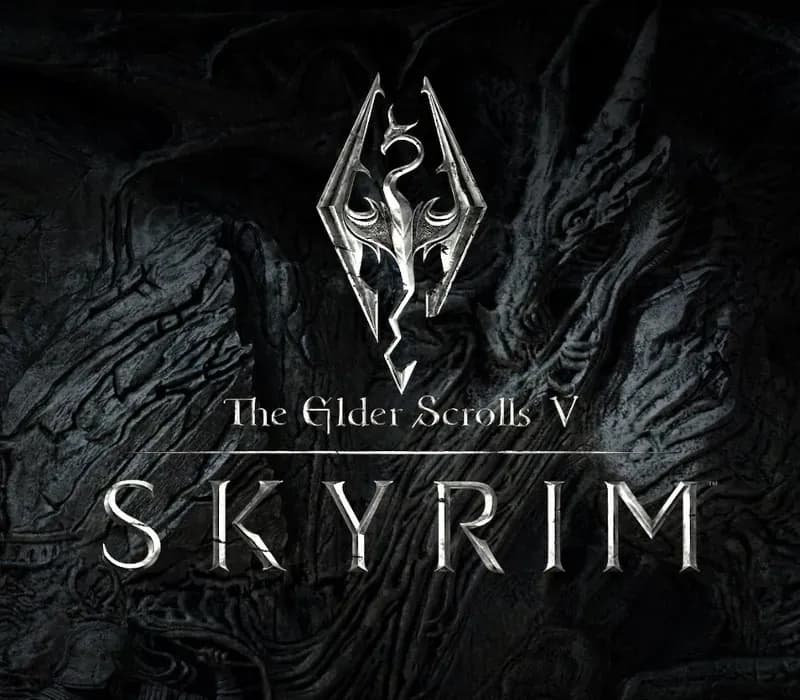
The Elder Scrolls V: Skyrim Special Edition PS4/PS5 Account
Release: 28. Okt. 2016 · Entwickler: Bethesda Game Studios · Publisher: Bethesda Softworks
The Elder Scrolls V: Skyrim Special Edition — PSN account for PS4/PS5, Global. Not a code — read the account-ban notice before buying.
Wähle deine Version
Dein Land: Vereinigte Staaten- Sicher bezahlenSofort
- Key in deinem Account sichtbar~60s
- Auf PlayStation einlösenDirekte Aktivierung
 Pago Móvil
 Binance Pay
 Kryptowährungen
 Wallet
154.000+ Verkäufe im Shop und auf Marktplätzen · Zuletzt ausgelieferte Bestellung: vor 33 Minuten
Editionen vergleichen
Sehen Sie, was in jeder Edition enthalten ist
| The Elder Scrolls V: Skyrim | Standard Edition | Special EditionDeine Edition | Anniversary Edition | Anniversary Upgrade (DLC) |
|---|---|---|---|---|
| Base game (Original 2011) | — | — | — | |
| Base game (Remastered 64-bit) | — | — | — | |
| Skyrim Special Edition (Base + Dawnguard + Hearthfire + Dragonborn) | — | — | — | |
| Dawnguard ExpansionVolkihar-Vampir-Handlung und die Dämmerwacht | — | — | — | |
| Hearthfire ExpansionGrundstückserwerb, Hausbau und Adoption | — | — | — | |
| Dragonborn ExpansionInsel Solstheim-Handlung und Miraak | — | — | — | |
| 500+ Creation Club ElementsÜber 500 offizielle Kreationen: Quests, Bosse, Waffen, Rüstungen und Überlebensmodus | — | — | — | |
| Creation Club Bundle (Requiere Special Edition previa)Aktualisiert Skyrim Special Edition auf die Anniversary Edition | — | — | — |
So aktivierst du
- 1Schalte die PlayStation ein, wähle "Benutzer hinzufügen" und klicke auf "Erste Schritte" (nicht als Gast anmelden).
- 2Melde dich im PSN mit der bereitgestellten E-Mail und dem Passwort an und gib bei Bedarf den 2FA-Code ein.
- 3Aktiviere das Teilen: Auf PS5 unter Einstellungen -> Benutzer und Konten -> Anderes -> "Konsolenfreigabe und Offline-Spiel" auf Aktivieren setzen (PS4: Einstellungen -> Kontoverwaltung -> "Als primäre PS4 aktivieren").
- 4Gehe in die Spielebibliothek -> "Deine Sammlung", starte den Download und wechsle zu deinem persönlichen Profil zum Spielen.
Über dieses Spiel
The Elder Scrolls V: Skyrim Special Edition PS4/PS5 Account ist ein Spielekonto für PlayStation, nicht regional gesperrt.
Important — please read before buying: This is a PlayStation account created and supplied by a third-party seller, not a code for your own account. Sony's Terms of Service do not allow buying or selling PSN accounts, so a ban of the account (or restrictions on the console) is a likely possibility, though not a certainty, and we cannot guarantee the account will not be restricted. Do not change the account's country/region or add a payment method; play on your own profile via Console Sharing and Offline Play.
A true, full-length open-world game for VR has arrived from award-winning developers, Bethesda Game Studios. Skyrim VR reimagines the complete epic fantasy masterpiece with an unparalleled sense of scale, depth, and immersion. From battling ancient dragons to exploring rugged mountains and more, Skyrim VR brings to life a complete open world for you to experience any way you choose. Skyrim VR includes the critically-acclaimed core game and official add-ons – Dawnguard, Hearthfire, and Dragonborn.
Dragons, long lost to the passages of the Elder Scrolls, have returned to Tamriel and the future of the Empire hangs in the balance. As Dragonborn, the prophesied hero born with the power of The Voice, you are the only one who can stand amongst them.
Häufig gestellte Fragen
Für welche Region ist das?
Das ist die Global-Version: Sie ist nicht regional gesperrt.
Wie aktiviere ich The Elder Scrolls V: Skyrim Special Edition PS4/PS5 Account auf PlayStation?
1. Schalte die PlayStation ein, wähle "Benutzer hinzufügen" und klicke auf "Erste Schritte" (nicht als Gast anmelden). 2. Melde dich im PSN mit der bereitgestellten E-Mail und dem Passwort an und gib bei Bedarf den 2FA-Code ein. 3. Aktiviere das Teilen: Auf PS5 unter Einstellungen -> Benutzer und Konten -> Anderes -> "Konsolenfreigabe und Offline-Spiel" auf Aktivieren setzen (PS4: Einstellungen -> Kontoverwaltung -> "Als primäre PS4 aktivieren"). 4. Gehe in die Spielebibliothek -> "Deine Sammlung", starte den Download und wechsle zu deinem persönlichen Profil zum Spielen.
Was bedeutet „Konto“?
Du erhältst die Zugangsdaten für ein PlayStation-Konto, das das Spiel bereits besitzt.
Was ist in „Special Edition“ enthalten?
Base game (Remastered 64-bit), Dawnguard Expansion, Hearthfire Expansion, Dragonborn Expansion
Kundenbewertungen
Alle Bewertungen ansehen und eigene schreiben
Kundenbewertungen
Noch hat niemand dieses Spiel bewertet. Wenn du es kaufst, erzähl uns, wie es war.
Das könnte dir auch gefallen
 −70%
Star Wars Jedi: Fallen Order Deluxe Edition PS4 Account
 −69%
Nioh 2 Remastered – The Complete Edition PS4 Account
 −63%
Middle-earth: Shadow of War Definitive Edition PS4/PS5 Account
 −75%
Marvel's Spider-Man GOTY PS4 Account