
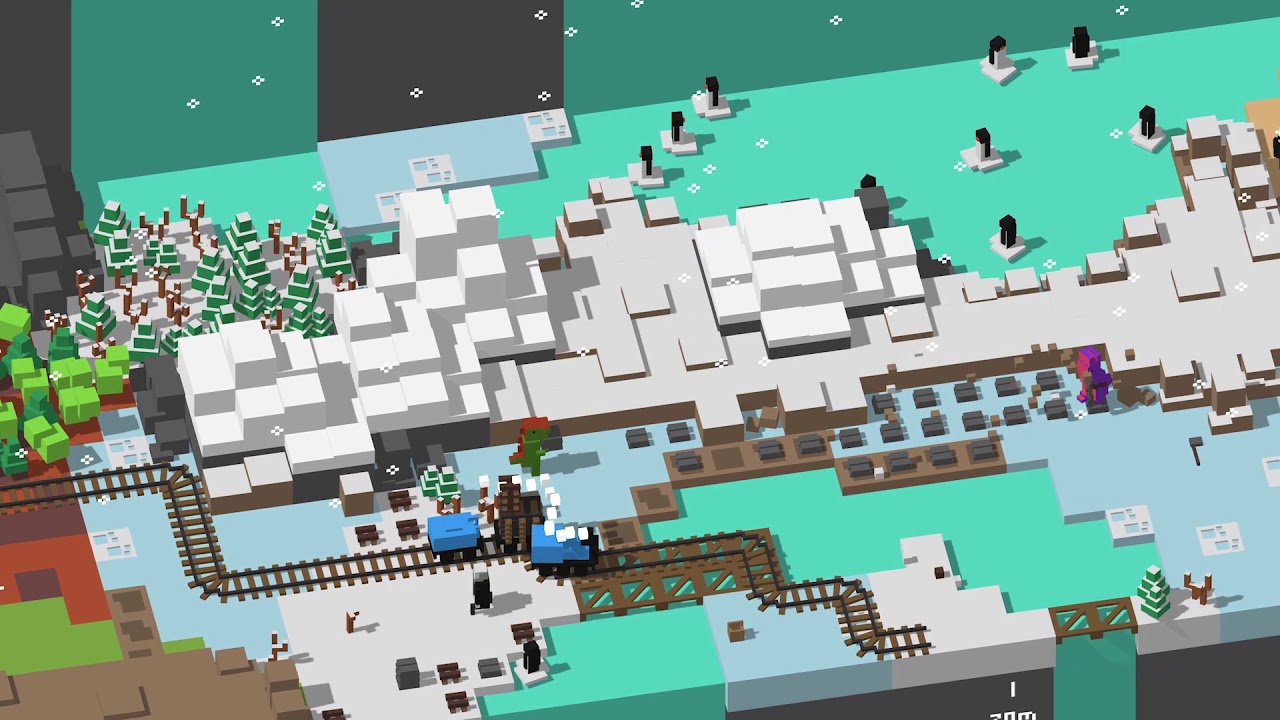
Unrailed! PC Steam CD Key
Unrailed! PC Steam CD Key ist ein digitaler Key für Steam, nicht regional gesperrt. Sofortige Lieferung nach der Zahlung. Preis: $2.59, 87 % unter Steam UVP: $19.99.
⭐ 153,000+ Bestellungen seit 2018 geliefert
 Pago Móvil
 Binance Pay
Über dieses Spiel
Unrailed! ist ein chaotisches Online- und Couch-Koop-Mehrspielerspiel zum Eisenbahnbau, bei dem du mit deinen Freunden als Team ein Gleis durch endlose, prozedural generierte Welten baust. Meistere die Begegnungen mit den Bewohnern, rüste deinen Zug auf und verhindere, dass er entgleist.
BAUE EIN GLEIS WEITER ALS JE ZUVOR
Sammle Ressourcen und stelle Gleise her, um deine Bahnstrecke zu verlängern und zu verhindern, dass dein Zug das Ende erreicht. Aber Vorsicht: Von jedem Werkzeugtyp gibt es nur eines. Zusammenarbeit und Koordination deines Teams sind entscheidend, um diese immer herausforderndere Reise zu überstehen!
PFLÜGE DICH DURCH DIE WELT
Jede Welt ist einzigartig! Du und dein Team müsst immer wieder neue Herausforderungen meistern, um auf Kurs zu bleiben!
HÄNGE NEUE WAGEN AN, UM DAS UNBEKANNTE ZU MEISTERN
Rüste deinen Zug auf, um auf alles vorbereitet zu sein, was kommt. Hol dir einen Atommotor, verbessere deinen Handwerkswagen, hänge einen Kompressor an oder wähle aus einer riesigen Auswahl weiterer Optionen.
SPIELE MIT ODER GEGEN DEINE FREUNDE
Spiele kooperativ mit bis zu vier Spielern in einem Team oder stelle die Koop-Fähigkeiten deiner Freunde in einer Partie zwei gegen zwei auf die Probe.
Funktionen
Ein intensives und chaotisches Eisenbahnbau-Erlebnis Online- und lokaler Couch-Koop-Mehrspielermodus Prozedural generierte Welten mit unterschiedlichen Schwierigkeitsgraden Dynamisches Wettersystem und Tag-und-Nacht-Zyklus Spielmodi: Endlos, Schnell (bis zu 4 Spieler) und Versus (2 gegen 2 Spieler) Unterschiedliche Biome (5+) Eine Reihe aufrüstbarer Wagen (10+), um deinen Zug im Endlos-Modus anzupassen Freischaltbare Charaktere Ein Wiederholungssystem Einfache Steuerung und geteilter Controller-Modus Klotzig durch und durch
Systemanforderungen
- Windows: Erfordert einen 64-Bit-Prozessor und ein 64-Bit-Betriebssystem Betriebssystem: Windows 7 Prozessor: 2 GHz Dual Core Arbeitsspeicher: 4 GB RAM Grafik: Intel HD Graphics 520 Netzwerk: Breitband-Internetverbindung Speicherplatz: 2 GB verfügbarer Speicherplatz
So aktivierst du
- Starte den Steam-Client auf deinem PC und melde dich an, oder öffne store.steampowered.com/account/registerkey im Browser.
- Klicke oben auf das Menü "Spiele" (oder unten links auf "+ Spiel hinzufügen") und wähle "Ein Produkt bei Steam aktivieren...".
- Folge den Anweisungen, akzeptiere das Steam-Abonnement-Abkommen und gib deinen Key in das Feld "Produktschlüssel" ein.
- Klicke auf "Weiter" und "Fertigstellen". Das Spiel ist nun dauerhaft in deiner Steam-Bibliothek verfügbar und installationsbereit.
Kundenbewertungen
Häufig gestellte Fragen
Für welche Region ist das?
Das ist die Global-Version: Sie ist nicht regional gesperrt.
Wie aktiviere ich Unrailed! PC Steam CD Key auf Steam?
1. Starte den Steam-Client auf deinem PC und melde dich an, oder öffne store.steampowered.com/account/registerkey im Browser. 2. Klicke oben auf das Menü "Spiele" (oder unten links auf "+ Spiel hinzufügen") und wähle "Ein Produkt bei Steam aktivieren...". 3. Folge den Anweisungen, akzeptiere das Steam-Abonnement-Abkommen und gib deinen Key in das Feld "Produktschlüssel" ein. 4. Klicke auf "Weiter" und "Fertigstellen". Das Spiel ist nun dauerhaft in deiner Steam-Bibliothek verfügbar und installationsbereit.
Wie schnell erfolgt die Lieferung?
Dein Key erscheint direkt nach der Zahlung in deinem Konto und wird dir per E-Mail geschickt.