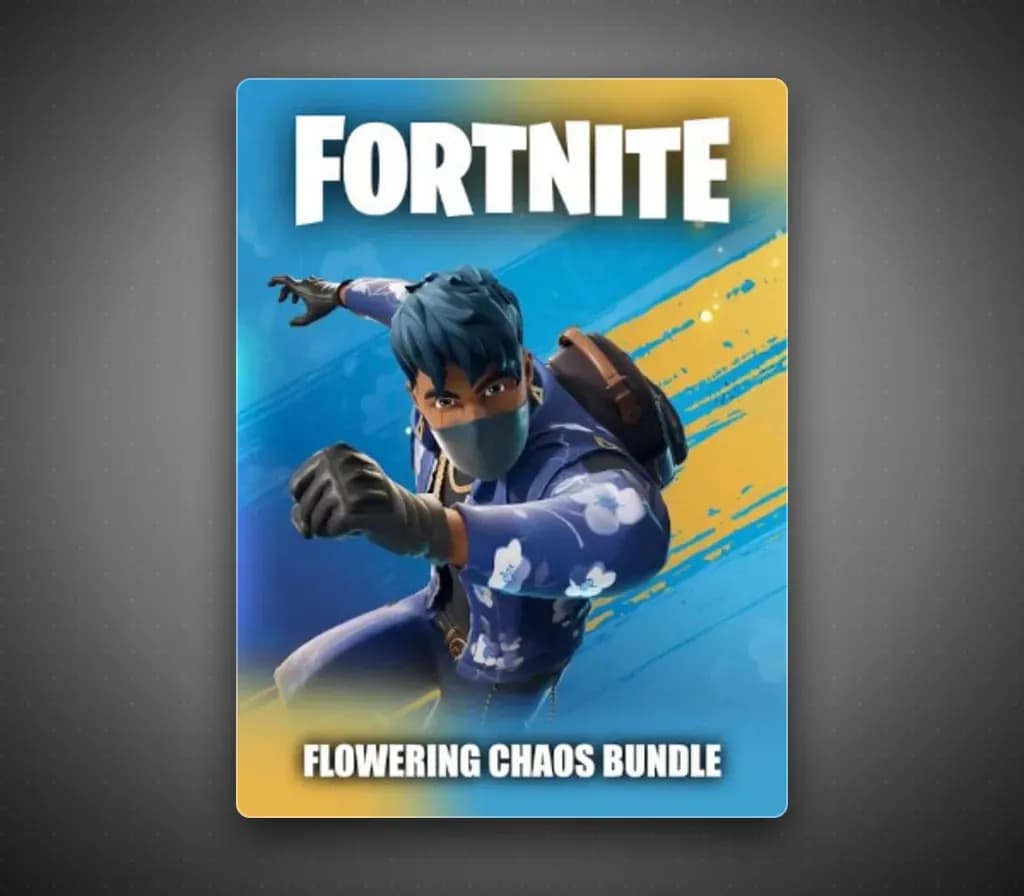
Fortnite Flowering Chaos Bundle + 1000 V-Bucks PS5 PSN Key (US)
Entwickler: Epic Games
Fortnite Flowering Chaos Bundle + 1000 V-Bucks — PSN key for PS5, North America. Delivered instantly after payment.
- Sicher bezahlenSofort
- Key in deinem Account sichtbar~60s
- Auf PlayStation einlösenDirekte Aktivierung
Sofortige Lieferung
 Pago Móvil
 Binance Pay
 Kryptowährungen
 Wallet
154.000+ Verkäufe im Shop und auf Marktplätzen · Zuletzt ausgelieferte Bestellung: vor 44 Minuten
So aktivierst du
- 1Öffne den PlayStation Store auf deiner Konsole oder besuche store.playstation.com im Browser.
- 2Melde dich bei deinem PSN-Konto an (Stelle sicher, dass die Kontoregion zur Gutscheinwährung passt).
- 3Klicke oben auf deinen Avatar und wähle "Code einlösen".
- 4Gib den 12-stelligen PlayStation Store-Guthabencode ein und klicke auf "Einlösen".
- 5Das Guthaben wird deinem PSN-Guthabenkonto sofort gutgeschrieben und steht für Spiele oder PS Plus bereit.
Über dieses Spiel
Fortnite Flowering Chaos Bundle + 1000 V-Bucks PS5 PSN Key (US) ist eine Geschenkkarte für PlayStation, gültig in Nordamerika.
The Flowering Chaos Bundle is the Fortnite content pack that ships with the PS5 Flowering Chaos console bundle. It contains 1,000 V-Bucks, the in-game currency used in Fortnite, and eight cosmetic items, including an outfit, back bling, pickaxe, wrap and other accessories. The code is redeemed on PlayStation and the items are linked to your Epic Games account. The cosmetics are PlayStation-exclusive for a limited window set by Epic and Sony. Fortnite itself is a free-to-play game; this product only adds the currency and cosmetic items.
Häufig gestellte Fragen
Für welche Region ist das?
Das ist die Nordamerika-Version. Stelle vor dem Kauf sicher, dass dein Konto in dieser Region registriert ist.
Wie aktiviere ich Fortnite Flowering Chaos Bundle + 1000 V-Bucks PS5 PSN Key (US) auf PlayStation?
1. Öffne den PlayStation Store auf deiner Konsole oder besuche store.playstation.com im Browser. 2. Melde dich bei deinem PSN-Konto an (Stelle sicher, dass die Kontoregion zur Gutscheinwährung passt). 3. Klicke oben auf deinen Avatar und wähle "Code einlösen". 4. Gib den 12-stelligen PlayStation Store-Guthabencode ein und klicke auf "Einlösen". 5. Das Guthaben wird deinem PSN-Guthabenkonto sofort gutgeschrieben und steht für Spiele oder PS Plus bereit.
Kundenbewertungen
Alle Bewertungen ansehen und eigene schreiben
Kundenbewertungen
Noch hat niemand dieses Spiel bewertet. Wenn du es kaufst, erzähl uns, wie es war.