
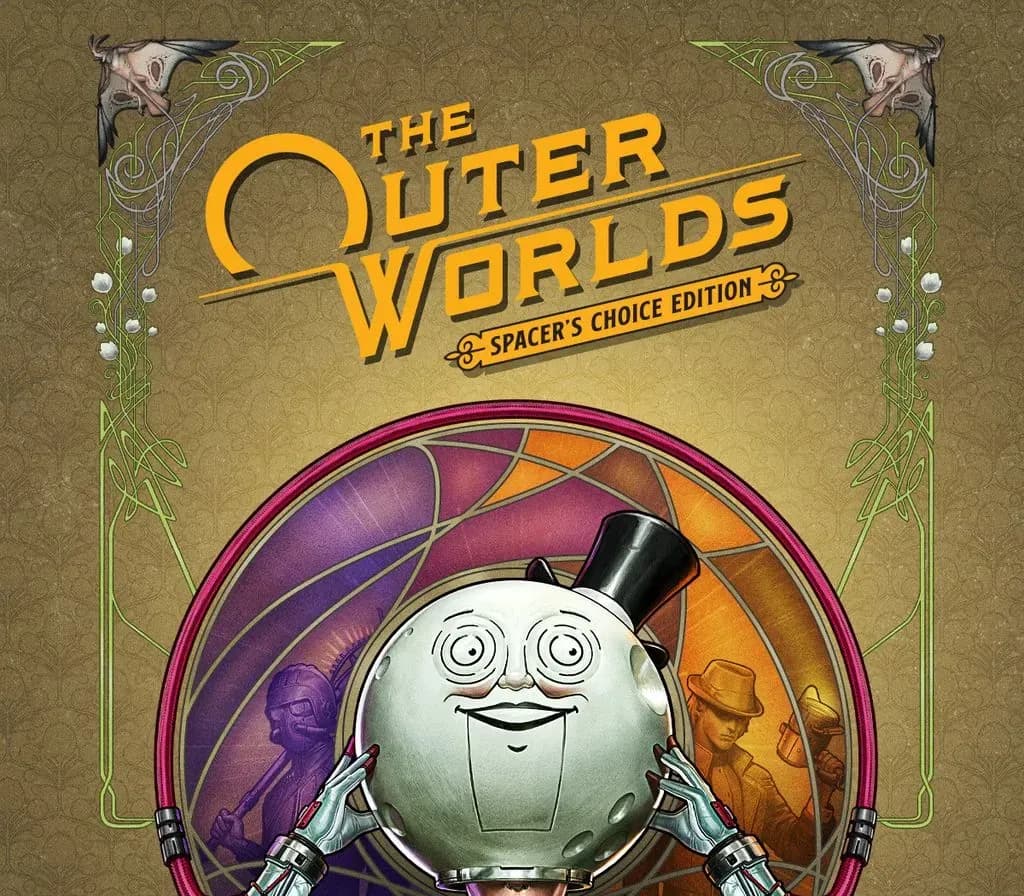
 1 sur 10
The Outer Worlds Spacer's Choice Edition PS5 Account
Sortie : 7 mars 2023 · Développeur : Obsidian Entertainment · Éditeur : Xbox Game Studios
The Outer Worlds Spacer's Choice Edition — PSN account for PS5, Global. Not a code — read the account-ban notice before buying.
- Paiement sécuriséInstantané
- Clé révélée dans votre compte~60s
- Activer sur PlayStationActivation directe
 Pago Móvil
 Binance Pay
 Cryptomonnaies
 Portefeuille
154 000+ ventes en boutique et sur les marketplaces · Dernière commande livrée : il y a 34 minutes
Comment activer
- 1Allumez votre console PlayStation, choisissez "Ajouter un utilisateur" puis "Commencer" (ne choisissez pas invité temporaire).
- 2Connectez-vous au PSN avec l'adresse e-mail et le mot de passe fournis, et saisissez le code 2FA si nécessaire.
- 3Activez le partage : sur PS5, allez dans Paramètres -> Utilisateurs et comptes -> Autre -> "Partage de console et jeu hors ligne" -> Activer (sur PS4 : Paramètres -> Gestion du compte -> "Activer en tant que PS4 principale").
- 4Ouvrez la Bibliothèque de jeux -> "Votre collection", lancez le téléchargement et rebasculez sur votre profil personnel pour jouer.
À propos de ce jeu
The Outer Worlds Spacer's Choice Edition PS5 Account est un compte de jeu pour PlayStation, sans verrouillage régional.
Important — please read before buying: This is a PlayStation account created and supplied by a third-party seller, not a code for your own account. Sony's Terms of Service do not allow buying or selling PSN accounts, so a ban of the account (or restrictions on the console) is a likely possibility, though not a certainty, and we cannot guarantee the account will not be restricted. Do not change the account's country/region or add a payment method; play on your own profile via Console Sharing and Offline Play.
The Outer Worlds: Spacer’s Choice Edition is the ultimate way to play the award-winning RPG from Obsidian Entertainment and Private Division.
You’ve tried the rest, now come back for the best! The Outer Worlds: Spacer’s Choice Edition includes the base game and all add-on content as the definitive way to play the beloved RPG from Obsidian Entertainment. This remastered masterpiece is optimized to be the absolute best version of The Outer Worlds… even if you choose to play this critically acclaimed RPG as the absolute worst version of your character.
Lost in transit while on a colonist ship bound for the edge of the galaxy, you awake decades later only to find yourself in the midst of a deep conspiracy threatening to destroy the colony. Explore the various planets and locations of Halcyon, including the mysterious Gorgon Asteroid and delightful distilleries of Eridanos. As you encounter various factions, all vying for power, the character you decide to become will determine how this player-driven story unfolds. In the corporate equation for the colony, you are the unplanned variable.
Key Features
2019’s hit RPG has been remastered with better graphics, improved performance, additional animations, higher-res environments, and a whole new feature: grenades!
In keeping with the Obsidian tradition, how you approach The Outer Worlds is up to you. Your choices affect not only the way the story develops, they also affect your character build, companion stories, and end game scenarios.
During your journey through the furthest colony, you will meet a host of characters who will want to join your crew. Armed with unique abilities, these companions all have their own missions, motivations, and ideals. It's up to you to help them achieve their goals, or exploit them to your own ends.
Halcyon is a colony at the edge of the galaxy owned and operated by a corporate board. They control everything... except for the alien monsters left behind when the terraforming of the colony’s two planets didn’t exactly go according to plan. Find your ship, build your crew, and explore the settlements, space stations, and other intriguing locations throughout Halcyon.
Questions fréquentes
Pour quelle région est-ce ?
C’est la version Global : elle n’est pas verrouillée par région.
Comment activer The Outer Worlds Spacer's Choice Edition PS5 Account sur PlayStation ?
1. Allumez votre console PlayStation, choisissez "Ajouter un utilisateur" puis "Commencer" (ne choisissez pas invité temporaire). 2. Connectez-vous au PSN avec l'adresse e-mail et le mot de passe fournis, et saisissez le code 2FA si nécessaire. 3. Activez le partage : sur PS5, allez dans Paramètres -> Utilisateurs et comptes -> Autre -> "Partage de console et jeu hors ligne" -> Activer (sur PS4 : Paramètres -> Gestion du compte -> "Activer en tant que PS4 principale"). 4. Ouvrez la Bibliothèque de jeux -> "Votre collection", lancez le téléchargement et rebasculez sur votre profil personnel pour jouer.
Que signifie « compte » ?
Vous recevez les identifiants d’un compte PlayStation qui possède déjà le jeu.
Avis clients
Voir tous les avis et écrire le vôtre
Avis clients
Personne n'a encore donné son avis sur ce jeu. Si vous l'achetez, dites-nous ce que vous en pensez.
Vous aimerez aussi
 −70%
Star Wars Jedi: Fallen Order Deluxe Edition PS4 Account
 −69%
Nioh 2 Remastered – The Complete Edition PS4 Account
 −63%
Middle-earth: Shadow of War Definitive Edition PS4/PS5 Account
 −75%
Marvel's Spider-Man GOTY PS4 Account
 −67%