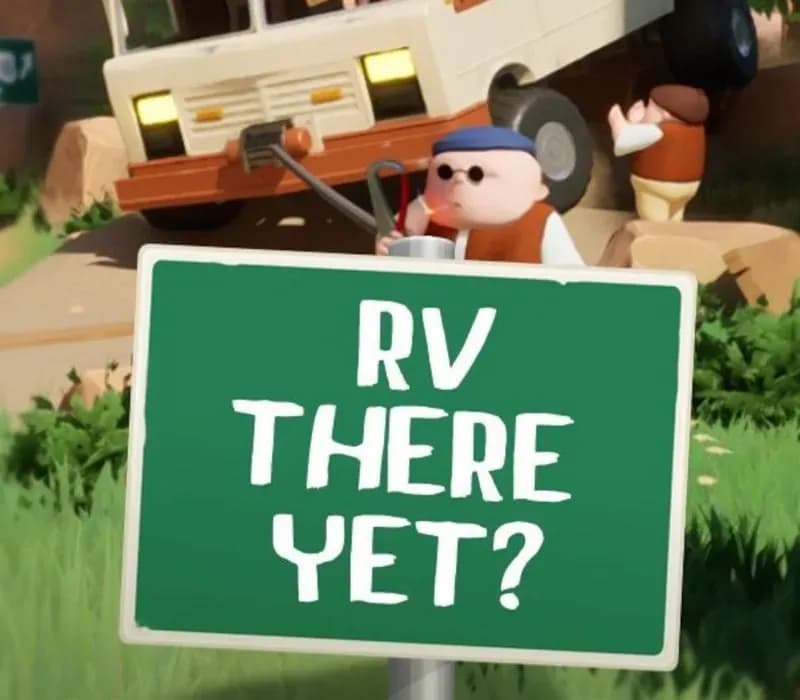
RV There Yet? PC Steam Gift
RV There Yet? PC Steam Gift is a gift for Steam, not region-locked.
- Steam
- Global
- Gift
154,000+ sales in our store and on marketplaces
 Pago Móvil
 Binance Pay
About this game
DRIVE HOME
You and your buddies are on your way home from a relaxing vacation but are forced to take an alternate route. Get your RV through the back country and find the exit to Route 65.
SURVIVE MABUTTS VALLEY
Not everyone who enters Mabutts Valley makes it out alive. So be sure to keep a steady flow of burgers, antidotes, and the classic: EpiPens.
WINCH IT GOOD
Master the physics based winch and earn the right to be the main remote commander. With a winch front and rear, your RV is especially equipped to get over, under or through most road bumps.
HELP YOURSELF, AND EACH OTHER
Help yourself to cold brewskis and filtered low tar cigarettes, but don’t forget that the driver will have a hard time completing this journey alone.
A SCRAPPY BUNCH
Use everything you find to maintain the integrity of your RV and friendships.
Features
- Drive one RV together with up to 4 players
- Winch
- Proximity Chat
- Online co-op
- Hats
- Grill frozen meat patties
- Smoke Cigarettes
System Requirements
Minimum
- OS: Windows 10
- Processor: Core i7-3820 or equivalent
- Memory: 8 GB RAM
- Graphics: NVidia 970 or equivalent
- DirectX: Version 11
- Network: Broadband Internet connection
- Storage: 3200 MB available space
- Sound Card: No Recommendation
- Additional Notes: Friends to play with
Recommended
- OS: Windows 11
- Processor: Ryzen 9 3900XT or equivalent
- Memory: 12 GB RAM
- Graphics: NVidia 3060 or equivalent
- DirectX: Version 12
- Network: Broadband Internet connection
- Storage: 3200 MB available space
- Sound Card: One with a microphone jack in
- Additional Notes: Microphone to guide your friends
How to activate
- Log into your Steam account via the desktop client or browser at store.steampowered.com.
- If delivered via activation link, open the link from your order and follow the prompt to accept the bot's friend request or direct gift transfer.
- In the Steam client, click the gift envelope / notification icon in the top-right corner to open the pending gift prompt.
- Select "Accept Gift" and choose "Add to my library" to bind the game permanently to your account.
About this game
DRIVE HOME
You and your buddies are on your way home from a relaxing vacation but are forced to take an alternate route. Get your RV through the back country and find the exit to Route 65.
SURVIVE MABUTTS VALLEY
Not everyone who enters Mabutts Valley makes it out alive. So be sure to keep a steady flow of burgers, antidotes, and the classic: EpiPens.
WINCH IT GOOD
Master the physics based winch and earn the right to be the main remote commander. With a winch front and rear, your RV is especially equipped to get over, under or through most road bumps.
HELP YOURSELF, AND EACH OTHER
Help yourself to cold brewskis and filtered low tar cigarettes, but don’t forget that the driver will have a hard time completing this journey alone.
A SCRAPPY BUNCH
Use everything you find to maintain the integrity of your RV and friendships.
Features
- Drive one RV together with up to 4 players
- Winch
- Proximity Chat
- Online co-op
- Hats
- Grill frozen meat patties
- Smoke Cigarettes
System Requirements
Minimum
- OS: Windows 10
- Processor: Core i7-3820 or equivalent
- Memory: 8 GB RAM
- Graphics: NVidia 970 or equivalent
- DirectX: Version 11
- Network: Broadband Internet connection
- Storage: 3200 MB available space
- Sound Card: No Recommendation
- Additional Notes: Friends to play with
Recommended
- OS: Windows 11
- Processor: Ryzen 9 3900XT or equivalent
- Memory: 12 GB RAM
- Graphics: NVidia 3060 or equivalent
- DirectX: Version 12
- Network: Broadband Internet connection
- Storage: 3200 MB available space
- Sound Card: One with a microphone jack in
- Additional Notes: Microphone to guide your friends
Customer Reviews
Nobody has reviewed this game yet. If you buy it, tell us how it went.
Frequently asked questions
Which region is this for?
This is the Global version: it is not region-locked.
How do I activate RV There Yet? PC Steam Gift on Steam?
1. Log into your Steam account via the desktop client or browser at store.steampowered.com. 2. If delivered via activation link, open the link from your order and follow the prompt to accept the bot's friend request or direct gift transfer. 3. In the Steam client, click the gift envelope / notification icon in the top-right corner to open the pending gift prompt. 4. Select "Accept Gift" and choose "Add to my library" to bind the game permanently to your account.
What does “gift” mean?
You receive the game as a gift on your Steam account. There is no key to redeem.