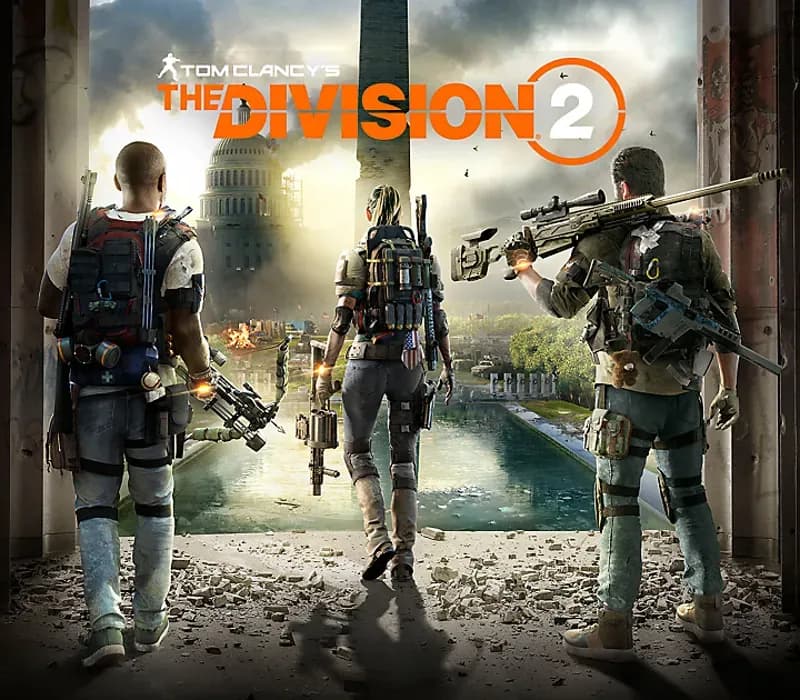
Tom Clancy's The Division 2 Xbox One / Xbox Series X|S Account
Tom Clancy's The Division 2 Xbox One / Xbox Series X|S Account is a game account for Xbox, not region-locked.
Choose your version
How to buy it
- Xbox
- Global
- Account
154,000+ sales in our store and on marketplaces
 Pago Móvil
 Binance Pay
About this game
Defend and rebuild Washington, D.C. after a devastating pandemic in this tactical open world third-person shooter:
TACTICAL COMBAT
Engage enemies in intense, cover-based firefights where tactical positioning and utility usage make the difference between life and death.
BUILD THE ULTIMATE AGENT
Loot and craft cutting-edge gear and learn powerful skills to customize the way you fight. Take things further with Specializations, with roles like the long-range marksman, the demolition expert, the survivalist leader, and more.
TEAMWORK SAVES LIVES
Team up with up to three other agents for tactical co-op missions where synergy matters. Combine Specializations, share resources, and take on dynamic challenges that scale with your squad.
SURVIVE EVER-EVOLVING WASHINGTON, D.C.
From tense firefights in changing weather to the constant push and pull of factions warring over map control, the city reacts, adapts, and challenges you to survive with every move you make.
VISCERAL ENDGAME
Reaching max level is just the start. Dive into high-stakes endgame missions, intense PvP battles, and dynamic world events that push your skills and teamwork to the limit. Every season brings fresh rewards and fierce challenges.
How to activate
- Press the Xbox button on your controller, navigate to "Profile & system" -> "Add or switch" -> "Add new".
- Enter the Microsoft email and password provided in your order details; select "No barriers" for sign-in security.
- Go to Settings -> General -> Personalisation -> "My home Xbox" and select "Make this my home Xbox".
- Open "My games & apps" -> "Full library" -> "Owned games", download the purchased game, then switch back to your main personal profile to play.
About this game
Defend and rebuild Washington, D.C. after a devastating pandemic in this tactical open world third-person shooter:
TACTICAL COMBAT
Engage enemies in intense, cover-based firefights where tactical positioning and utility usage make the difference between life and death.
BUILD THE ULTIMATE AGENT
Loot and craft cutting-edge gear and learn powerful skills to customize the way you fight. Take things further with Specializations, with roles like the long-range marksman, the demolition expert, the survivalist leader, and more.
TEAMWORK SAVES LIVES
Team up with up to three other agents for tactical co-op missions where synergy matters. Combine Specializations, share resources, and take on dynamic challenges that scale with your squad.
SURVIVE EVER-EVOLVING WASHINGTON, D.C.
From tense firefights in changing weather to the constant push and pull of factions warring over map control, the city reacts, adapts, and challenges you to survive with every move you make.
VISCERAL ENDGAME
Reaching max level is just the start. Dive into high-stakes endgame missions, intense PvP battles, and dynamic world events that push your skills and teamwork to the limit. Every season brings fresh rewards and fierce challenges.
Customer Reviews
Nobody has reviewed this game yet. If you buy it, tell us how it went.
Frequently asked questions
Which region is this for?
This is the Global version: it is not region-locked.
How do I activate Tom Clancy's The Division 2 Xbox One / Xbox Series X|S Account on Xbox?
1. Press the Xbox button on your controller, navigate to "Profile & system" -> "Add or switch" -> "Add new". 2. Enter the Microsoft email and password provided in your order details; select "No barriers" for sign-in security. 3. Go to Settings -> General -> Personalisation -> "My home Xbox" and select "Make this my home Xbox". 4. Open "My games & apps" -> "Full library" -> "Owned games", download the purchased game, then switch back to your main personal profile to play.
What does “account” mean?
You receive login details for a Xbox account that already owns the game.