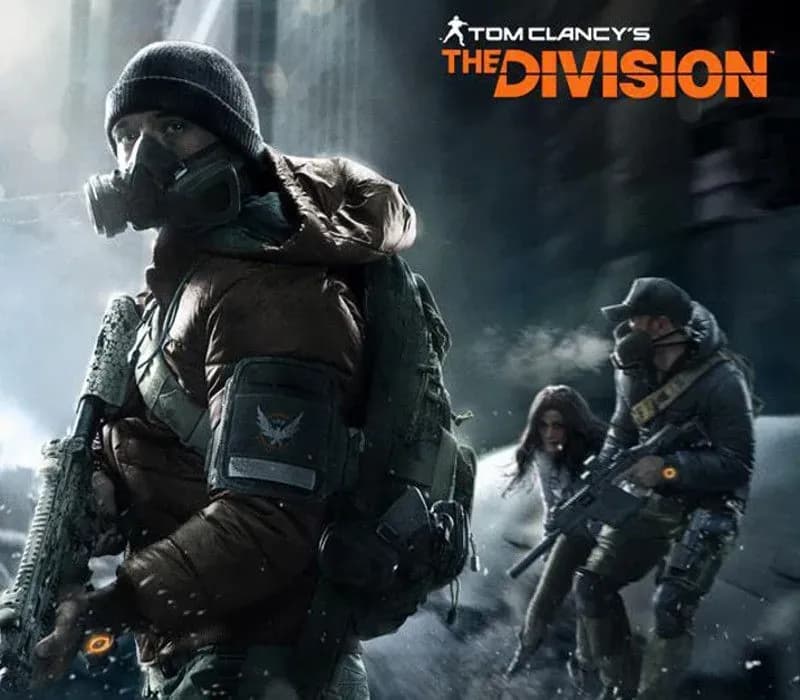
Tom Clancy's The Division Xbox One / Xbox Series X|S Account
Tom Clancy's The Division Xbox One / Xbox Series X|S Account is a game account for Xbox, not region-locked.
- Xbox
- Global
- Account
154,000+ sales in our store and on marketplaces
 Pago Móvil
 Binance Pay
Compare editions
See what's included in each edition
| Tom Clancy's The Division | StandardYour edition | ||
|---|---|---|---|
Tom Clancy's The Division (base game) | |||
Los tres Season Pass: Expansion I Underground, Expansion II Survival, Expansion III Last Stand | — | — | |
Varios packs cosméticos (sets de equipo, skins de armas y opciones de personalización) | — | — | |
2400 Premium Credits | — | — | |
| Source | Xbox | Xbox | Xbox |
About this game
New-York City, today. An unprecedented pandemic has struck the city during the fever of Black Friday. One by one, basic services fail. In only days, without food or water, society collapses into chaos. You’re part of the Division, an autonomous unit of tactical agents trained to operate independently. Your mission: protect what remains and restore hope. • Fight your way through a breath-taking urban jungle dragged into chaos • As a member of the Division, customize your Agent, loot and upgrade your equipment with state-of-the art technology • Take back New York City from hostile factions, alone or with your friends
How to activate
- Press the Xbox button on your controller, navigate to "Profile & system" -> "Add or switch" -> "Add new".
- Enter the Microsoft email and password provided in your order details; select "No barriers" for sign-in security.
- Go to Settings -> General -> Personalisation -> "My home Xbox" and select "Make this my home Xbox".
- Open "My games & apps" -> "Full library" -> "Owned games", download the purchased game, then switch back to your main personal profile to play.
About this game
New-York City, today. An unprecedented pandemic has struck the city during the fever of Black Friday. One by one, basic services fail. In only days, without food or water, society collapses into chaos. You’re part of the Division, an autonomous unit of tactical agents trained to operate independently. Your mission: protect what remains and restore hope. • Fight your way through a breath-taking urban jungle dragged into chaos • As a member of the Division, customize your Agent, loot and upgrade your equipment with state-of-the art technology • Take back New York City from hostile factions, alone or with your friends
Customer Reviews
Nobody has reviewed this game yet. If you buy it, tell us how it went.
Frequently asked questions
Which region is this for?
This is the Global version: it is not region-locked.
How do I activate Tom Clancy's The Division Xbox One / Xbox Series X|S Account on Xbox?
1. Press the Xbox button on your controller, navigate to "Profile & system" -> "Add or switch" -> "Add new". 2. Enter the Microsoft email and password provided in your order details; select "No barriers" for sign-in security. 3. Go to Settings -> General -> Personalisation -> "My home Xbox" and select "Make this my home Xbox". 4. Open "My games & apps" -> "Full library" -> "Owned games", download the purchased game, then switch back to your main personal profile to play.
What does “account” mean?
You receive login details for a Xbox account that already owns the game.
What does the Standard include?
Tom Clancy's The Division (base game)