
 1 di 7
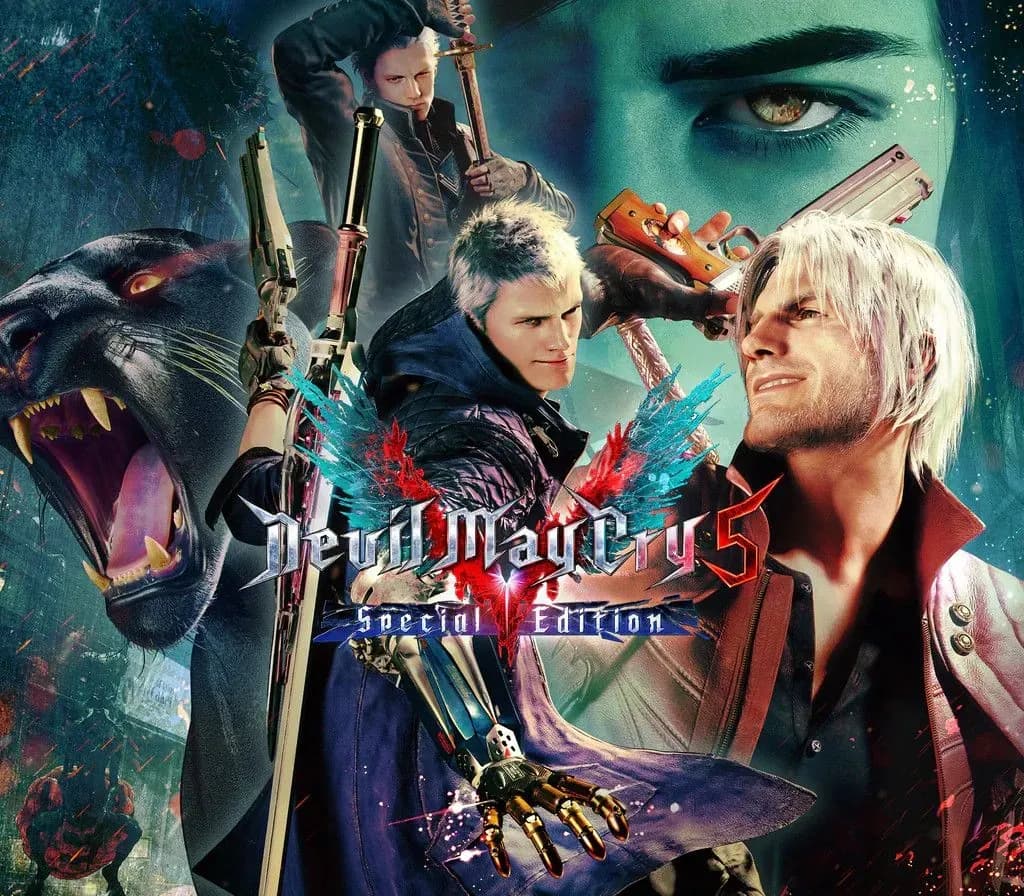
Devil May Cry 5 Special Edition PS4 Account
Uscita: 12 nov 2020 · Sviluppatore: CAPCOM Co., Ltd.
Devil May Cry 5 Special Edition — PSN account for PS4, Global. Not a code — read the account-ban notice before buying.
Scegli la tua versione
Il tuo paese: Stati Uniti- Paga in sicurezzaImmediata
- Key visibile nel tuo account~60 s
- Riscatta su PlayStationAttivazione diretta
 Pago Móvil
 Binance Pay
 Crypto
 Portafoglio
154.000+ vendite nel negozio e sui marketplace · Ultimo ordine consegnato: 33 minuti fa
Come attivarla
- 1Accendi la tua console PlayStation, seleziona «Aggiungi utente» e scegli «Inizia» (non selezionare «Gioca come ospite temporaneo»).
- 2Accedi a PlayStation Network con l'email e la password dell'account consegnato e, se richiesto, inserisci il codice 2FA fornito.
- 3Attiva la condivisione della console: su PS5 vai su Impostazioni -> Utenti e account -> Altro -> «Condivisione della console e gioco offline» -> Abilita (su PS4: Impostazioni -> Gestione account -> «Attiva come PS4 principale»).
- 4Apri la Raccolta giochi -> «La tua raccolta», avvia il download del gioco acquistato e torna al tuo profilo personale principale per giocare e ottenere i trofei.
Informazioni sul gioco
Devil May Cry 5 Special Edition PS4 Account: account di gioco per PlayStation, senza blocco regionale.
Important — please read before buying: This is a PlayStation account created and supplied by a third-party seller, not a code for your own account. Sony's Terms of Service do not allow buying or selling PSN accounts, so a ban of the account (or restrictions on the console) is a likely possibility, though not a certainty, and we cannot guarantee the account will not be restricted. Do not change the account's country/region or add a payment method; play on your own profile via Console Sharing and Offline Play.
Prepare to get downright demonic with this signature blend of high-octane stylized action and otherworldly & original characters the series is known for. Director Hideaki Itsuno and the core team have returned to create the most insane, technically advanced and utterly unmissable action experience of this generation! The threat of demonic power has returned to menace the world once again in Devil May Cry 5. The invasion begins when the seeds of a “demon tree” take root in Red Grave City. As this hellish incursion starts to take over the city, a young demon hunter Nero, arrives with his partner Nico in their “Devil May Cry” motorhome. Finding himself without the use of his right arm, Nero enlists Nico, a self-professed weapons artist, to design a variety of unique mechanical Devil Breaker arms to give him extra powers to take on evil demons such as the blood sucking flying Empusa and giant colossus enemy Goliath.FEATURES • High octane stylized action – Featuring three playable characters each with a radically different stylish combat play style as they take on the city overrun with demons • Groundbreaking graphics – Developed with Capcom’s in-house proprietary RE engine, the series continues to achieve new heights in fidelity with graphics that utilize photorealistic character designs and stunning lighting and environmental effects. • Take down the demonic invasion – Battle against epic bosses in adrenaline fueled fights across the over-run Red Grave City all to the beat of a truly killer soundtrack.
Domande frequenti
Per quale regione è?
Questa è la versione Global: non è bloccata per regione.
Come attivo Devil May Cry 5 Special Edition PS4 Account su PlayStation?
1. Accendi la tua console PlayStation, seleziona «Aggiungi utente» e scegli «Inizia» (non selezionare «Gioca come ospite temporaneo»). 2. Accedi a PlayStation Network con l'email e la password dell'account consegnato e, se richiesto, inserisci il codice 2FA fornito. 3. Attiva la condivisione della console: su PS5 vai su Impostazioni -> Utenti e account -> Altro -> «Condivisione della console e gioco offline» -> Abilita (su PS4: Impostazioni -> Gestione account -> «Attiva come PS4 principale»). 4. Apri la Raccolta giochi -> «La tua raccolta», avvia il download del gioco acquistato e torna al tuo profilo personale principale per giocare e ottenere i trofei.
Cosa significa «account»?
Ricevi i dati di accesso di un account PlayStation che possiede già il gioco.
Recensioni dei clienti
Vedi tutte le recensioni e scrivi la tua
Recensioni dei clienti
Nessuno ha ancora recensito questo gioco. Se lo compri, raccontaci com'è andata.
Potrebbe piacerti anche
 −70%
Star Wars Jedi: Fallen Order Deluxe Edition PS4 Account
 −69%
Nioh 2 Remastered – The Complete Edition PS4 Account
 −63%
Middle-earth: Shadow of War Definitive Edition PS4/PS5 Account
 −75%
Marvel's Spider-Man GOTY PS4 Account
 −67%