 1 di 7
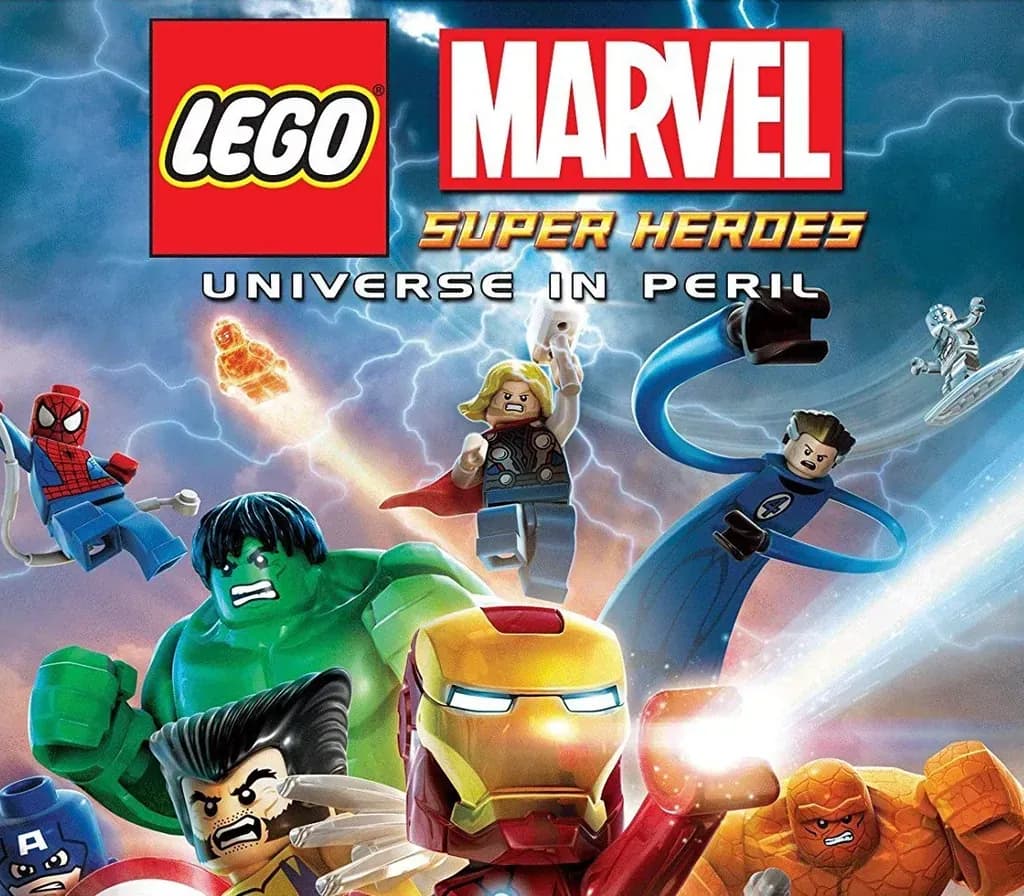
LEGO Marvel Super Heroes PS4 Account
Uscita: 29 nov 2013 · Sviluppatore: Traveller's Tales · Editore: Warner Bros. Interactive Entertainment
LEGO Marvel Super Heroes — PSN account for PS4, Global. Not a code — read the account-ban notice before buying.
- Paga in sicurezzaImmediata
- Key visibile nel tuo account~60 s
- Riscatta su PlayStationAttivazione diretta
 Pago Móvil
 Binance Pay
 Crypto
 Portafoglio
154.000+ vendite nel negozio e sui marketplace · Ultimo ordine consegnato: 32 minuti fa
Come attivarla
- 1Accendi la tua console PlayStation, seleziona «Aggiungi utente» e scegli «Inizia» (non selezionare «Gioca come ospite temporaneo»).
- 2Accedi a PlayStation Network con l'email e la password dell'account consegnato e, se richiesto, inserisci il codice 2FA fornito.
- 3Attiva la condivisione della console: su PS5 vai su Impostazioni -> Utenti e account -> Altro -> «Condivisione della console e gioco offline» -> Abilita (su PS4: Impostazioni -> Gestione account -> «Attiva come PS4 principale»).
- 4Apri la Raccolta giochi -> «La tua raccolta», avvia il download del gioco acquistato e torna al tuo profilo personale principale per giocare e ottenere i trofei.
Informazioni sul gioco
LEGO Marvel Super Heroes PS4 Account: account di gioco per PlayStation, senza blocco regionale.
Important — please read before buying: This is a PlayStation account created and supplied by a third-party seller, not a code for your own account. Sony's Terms of Service do not allow buying or selling PSN accounts, so a ban of the account (or restrictions on the console) is a likely possibility, though not a certainty, and we cannot guarantee the account will not be restricted. Do not change the account's country/region or add a payment method; play on your own profile via Console Sharing and Offline Play.
LEGO® Marvel™ Super Heroes features an original story crossing the entire Marvel Universe. Players take control of Iron Man, Spider-Man, the Hulk, Captain America, Wolverine and many more Marvel characters as they unite to stop Loki and a host of other Marvel villains from assembling a super-weapon capable of destroying the world. Players will chase down Cosmic Bricks as they travel across LEGO Manhattan and visit key locations from the Marvel Universe, such as Stark Tower, Asteroid M, a Hydra base and the X-Mansion.
- Smash, swing and fly in the first LEGO videogame featuring more than 100 of your favorite Super Heroes and Super Villains from the Marvel Universe, including Iron Man, Wolverine, the Hulk, Spider-Man, Captain America, Black Widow, Loki and Deadpool.
- Help save Earth as your favorite Marvel character with your super-cool strengths and abilities:
- Iron Man flies, hovers, shoots missiles and unleashes a powerful unibeam directly from his chest.
- Spider-Man shoots webs, uses his spider-senses to spot objects invisible to others, crawls up walls and, of course, web-slings.
- Captain America throws his mighty shield at objects and enemies, embeds it into a wall to create a platform, and protects himself from damage.
- Hulk smashes!
- Perform new and powerful moves as “BIG-fig” characters like Hulk and Abomination. Leave a path of destruction as you smash through LEGO walls and throw cars using hyper strength.
- Discover LEGO Manhattan like never before, and travel to iconic locations from the Marvel Universe, such as the X-Mansion, Asteroid M and Asgard.
- Create unique Super Heroes with customizable characters.
- Enjoy an exciting original story, filled with classic LEGO videogame adventure and humor.
Domande frequenti
Per quale regione è?
Questa è la versione Global: non è bloccata per regione.
Come attivo LEGO Marvel Super Heroes PS4 Account su PlayStation?
1. Accendi la tua console PlayStation, seleziona «Aggiungi utente» e scegli «Inizia» (non selezionare «Gioca come ospite temporaneo»). 2. Accedi a PlayStation Network con l'email e la password dell'account consegnato e, se richiesto, inserisci il codice 2FA fornito. 3. Attiva la condivisione della console: su PS5 vai su Impostazioni -> Utenti e account -> Altro -> «Condivisione della console e gioco offline» -> Abilita (su PS4: Impostazioni -> Gestione account -> «Attiva come PS4 principale»). 4. Apri la Raccolta giochi -> «La tua raccolta», avvia il download del gioco acquistato e torna al tuo profilo personale principale per giocare e ottenere i trofei.
Cosa significa «account»?
Ricevi i dati di accesso di un account PlayStation che possiede già il gioco.
Recensioni dei clienti
Vedi tutte le recensioni e scrivi la tua
Recensioni dei clienti
Nessuno ha ancora recensito questo gioco. Se lo compri, raccontaci com'è andata.