 1 di 8
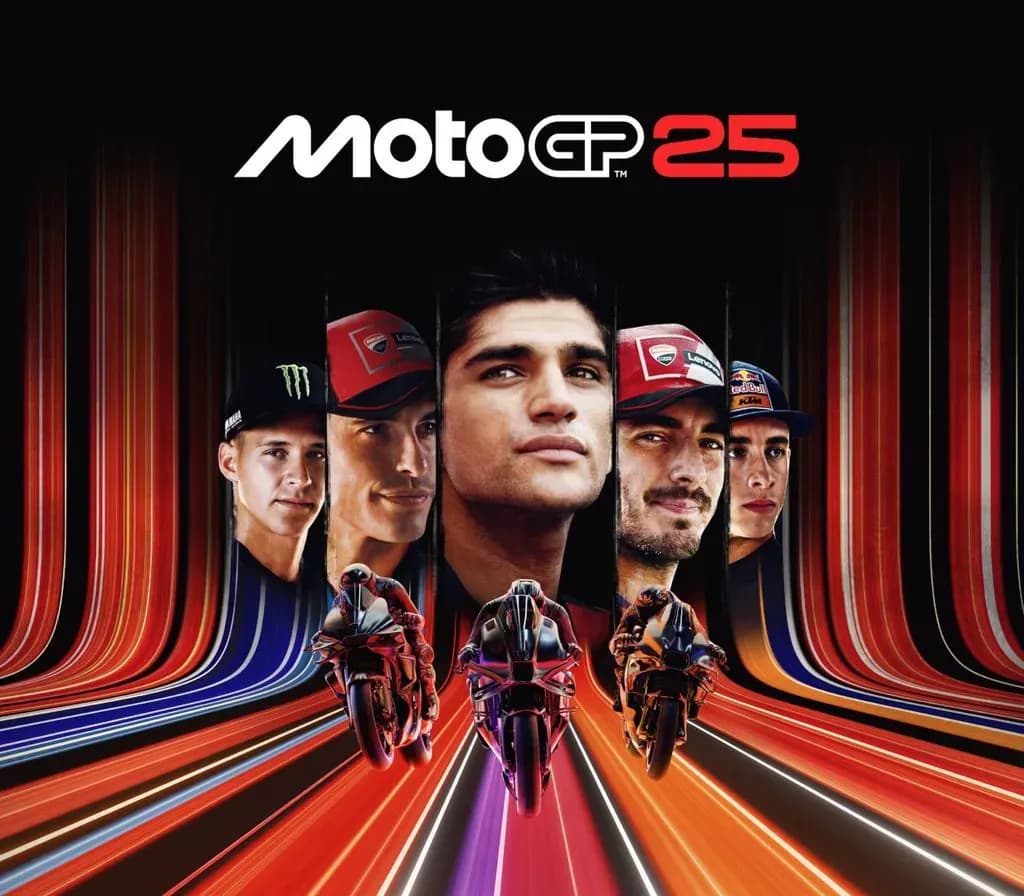
MotoGP 25 PS5 Account
Uscita: 30 apr 2025 · Sviluppatore: Milestone S.r.l.
MotoGP 25 — PSN account for PS5, Global. Not a code — read the account-ban notice before buying.
- Paga in sicurezzaImmediata
- Key visibile nel tuo account~60 s
- Riscatta su PlayStationAttivazione diretta
 Pago Móvil
 Binance Pay
 Crypto
 Portafoglio
154.000+ vendite nel negozio e sui marketplace · Ultimo ordine consegnato: 32 minuti fa
Come attivarla
- 1Accendi la tua console PlayStation, seleziona «Aggiungi utente» e scegli «Inizia» (non selezionare «Gioca come ospite temporaneo»).
- 2Accedi a PlayStation Network con l'email e la password dell'account consegnato e, se richiesto, inserisci il codice 2FA fornito.
- 3Attiva la condivisione della console: su PS5 vai su Impostazioni -> Utenti e account -> Altro -> «Condivisione della console e gioco offline» -> Abilita (su PS4: Impostazioni -> Gestione account -> «Attiva come PS4 principale»).
- 4Apri la Raccolta giochi -> «La tua raccolta», avvia il download del gioco acquistato e torna al tuo profilo personale principale per giocare e ottenere i trofei.
Informazioni sul gioco
MotoGP 25 PS5 Account: account di gioco per PlayStation, senza blocco regionale.
Important — please read before buying: This is a PlayStation account created and supplied by a third-party seller, not a code for your own account. Sony's Terms of Service do not allow buying or selling PSN accounts, so a ban of the account (or restrictions on the console) is a likely possibility, though not a certainty, and we cannot guarantee the account will not be restricted. Do not change the account's country/region or add a payment method; play on your own profile via Console Sharing and Offline Play.
Get ready to take part in MotoGP™25!
FEEL EVERY DETAIL OF THE 2025 SEASON
Join the official Championship and step into the boots of your favorite riders to master the most iconic bikes and tracks of the season. Live the most realistic race thrills ever thanks to Unreal Engine 5, MotoGP™ Stewards ensuring fair battles, and an overhauled sound design, recorded on-site from official bikes.
FORGE YOUR RACING LEGACY
Your path to becoming a MotoGP™ Legend starts here! Deep dive into your bike's evolution, choose your own career Turning Points during the season and develop social relationships off track, then watch how these choices evolve over the weekend. Master the Riders Market dynamics to make your journey always unique.
MASTER YOUR CRAFT
Train like a champion with the new Race Off disciplines available in Career and Quick Modes. Ride Motard, Flat Track and Minibikes bikes on 4 dedicated tracks across 2 original environments. Take on challenges like elimination and relay races, boost your rider's fitness, unlock accessories and sharpen your skills to dominate the track!
RACE YOUR OWN WAY
Maximum playability or full-sim challenge? Jump right into the action with the new Arcade Experience for immediate adrenaline-pumping fun. Or master every detail of the track, fuel consumption, and electronics in the Pro Experience, for an authentic MotoGP™ realism!
Take full control of your bike with an improved Adaptive Difficulty Mode, Neural Aid System and new Tutorial.
DOMINATE THE SCENE
Ranked races and full cross-play will let you challenge friends and opponents with similar skills, no matter what platform* they race on.
Unleash your creativity and show the world your style thanks to a full set of in-game editors.
*Nintendo Switch excluded
Domande frequenti
Per quale regione è?
Questa è la versione Global: non è bloccata per regione.
Come attivo MotoGP 25 PS5 Account su PlayStation?
1. Accendi la tua console PlayStation, seleziona «Aggiungi utente» e scegli «Inizia» (non selezionare «Gioca come ospite temporaneo»). 2. Accedi a PlayStation Network con l'email e la password dell'account consegnato e, se richiesto, inserisci il codice 2FA fornito. 3. Attiva la condivisione della console: su PS5 vai su Impostazioni -> Utenti e account -> Altro -> «Condivisione della console e gioco offline» -> Abilita (su PS4: Impostazioni -> Gestione account -> «Attiva come PS4 principale»). 4. Apri la Raccolta giochi -> «La tua raccolta», avvia il download del gioco acquistato e torna al tuo profilo personale principale per giocare e ottenere i trofei.
Cosa significa «account»?
Ricevi i dati di accesso di un account PlayStation che possiede già il gioco.
Recensioni dei clienti
Vedi tutte le recensioni e scrivi la tua
Recensioni dei clienti
Nessuno ha ancora recensito questo gioco. Se lo compri, raccontaci com'è andata.