
 1 di 14
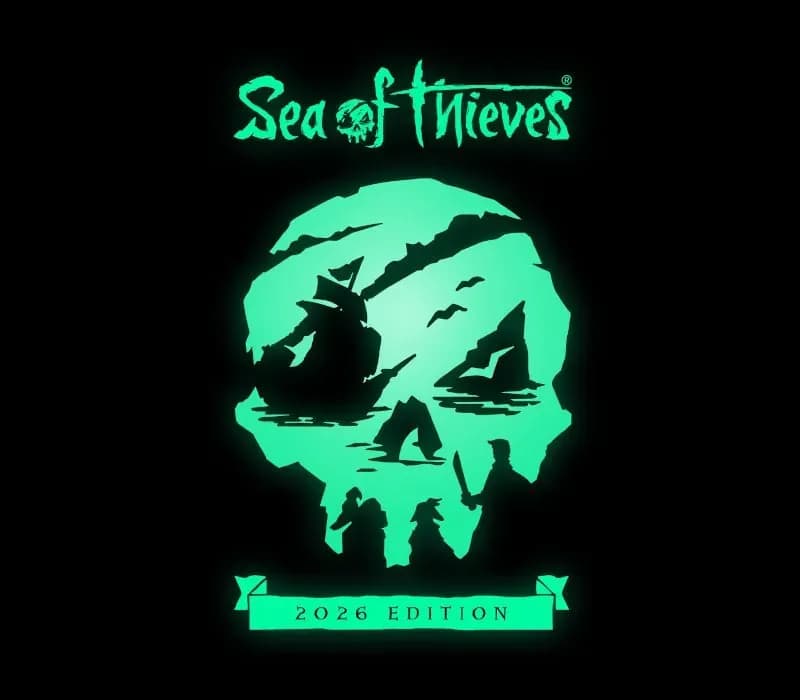
Sea of Thieves 2026 Deluxe Edition PS5 Account
Uscita: 22 mar 2024 · Sviluppatore: Rare Ltd · Editore: Xbox Game Studios
Sea of Thieves 2026 Deluxe Edition — PSN account for PS5, Global. Not a code — read the account-ban notice before buying.
- Paga in sicurezzaImmediata
- Key visibile nel tuo account~60 s
- Riscatta su PlayStationAttivazione diretta
 Pago Móvil
 Binance Pay
 Crypto
 Portafoglio
154.000+ vendite nel negozio e sui marketplace · Ultimo ordine consegnato: 34 minuti fa
Come attivarla
- 1Accendi la tua console PlayStation, seleziona «Aggiungi utente» e scegli «Inizia» (non selezionare «Gioca come ospite temporaneo»).
- 2Accedi a PlayStation Network con l'email e la password dell'account consegnato e, se richiesto, inserisci il codice 2FA fornito.
- 3Attiva la condivisione della console: su PS5 vai su Impostazioni -> Utenti e account -> Altro -> «Condivisione della console e gioco offline» -> Abilita (su PS4: Impostazioni -> Gestione account -> «Attiva come PS4 principale»).
- 4Apri la Raccolta giochi -> «La tua raccolta», avvia il download del gioco acquistato e torna al tuo profilo personale principale per giocare e ottenere i trofei.
Informazioni sul gioco
Sea of Thieves 2026 Deluxe Edition PS5 Account: account di gioco per PlayStation, senza blocco regionale.
Important — please read before buying: This is a PlayStation account created and supplied by a third-party seller, not a code for your own account. Sony's Terms of Service do not allow buying or selling PSN accounts, so a ban of the account (or restrictions on the console) is a likely possibility, though not a certainty, and we cannot guarantee the account will not be restricted. Do not change the account's country/region or add a payment method; play on your own profile via Console Sharing and Offline Play.
Sea of Thieves offers the essential pirate experience, from sailing and fighting to exploring and looting – everything you need to live the pirate life and become a legend in your own right. With no set roles, you have complete freedom to approach the world, and other players, however you choose. Whether you’re voyaging as a group or sailing solo, you’re bound to encounter other crews in this shared world adventure – but will they be friends or foes, and how will you respond? Discover the Seas Sea of Thieves encourages you to pick a point on the horizon and set sail to uncover all that awaits, from the deepest underground passages to the highest island peaks. Wherever you go, there’s always something for inquisitive players to unearth. The Excitement Never Ends Every Sea of Thieves session is unpredictable. Even a simple Voyage to a tranquil island can unfold into a skeleton ambush, a pitched battle against a fleet of Ghost Ships or a daring chase in pursuit of rival pirates making off with your plunder! Become Legend On your journey to become a Pirate Legend you’ll amass loot, build a reputation and define a unique personal style with your hard-earned rewards. Adventurer. Explorer. Conqueror. What will your legend be? A Game That’s Always Growing Each new Season of Sea of Thieves improves and expands upon game features while delivering a calendar of themed and recurring Live Events. Check back regularly to see what’s been added, even as you climb the 50 levels of the free Season Pass to unlock a wealth of rewards. Additional Bonuses Additional digital bonuses* include access to the latest version of the Sea of Thieves Original Soundtrack, the Sea of Thieves: Athena's Fortune audiobook and The Rough Guide to Sea of Thieves eBook.
Domande frequenti
Per quale regione è?
Questa è la versione Global: non è bloccata per regione.
Come attivo Sea of Thieves 2026 Deluxe Edition PS5 Account su PlayStation?
1. Accendi la tua console PlayStation, seleziona «Aggiungi utente» e scegli «Inizia» (non selezionare «Gioca come ospite temporaneo»). 2. Accedi a PlayStation Network con l'email e la password dell'account consegnato e, se richiesto, inserisci il codice 2FA fornito. 3. Attiva la condivisione della console: su PS5 vai su Impostazioni -> Utenti e account -> Altro -> «Condivisione della console e gioco offline» -> Abilita (su PS4: Impostazioni -> Gestione account -> «Attiva come PS4 principale»). 4. Apri la Raccolta giochi -> «La tua raccolta», avvia il download del gioco acquistato e torna al tuo profilo personale principale per giocare e ottenere i trofei.
Cosa significa «account»?
Ricevi i dati di accesso di un account PlayStation che possiede già il gioco.
Recensioni dei clienti
Vedi tutte le recensioni e scrivi la tua
Recensioni dei clienti
Nessuno ha ancora recensito questo gioco. Se lo compri, raccontaci com'è andata.
Potrebbe piacerti anche
 −70%
Star Wars Jedi: Fallen Order Deluxe Edition PS4 Account
 −69%
Nioh 2 Remastered – The Complete Edition PS4 Account
 −63%
Middle-earth: Shadow of War Definitive Edition PS4/PS5 Account
 −75%
Marvel's Spider-Man GOTY PS4 Account
 −67%