 1 di 8
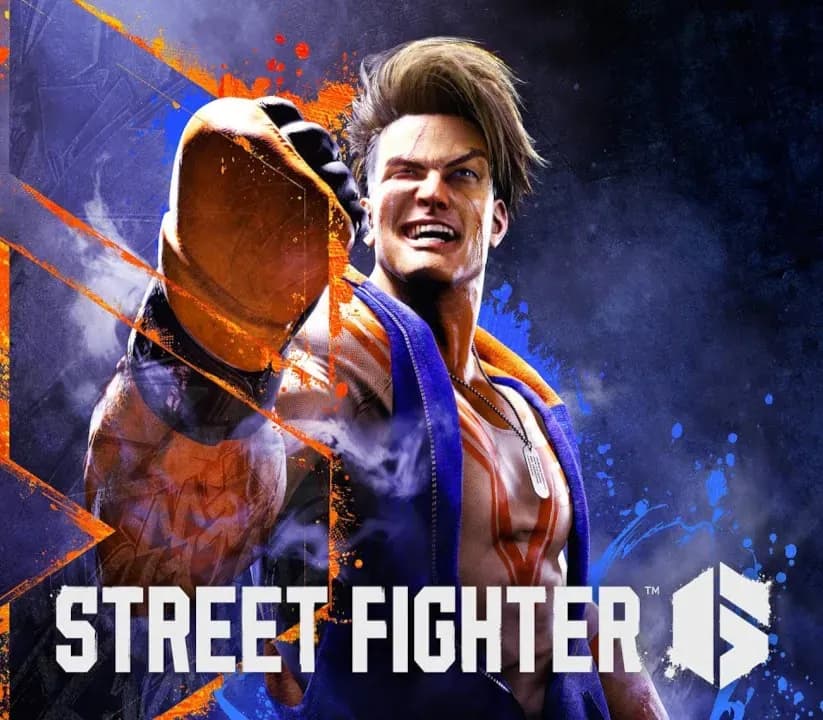
Street Fighter 6 PS5 Account
Uscita: 2 giu 2023 · Sviluppatore: CAPCOM Co., Ltd.
Street Fighter 6 — PSN account for PS5, Global. Not a code — read the account-ban notice before buying.
Scegli la tua versione
Il tuo paese: Stati Uniti- Paga in sicurezzaImmediata
- Key visibile nel tuo account~60 s
- Riscatta su PlayStationAttivazione diretta
 Pago Móvil
 Binance Pay
 Crypto
 Portafoglio
154.000+ vendite nel negozio e sui marketplace · Ultimo ordine consegnato: 32 minuti fa
Come attivarla
- 1Accendi la tua console PlayStation, seleziona «Aggiungi utente» e scegli «Inizia» (non selezionare «Gioca come ospite temporaneo»).
- 2Accedi a PlayStation Network con l'email e la password dell'account consegnato e, se richiesto, inserisci il codice 2FA fornito.
- 3Attiva la condivisione della console: su PS5 vai su Impostazioni -> Utenti e account -> Altro -> «Condivisione della console e gioco offline» -> Abilita (su PS4: Impostazioni -> Gestione account -> «Attiva come PS4 principale»).
- 4Apri la Raccolta giochi -> «La tua raccolta», avvia il download del gioco acquistato e torna al tuo profilo personale principale per giocare e ottenere i trofei.
Informazioni sul gioco
Street Fighter 6 PS5 Account: account di gioco per PlayStation, senza blocco regionale.
Important — please read before buying: This is a PlayStation account created and supplied by a third-party seller, not a code for your own account. Sony's Terms of Service do not allow buying or selling PSN accounts, so a ban of the account (or restrictions on the console) is a likely possibility, though not a certainty, and we cannot guarantee the account will not be restricted. Do not change the account's country/region or add a payment method; play on your own profile via Console Sharing and Offline Play.
Here comes Capcom’s newest challenger! Street Fighter™ 6 launches worldwide on June 2nd, 2023 and represents the next evolution of the series.
Powered by Capcom’s proprietary RE ENGINE, the Street Fighter 6 experience spans across three distinct game modes featuring World Tour, Fighting Ground and Battle Hub.
Diverse Roster of 18 Fighters
Play legendary masters and new fan favorites like Ryu, Chun-Li, Luke, Jamie, Kimberly and more in this latest edition with each character featuring striking new redesigns and exhilarating cinematic specials.
Dominate the Fighting Ground
Street Fighter 6 offers a highly evolved combat system with three control types - Classic, Modern and Dynamic - allowing you to quickly play to your skill level. The new Real Time Commentary Feature adds all the hype of a competitive match as well as easy-to-understand explanations about your gameplay. The Drive Gauge is a new system to manage your resources. Use it wisely in order to claim victory.
Explore the Streets in World Tour
Discover the meaning of strength in World Tour, an immersive, single-player story mode. Take your avatar and explore Metro City and beyond. Meet Masters who will take you under their wing and teach you their style and techniques.
Seek Rivals in the Battle Hub
The Battle Hub represents a core mode of Street Fighter 6 where players can gather and communicate, and become stronger together. Use the avatar you create in World Tour to check out cabinets on the Battle Hub floor and play against other players, or head over to the Game Center to enjoy some of Capcom's classic arcade games.
Your path to becoming a World Warrior starts here.
Domande frequenti
Per quale regione è?
Questa è la versione Global: non è bloccata per regione.
Come attivo Street Fighter 6 PS5 Account su PlayStation?
1. Accendi la tua console PlayStation, seleziona «Aggiungi utente» e scegli «Inizia» (non selezionare «Gioca come ospite temporaneo»). 2. Accedi a PlayStation Network con l'email e la password dell'account consegnato e, se richiesto, inserisci il codice 2FA fornito. 3. Attiva la condivisione della console: su PS5 vai su Impostazioni -> Utenti e account -> Altro -> «Condivisione della console e gioco offline» -> Abilita (su PS4: Impostazioni -> Gestione account -> «Attiva come PS4 principale»). 4. Apri la Raccolta giochi -> «La tua raccolta», avvia il download del gioco acquistato e torna al tuo profilo personale principale per giocare e ottenere i trofei.
Cosa significa «account»?
Ricevi i dati di accesso di un account PlayStation che possiede già il gioco.
Recensioni dei clienti
Vedi tutte le recensioni e scrivi la tua
Recensioni dei clienti
Nessuno ha ancora recensito questo gioco. Se lo compri, raccontaci com'è andata.