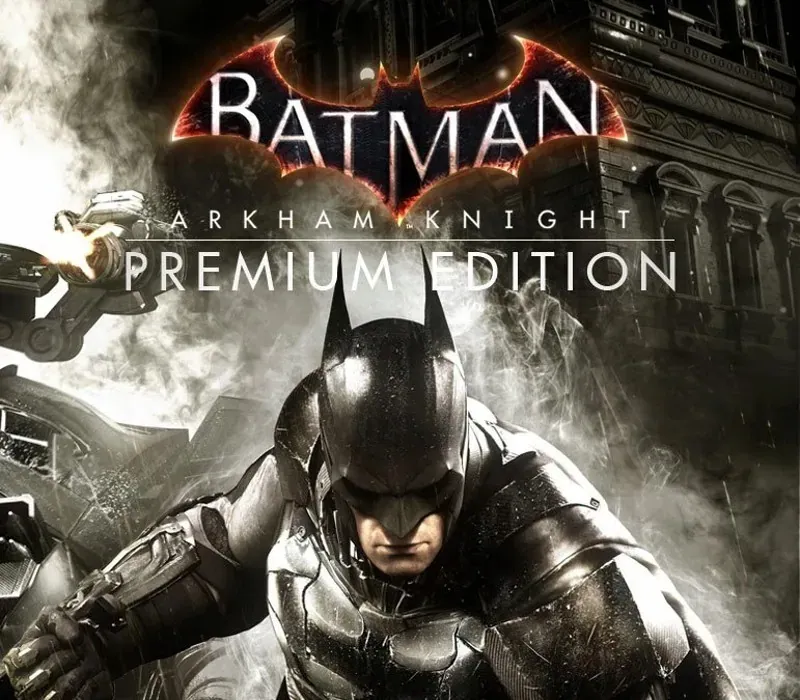

Batman: Arkham Knight Premium Edition PC Steam CD Key
Batman: Arkham Knight Premium Edition PC Steam CD Key est une clé numérique pour Steam, sans verrouillage régional. Livraison instantanée après le paiement. Prix : $3.98, soit 80 % de moins que Prix conseillé Steam : $19.99.
⭐ 153,000+ commandes livrées depuis 2018
 Pago Móvil
 Binance Pay
À propos de ce jeu
Comprend
Batman: Arkham Knight Season Pass Dans le final explosif de la série Arkham, Batman affronte la menace ultime contre la ville qu'il a juré de protéger. L'Épouvantail revient pour réunir un impressionnant casting de super-vilains, dont le Pingouin, Double-Face et Harley Quinn, afin de détruire le Chevalier Noir pour de bon. Batman: Arkham Knight présente la version de la Batmobile conçue de façon unique par Rocksteady, pilotable pour la première fois de la franchise.
L'ajout de ce véhicule légendaire, combiné au gameplay acclamé de la série Batman Arkham, offre aux joueurs l'expérience Batman ultime et complète alors qu'ils sillonnent les rues et s'envolent au-dessus de toute la ville de Gotham City. Le season pass de Batman: Arkham Knight propose du nouveau contenu chaque mois pendant 6 mois, avec de nouvelles missions d'histoire, davantage de super-vilains envahissant Gotham City, de nouvelles Batmobiles légendaires, des cartes de défi avancées, des skins alternatifs de personnages et de nouveaux circuits de course pilotables. Soyez Batman.
Configuration requise
- Windows : Système : Win 7 SP1, Win 8.1 (système d'exploitation 64 bits requis) Processeur : Intel Core i5-750, 2.67 GHz | AMD Phenom II X4 965, 3.4 GHz Mémoire : 6 Go de RAM Graphismes : NVIDIA GeForce GTX 660 (2 Go de mémoire minimum) | AMD Radeon HD 7950 (3 Go de mémoire minimum) DirectX : Version 11 Réseau : Connexion Internet haut débit requise Disque dur : 45 Go d'espace disponible
Comment activer
- Lancez le client Steam sur votre ordinateur et connectez-vous, ou rendez-vous sur store.steampowered.com/account/registerkey.
- Cliquez sur le menu "Jeux" en haut (ou "+ Ajouter un jeu" en bas à gauche) et sélectionnez "Activer un produit sur Steam...".
- Suivez les instructions à l'écran, acceptez l'Accord de souscription Steam et saisissez votre clé dans le champ "Code produit".
- Cliquez sur "Suivant" puis "Terminer". Le jeu est désormais lié à votre Bibliothèque Steam et prêt au téléchargement.
Avis clients
Questions fréquentes
Pour quelle région est-ce ?
C’est la version Global : elle n’est pas verrouillée par région.
Comment activer Batman: Arkham Knight Premium Edition PC Steam CD Key sur Steam ?
1. Lancez le client Steam sur votre ordinateur et connectez-vous, ou rendez-vous sur store.steampowered.com/account/registerkey. 2. Cliquez sur le menu "Jeux" en haut (ou "+ Ajouter un jeu" en bas à gauche) et sélectionnez "Activer un produit sur Steam...". 3. Suivez les instructions à l'écran, acceptez l'Accord de souscription Steam et saisissez votre clé dans le champ "Code produit". 4. Cliquez sur "Suivant" puis "Terminer". Le jeu est désormais lié à votre Bibliothèque Steam et prêt au téléchargement.
Quelle est la rapidité de la livraison ?
Votre clé apparaît dans votre compte et vous est envoyée par e-mail juste après le paiement.