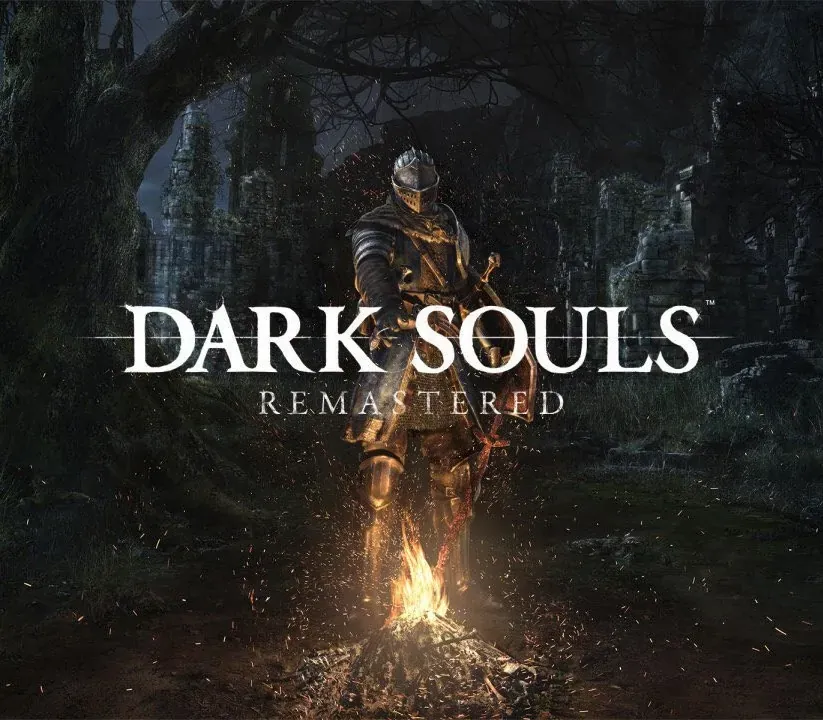
Dark Souls: Remastered PC Steam CD Key
Dark Souls: Remastered PC Steam CD Key est une clé numérique pour Steam, sans verrouillage régional. Livraison instantanée après le paiement. Prix : $23.13, soit 42 % de moins que Prix conseillé Steam : $39.99.
⭐ 153,000+ commandes livrées depuis 2018
 Pago Móvil
 Binance Pay
À propos de ce jeu
Alors, il y eut du feu. Revivez le jeu acclamé qui a défini un genre et tout lancé. Magnifiquement remasterisé, retournez à Lordran dans un superbe niveau de détail haute définition à 60 fps. Dark Souls Remastered comprend le jeu principal ainsi que le DLC Artorias of the Abyss.
Fonctionnalités
Alors, il y eut du feu.
Revivez le jeu acclamé qui a défini un genre et tout lancé. Magnifiquement remasterisé, retournez à Lordran dans un superbe niveau de détail haute définition à 60 fps. Dark Souls Remastered comprend le jeu principal ainsi que le DLC Artorias of the Abyss. Un univers profond et sombre : Plongez dans un univers épique de dark fantasy frappé par le déclin et la Malédiction.
Explorez son level design complexe, rempli de passages cachés, de donjons et de secrets, et découvrez son lore profondément ancré. Chaque fin est un nouveau commencement : Chaque partie vous surprend avec de nouveaux défis et des facettes inattendues du jeu. Ne comptez pas finir le jeu une seule fois. Richesse et possibilités de gameplay : Des centaines de combinaisons uniques d'armes, d'armures, de magie et d'options de fabrication pour créer votre propre style de jeu et votre propre expérience.
Configuration requise
- Windows : CPU : Intel Core i5 2300 2,8 GHz / AMD FX-6300 3,5 GHz RAM : 6 Go de RAM GPU : NVIDIA GeForce GTX 460 de 1 Go / ATI Radeon HD 6870 de 1 Go DX : DirectX 11 Système d'exploitation : Windows 7 SP1 64 bits, Windows 8.1 64 bits, Windows 10 64 bits Stockage : 8 Go d'espace libre Son : carte son compatible DirectX 11 ou supérieur Réseau : connexion Internet requise pour l'activation au premier lancement et pour jouer en ligne Périphérique recommandé : manette Xbox One, manette Xbox 360 pour Windows
Comment activer
- Lancez le client Steam sur votre ordinateur et connectez-vous, ou rendez-vous sur store.steampowered.com/account/registerkey.
- Cliquez sur le menu "Jeux" en haut (ou "+ Ajouter un jeu" en bas à gauche) et sélectionnez "Activer un produit sur Steam...".
- Suivez les instructions à l'écran, acceptez l'Accord de souscription Steam et saisissez votre clé dans le champ "Code produit".
- Cliquez sur "Suivant" puis "Terminer". Le jeu est désormais lié à votre Bibliothèque Steam et prêt au téléchargement.
Avis clients
Questions fréquentes
Pour quelle région est-ce ?
C’est la version Global : elle n’est pas verrouillée par région.
Comment activer Dark Souls: Remastered PC Steam CD Key sur Steam ?
1. Lancez le client Steam sur votre ordinateur et connectez-vous, ou rendez-vous sur store.steampowered.com/account/registerkey. 2. Cliquez sur le menu "Jeux" en haut (ou "+ Ajouter un jeu" en bas à gauche) et sélectionnez "Activer un produit sur Steam...". 3. Suivez les instructions à l'écran, acceptez l'Accord de souscription Steam et saisissez votre clé dans le champ "Code produit". 4. Cliquez sur "Suivant" puis "Terminer". Le jeu est désormais lié à votre Bibliothèque Steam et prêt au téléchargement.
Quelle est la rapidité de la livraison ?
Votre clé apparaît dans votre compte et vous est envoyée par e-mail juste après le paiement.