 1 sur 7
FINAL FANTASY VII REMAKE INTERGRADE PS5 Account
Sortie : 10 juin 2021 · Développeur : Square Enix
FINAL FANTASY VII REMAKE INTERGRADE — PSN account for PS5, Global. Not a code — read the account-ban notice before buying.
- Paiement sécuriséInstantané
- Clé révélée dans votre compte~60s
- Activer sur PlayStationActivation directe
 Pago Móvil
 Binance Pay
 Cryptomonnaies
 Portefeuille
154 000+ ventes en boutique et sur les marketplaces · Dernière commande livrée : il y a 32 minutes
Comment activer
- 1Allumez votre console PlayStation, choisissez "Ajouter un utilisateur" puis "Commencer" (ne choisissez pas invité temporaire).
- 2Connectez-vous au PSN avec l'adresse e-mail et le mot de passe fournis, et saisissez le code 2FA si nécessaire.
- 3Activez le partage : sur PS5, allez dans Paramètres -> Utilisateurs et comptes -> Autre -> "Partage de console et jeu hors ligne" -> Activer (sur PS4 : Paramètres -> Gestion du compte -> "Activer en tant que PS4 principale").
- 4Ouvrez la Bibliothèque de jeux -> "Votre collection", lancez le téléchargement et rebasculez sur votre profil personnel pour jouer.
À propos de ce jeu
FINAL FANTASY VII REMAKE INTERGRADE PS5 Account est un compte de jeu pour PlayStation, sans verrouillage régional.
Important — please read before buying: This is a PlayStation account created and supplied by a third-party seller, not a code for your own account. Sony's Terms of Service do not allow buying or selling PSN accounts, so a ban of the account (or restrictions on the console) is a likely possibility, though not a certainty, and we cannot guarantee the account will not be restricted. Do not change the account's country/region or add a payment method; play on your own profile via Console Sharing and Offline Play.
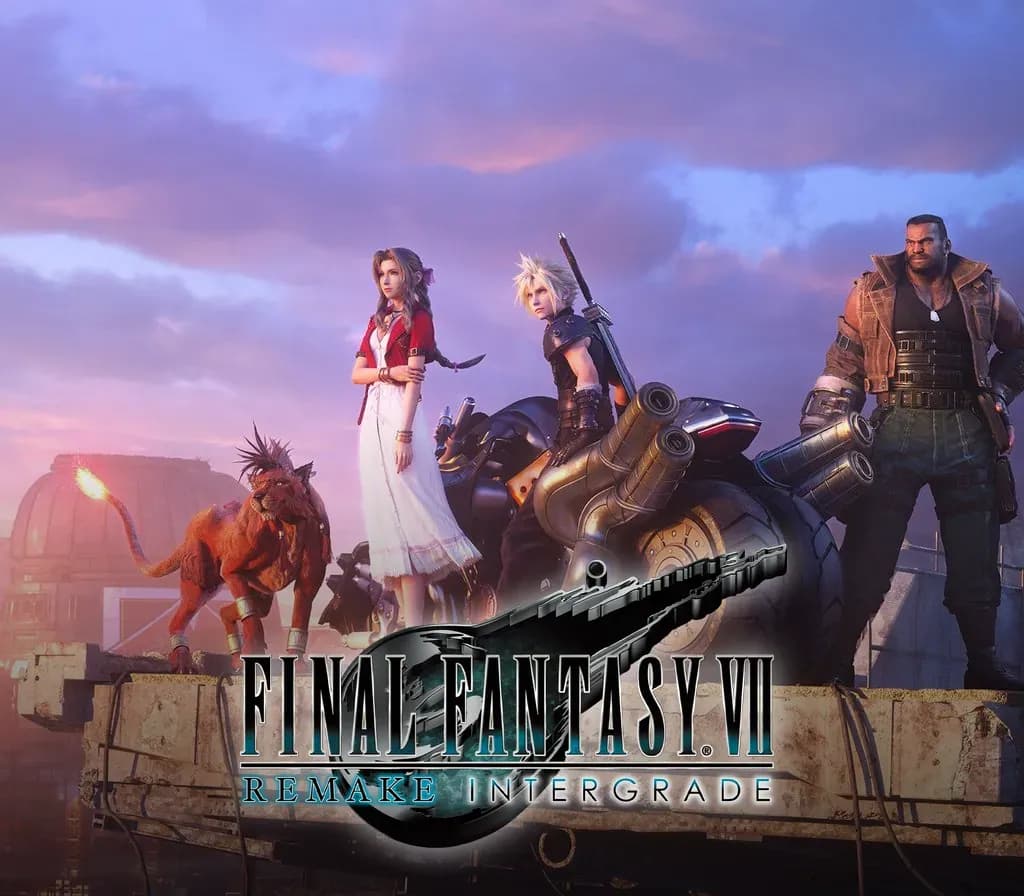
FINAL FANTASY VII REMAKE is a bold reimagining of the original FINAL FANTASY VII, originally released in 1997, developed under the guidance of the original key developers. ■STORY By exploiting mako, the life-blood of the planet, through their mako reactors, the Shinra Electric Power Company has all but seized control of the entire world. A ragtag group of idealists, known as Avalanche, are one of the last bastions of resistance. Cloud, an elite SOLDIER operative-turned-mercenary takes part in an Avalanche operation to destroy Mako Reactor 1 in the city of Midgar. The bombing plunges the city into fiery chaos, and Cloud is tormented by visions of a bitter enemy long thought dead. Once more begins a story that will shape the destiny of an entire world. * This game is a remake of FINAL FANTASY VII, first released in 1997. The first title in a multi-part series, it is based on the story from the original game, up to the escape from Midgar, adding in new elements. ■FF7R EPISODE INTERmission (New episode featuring Yuffie Kisaragi) FF7R EPISODE INTERmission is a brand-new adventure in the world of FINAL FANTASY VII REMAKE INTERGRADE. Play as Wutaian ninja Yuffie Kisaragi as she infiltrates Midgar and conspires with Avalanche HQ to steal the ultimate materia from the Shinra Electric Power Company. ■Content included in this product FINAL FANTASY VII REMAKE INTERGRADE contains the following content: - FINAL FANTASY VII REMAKE full game - DLC "FF7R EPISODE INTERmission" (New episode featuring Yuffie Kisaragi) - Weapon: Cacstar - Armor: Midgar Bangle - Armor: Shinra Bangle
Questions fréquentes
Pour quelle région est-ce ?
C’est la version Global : elle n’est pas verrouillée par région.
Comment activer FINAL FANTASY VII REMAKE INTERGRADE PS5 Account sur PlayStation ?
1. Allumez votre console PlayStation, choisissez "Ajouter un utilisateur" puis "Commencer" (ne choisissez pas invité temporaire). 2. Connectez-vous au PSN avec l'adresse e-mail et le mot de passe fournis, et saisissez le code 2FA si nécessaire. 3. Activez le partage : sur PS5, allez dans Paramètres -> Utilisateurs et comptes -> Autre -> "Partage de console et jeu hors ligne" -> Activer (sur PS4 : Paramètres -> Gestion du compte -> "Activer en tant que PS4 principale"). 4. Ouvrez la Bibliothèque de jeux -> "Votre collection", lancez le téléchargement et rebasculez sur votre profil personnel pour jouer.
Que signifie « compte » ?
Vous recevez les identifiants d’un compte PlayStation qui possède déjà le jeu.
Avis clients
Voir tous les avis et écrire le vôtre
Avis clients
Personne n'a encore donné son avis sur ce jeu. Si vous l'achetez, dites-nous ce que vous en pensez.