 1 sur 7
LEGO Marvel Super Heroes PS4 Account
Sortie : 29 nov. 2013 · Développeur : Traveller's Tales · Éditeur : Warner Bros. Interactive Entertainment
LEGO Marvel Super Heroes — PSN account for PS4, Global. Not a code — read the account-ban notice before buying.
- Paiement sécuriséInstantané
- Clé révélée dans votre compte~60s
- Activer sur PlayStationActivation directe
 Pago Móvil
 Binance Pay
 Cryptomonnaies
 Portefeuille
154 000+ ventes en boutique et sur les marketplaces · Dernière commande livrée : il y a 32 minutes
Comment activer
- 1Allumez votre console PlayStation, choisissez "Ajouter un utilisateur" puis "Commencer" (ne choisissez pas invité temporaire).
- 2Connectez-vous au PSN avec l'adresse e-mail et le mot de passe fournis, et saisissez le code 2FA si nécessaire.
- 3Activez le partage : sur PS5, allez dans Paramètres -> Utilisateurs et comptes -> Autre -> "Partage de console et jeu hors ligne" -> Activer (sur PS4 : Paramètres -> Gestion du compte -> "Activer en tant que PS4 principale").
- 4Ouvrez la Bibliothèque de jeux -> "Votre collection", lancez le téléchargement et rebasculez sur votre profil personnel pour jouer.
À propos de ce jeu
LEGO Marvel Super Heroes PS4 Account est un compte de jeu pour PlayStation, sans verrouillage régional.
Important — please read before buying: This is a PlayStation account created and supplied by a third-party seller, not a code for your own account. Sony's Terms of Service do not allow buying or selling PSN accounts, so a ban of the account (or restrictions on the console) is a likely possibility, though not a certainty, and we cannot guarantee the account will not be restricted. Do not change the account's country/region or add a payment method; play on your own profile via Console Sharing and Offline Play.
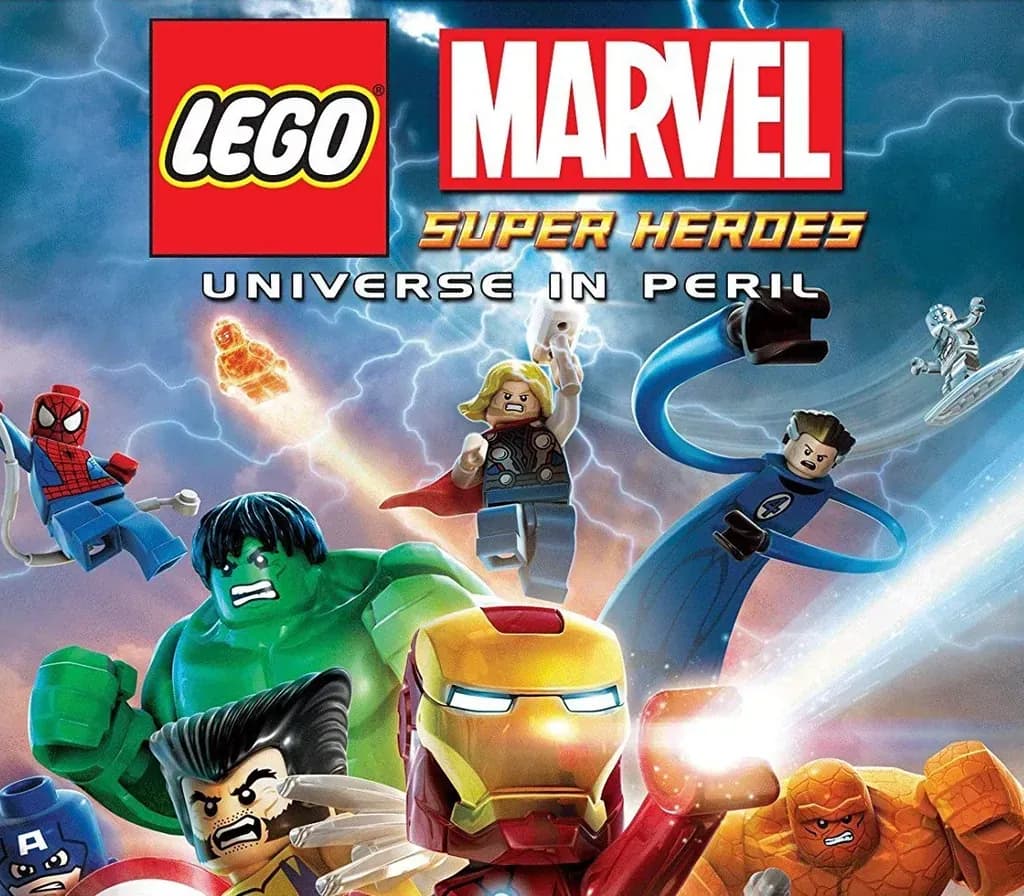
LEGO® Marvel™ Super Heroes features an original story crossing the entire Marvel Universe. Players take control of Iron Man, Spider-Man, the Hulk, Captain America, Wolverine and many more Marvel characters as they unite to stop Loki and a host of other Marvel villains from assembling a super-weapon capable of destroying the world. Players will chase down Cosmic Bricks as they travel across LEGO Manhattan and visit key locations from the Marvel Universe, such as Stark Tower, Asteroid M, a Hydra base and the X-Mansion.
- Smash, swing and fly in the first LEGO videogame featuring more than 100 of your favorite Super Heroes and Super Villains from the Marvel Universe, including Iron Man, Wolverine, the Hulk, Spider-Man, Captain America, Black Widow, Loki and Deadpool.
- Help save Earth as your favorite Marvel character with your super-cool strengths and abilities:
- Iron Man flies, hovers, shoots missiles and unleashes a powerful unibeam directly from his chest.
- Spider-Man shoots webs, uses his spider-senses to spot objects invisible to others, crawls up walls and, of course, web-slings.
- Captain America throws his mighty shield at objects and enemies, embeds it into a wall to create a platform, and protects himself from damage.
- Hulk smashes!
- Perform new and powerful moves as “BIG-fig” characters like Hulk and Abomination. Leave a path of destruction as you smash through LEGO walls and throw cars using hyper strength.
- Discover LEGO Manhattan like never before, and travel to iconic locations from the Marvel Universe, such as the X-Mansion, Asteroid M and Asgard.
- Create unique Super Heroes with customizable characters.
- Enjoy an exciting original story, filled with classic LEGO videogame adventure and humor.
Questions fréquentes
Pour quelle région est-ce ?
C’est la version Global : elle n’est pas verrouillée par région.
Comment activer LEGO Marvel Super Heroes PS4 Account sur PlayStation ?
1. Allumez votre console PlayStation, choisissez "Ajouter un utilisateur" puis "Commencer" (ne choisissez pas invité temporaire). 2. Connectez-vous au PSN avec l'adresse e-mail et le mot de passe fournis, et saisissez le code 2FA si nécessaire. 3. Activez le partage : sur PS5, allez dans Paramètres -> Utilisateurs et comptes -> Autre -> "Partage de console et jeu hors ligne" -> Activer (sur PS4 : Paramètres -> Gestion du compte -> "Activer en tant que PS4 principale"). 4. Ouvrez la Bibliothèque de jeux -> "Votre collection", lancez le téléchargement et rebasculez sur votre profil personnel pour jouer.
Que signifie « compte » ?
Vous recevez les identifiants d’un compte PlayStation qui possède déjà le jeu.
Avis clients
Voir tous les avis et écrire le vôtre
Avis clients
Personne n'a encore donné son avis sur ce jeu. Si vous l'achetez, dites-nous ce que vous en pensez.