 1 sur 8
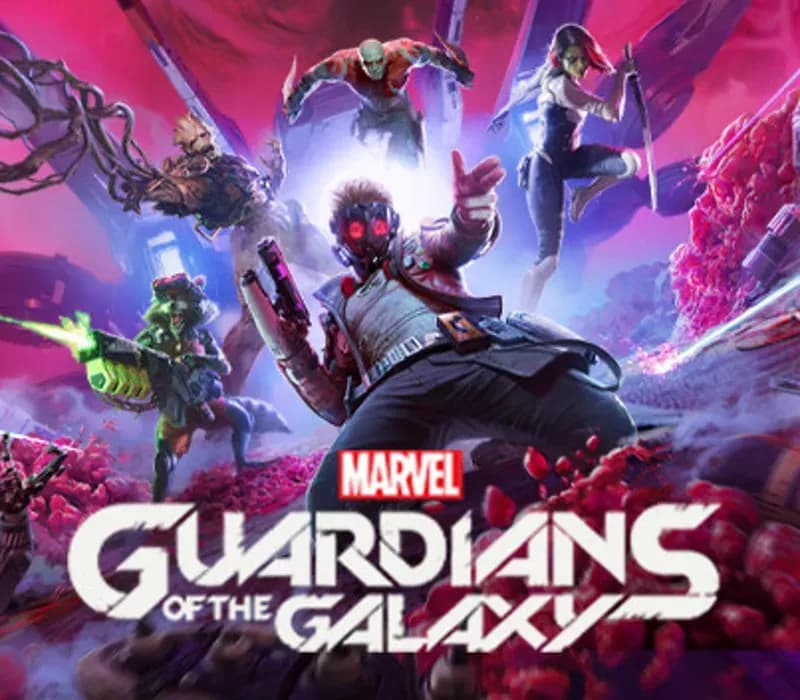
Marvel's Guardians of the Galaxy PS4/PS5 Account
Sortie : 26 oct. 2021 · Développeur : Eidos-Montréal · Éditeur : Eidos Interactive Corp.
Marvel's Guardians of the Galaxy — PSN account for PS4/PS5, Global. Not a code — read the account-ban notice before buying.
- Paiement sécuriséInstantané
- Clé révélée dans votre compte~60s
- Activer sur PlayStationActivation directe
 Pago Móvil
 Binance Pay
 Cryptomonnaies
 Portefeuille
154 000+ ventes en boutique et sur les marketplaces · Dernière commande livrée : il y a 33 minutes
Comment activer
- 1Allumez votre console PlayStation, choisissez "Ajouter un utilisateur" puis "Commencer" (ne choisissez pas invité temporaire).
- 2Connectez-vous au PSN avec l'adresse e-mail et le mot de passe fournis, et saisissez le code 2FA si nécessaire.
- 3Activez le partage : sur PS5, allez dans Paramètres -> Utilisateurs et comptes -> Autre -> "Partage de console et jeu hors ligne" -> Activer (sur PS4 : Paramètres -> Gestion du compte -> "Activer en tant que PS4 principale").
- 4Ouvrez la Bibliothèque de jeux -> "Votre collection", lancez le téléchargement et rebasculez sur votre profil personnel pour jouer.
À propos de ce jeu
Marvel's Guardians of the Galaxy PS4/PS5 Account est un compte de jeu pour PlayStation, sans verrouillage régional.
Important — please read before buying: This is a PlayStation account created and supplied by a third-party seller, not a code for your own account. Sony's Terms of Service do not allow buying or selling PSN accounts, so a ban of the account (or restrictions on the console) is a likely possibility, though not a certainty, and we cannot guarantee the account will not be restricted. Do not change the account's country/region or add a payment method; play on your own profile via Console Sharing and Offline Play.
Fire up Star-Lord’s jet boots for a wild ride across the cosmos in this third-person action-adventure game, a fresh take on Marvel’s Guardians of the Galaxy. With the unpredictable Guardians at your side, blast your way from one explosive situation to another, with original and iconic Marvel characters caught in a struggle for the fate of the universe. You got this. Probably.
LEAD THE GUARDIANS OF THE GALAXY
You play as Star-Lord, so nothing’s off-limits with your bold combat style, from Element Blasters and jet boot-powered dropkicks to tag-team beat-downs. With the Guardians fighting at your side, call the shots and overwhelm your opponents with signature attacks. Meanwhile, the consequences of your decisions will range from light-hearted to downright unexpected as your journey unfolds.
ALL-NEW STORY
Your newly-formed band of legendary misfits is set to save the universe in this fresh but faithful take on the Guardians of the Galaxy. Somehow, you set off a chain of catastrophic events, leading to a wild ride through mind-blowing worlds inhabited by iconic and original Marvel characters. Turn up the all-star ‘80s mixtape and get ready to kick it.
FROM MISFITS TO SUPER HEROES
You’re the only thing holding the unpredictable Guardians together, so you’ll have to get better at this leadership thing fast. With this offbeat approximation of a family at your side, there will be tears and laughter as you set about tearing into the cosmos together. Whatever’s waiting around the next corner, you know it’s going to be a blast.
Questions fréquentes
Pour quelle région est-ce ?
C’est la version Global : elle n’est pas verrouillée par région.
Comment activer Marvel's Guardians of the Galaxy PS4/PS5 Account sur PlayStation ?
1. Allumez votre console PlayStation, choisissez "Ajouter un utilisateur" puis "Commencer" (ne choisissez pas invité temporaire). 2. Connectez-vous au PSN avec l'adresse e-mail et le mot de passe fournis, et saisissez le code 2FA si nécessaire. 3. Activez le partage : sur PS5, allez dans Paramètres -> Utilisateurs et comptes -> Autre -> "Partage de console et jeu hors ligne" -> Activer (sur PS4 : Paramètres -> Gestion du compte -> "Activer en tant que PS4 principale"). 4. Ouvrez la Bibliothèque de jeux -> "Votre collection", lancez le téléchargement et rebasculez sur votre profil personnel pour jouer.
Que signifie « compte » ?
Vous recevez les identifiants d’un compte PlayStation qui possède déjà le jeu.
Avis clients
Voir tous les avis et écrire le vôtre
Avis clients
Personne n'a encore donné son avis sur ce jeu. Si vous l'achetez, dites-nous ce que vous en pensez.