 1 sur 8
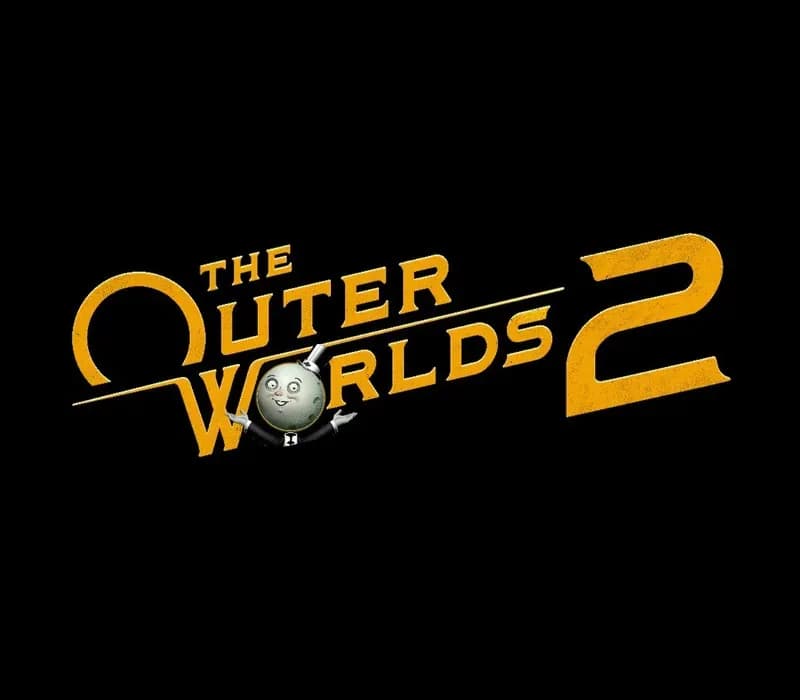
The Outer Worlds 2 PS5 Account
Sortie : 30 oct. 2025 · Développeur : Obsidian Entertainment · Éditeur : Xbox Game Studios
The Outer Worlds 2 — PSN account for PS5, Global. Not a code — read the account-ban notice before buying.
- Paiement sécuriséInstantané
- Clé révélée dans votre compte~60s
- Activer sur PlayStationActivation directe
 Pago Móvil
 Binance Pay
 Cryptomonnaies
 Portefeuille
154 000+ ventes en boutique et sur les marketplaces · Dernière commande livrée : il y a 32 minutes
Comment activer
- 1Allumez votre console PlayStation, choisissez "Ajouter un utilisateur" puis "Commencer" (ne choisissez pas invité temporaire).
- 2Connectez-vous au PSN avec l'adresse e-mail et le mot de passe fournis, et saisissez le code 2FA si nécessaire.
- 3Activez le partage : sur PS5, allez dans Paramètres -> Utilisateurs et comptes -> Autre -> "Partage de console et jeu hors ligne" -> Activer (sur PS4 : Paramètres -> Gestion du compte -> "Activer en tant que PS4 principale").
- 4Ouvrez la Bibliothèque de jeux -> "Votre collection", lancez le téléchargement et rebasculez sur votre profil personnel pour jouer.
À propos de ce jeu
The Outer Worlds 2 PS5 Account est un compte de jeu pour PlayStation, sans verrouillage régional.
Important — please read before buying: This is a PlayStation account created and supplied by a third-party seller, not a code for your own account. Sony's Terms of Service do not allow buying or selling PSN accounts, so a ban of the account (or restrictions on the console) is a likely possibility, though not a certainty, and we cannot guarantee the account will not be restricted. Do not change the account's country/region or add a payment method; play on your own profile via Console Sharing and Offline Play.
The Outer Worlds 2 is the eagerly-awaited sequel to the award-winning first-person sci-fi RPG from Obsidian Entertainment (just look at the exciting number of dashes in this sentence!). Time to clear your calendar – get ready for an action-packed adventure with a new crew, new weapons, and new enemies in a new colony! So much newness! As a daring and most likely good-looking Earth Directorate agent, you must uncover the source of devastating rifts threatening to destroy all of humanity. Your investigation leads to Arcadia, home of skip drive technology, where the fate of the colony, and ultimately the entire galaxy, rests on your decisions—your strengths, your flaws, your crew, and the factions you choose to trust. The Arcadia colony is engulfed in a factional war, as the Protectorate’s so-called benevolent rule is challenged by the rebellion of their religious order and a corporate invasion. As destructive rifts spread across the colony, each faction fights to control or close them for their own ends. Navigate diverse zones, uncover hidden lore, and shape the fate of a system on the brink! Build your character with the abilities and choices that reflect your playstyle. The colony reacts to your every move, crafting a narrative that’s yours to own—whether you’re a disciple of diplomacy, an astute strategist, a crusader for chaos, or something different altogether. And yes, you can dumb! Recruit companions with unique traits, backgrounds and goals. Whether you choose to help them achieve their ambitions or steer them toward your own objectives, your influence shapes their growth (or death), making them an integral part of the immersive story you create together.
Questions fréquentes
Pour quelle région est-ce ?
C’est la version Global : elle n’est pas verrouillée par région.
Comment activer The Outer Worlds 2 PS5 Account sur PlayStation ?
1. Allumez votre console PlayStation, choisissez "Ajouter un utilisateur" puis "Commencer" (ne choisissez pas invité temporaire). 2. Connectez-vous au PSN avec l'adresse e-mail et le mot de passe fournis, et saisissez le code 2FA si nécessaire. 3. Activez le partage : sur PS5, allez dans Paramètres -> Utilisateurs et comptes -> Autre -> "Partage de console et jeu hors ligne" -> Activer (sur PS4 : Paramètres -> Gestion du compte -> "Activer en tant que PS4 principale"). 4. Ouvrez la Bibliothèque de jeux -> "Votre collection", lancez le téléchargement et rebasculez sur votre profil personnel pour jouer.
Que signifie « compte » ?
Vous recevez les identifiants d’un compte PlayStation qui possède déjà le jeu.
Avis clients
Voir tous les avis et écrire le vôtre
Avis clients
Personne n'a encore donné son avis sur ce jeu. Si vous l'achetez, dites-nous ce que vous en pensez.