 1 sur 12
Vampire: The Masquerade - Bloodlines 2 PS5 Account
Sortie : 21 oct. 2025 · Développeur : The Chinese Room · Éditeur : Paradox Interactive
Vampire: The Masquerade - Bloodlines 2 — PSN account for PS5, Global. Not a code — read the account-ban notice before buying.
- Paiement sécuriséInstantané
- Clé révélée dans votre compte~60s
- Activer sur PlayStationActivation directe
 Pago Móvil
 Binance Pay
 Cryptomonnaies
 Portefeuille
154 000+ ventes en boutique et sur les marketplaces · Dernière commande livrée : il y a 32 minutes
Comment activer
- 1Allumez votre console PlayStation, choisissez "Ajouter un utilisateur" puis "Commencer" (ne choisissez pas invité temporaire).
- 2Connectez-vous au PSN avec l'adresse e-mail et le mot de passe fournis, et saisissez le code 2FA si nécessaire.
- 3Activez le partage : sur PS5, allez dans Paramètres -> Utilisateurs et comptes -> Autre -> "Partage de console et jeu hors ligne" -> Activer (sur PS4 : Paramètres -> Gestion du compte -> "Activer en tant que PS4 principale").
- 4Ouvrez la Bibliothèque de jeux -> "Votre collection", lancez le téléchargement et rebasculez sur votre profil personnel pour jouer.
À propos de ce jeu
Vampire: The Masquerade - Bloodlines 2 PS5 Account est un compte de jeu pour PlayStation, sans verrouillage régional.
Important — please read before buying: This is a PlayStation account created and supplied by a third-party seller, not a code for your own account. Sony's Terms of Service do not allow buying or selling PSN accounts, so a ban of the account (or restrictions on the console) is a likely possibility, though not a certainty, and we cannot guarantee the account will not be restricted. Do not change the account's country/region or add a payment method; play on your own profile via Console Sharing and Offline Play.
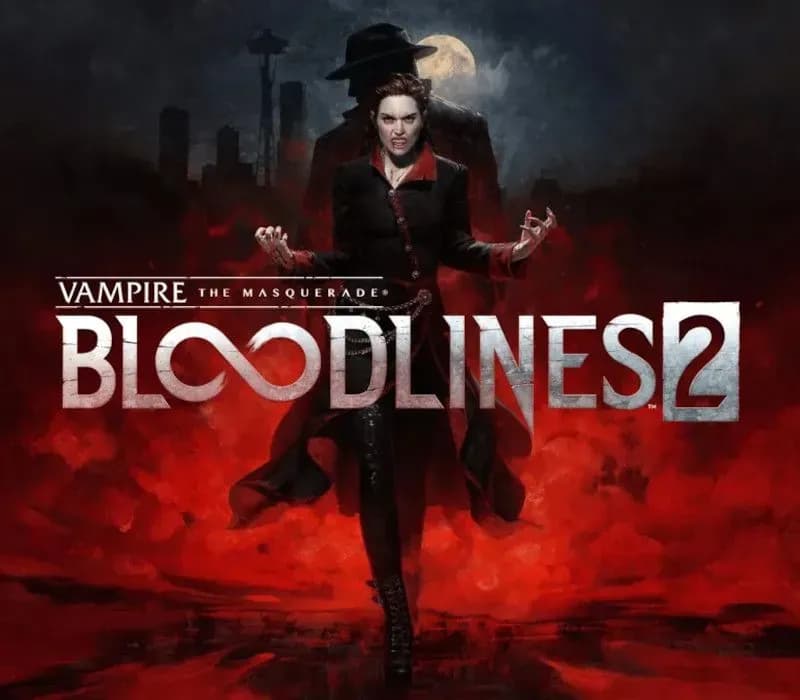
You are the Nomad — an elder vampire awakening from a century-long slumber, new to the modern nights. Trapped in your Blood is a stranger’s voice. This entity, a vampire detective known as Fabien, will be your guide to 21st-century Seattle. You will explore the city through his eyes as well as those of the Nomad, as you revisit a cold case from a hundred years ago that is threatening undead and mortal society alike.
Hunt your way through a modern-night Seattle on the brink of an open supernatural war in Vampire: The Masquerade - Bloodlines 2, where visceral vampire action meets a neo-noir murder mystery. Navigate the vampire Court of Seattle and its dark underbelly in this action RPG, realized by the BAFTA award-winning studio The Chinese Room.
Blood sustains you and empowers your vampiric Disciplines. You’ll stalk and feed on the city’s population at night. Use your supernatural powers or raw persuasion on unsuspecting mortals to lure them into dark alleys and slake your Hunger. However, be cautious about breaking the Masquerade: revealing your true nature risks reprisals, starting with law enforcement and escalating from there. Remember, you are not the only creature that goes bump in the night.
Experience immersive, visceral combat that rewards various playstyles and approaches based on your choice of vampire clan. Will you engage in close combat with supernatural strength, attack from a distance with blood sorcery, or silently thin the herd like the apex predator you are? Your clan choice will support these playstyles and more.
Enter the World of Darkness and rise through vampire society or rail against it. Experience Seattle - a city full of alluring, dangerous characters and factions, not to mention the mortals at stake in the clash of powers beyond their knowing. In this sequel to the cult classic, your choices, plots, and schemes will determine the balance of power and what becomes of the city and its people.
Questions fréquentes
Pour quelle région est-ce ?
C’est la version Global : elle n’est pas verrouillée par région.
Comment activer Vampire: The Masquerade - Bloodlines 2 PS5 Account sur PlayStation ?
1. Allumez votre console PlayStation, choisissez "Ajouter un utilisateur" puis "Commencer" (ne choisissez pas invité temporaire). 2. Connectez-vous au PSN avec l'adresse e-mail et le mot de passe fournis, et saisissez le code 2FA si nécessaire. 3. Activez le partage : sur PS5, allez dans Paramètres -> Utilisateurs et comptes -> Autre -> "Partage de console et jeu hors ligne" -> Activer (sur PS4 : Paramètres -> Gestion du compte -> "Activer en tant que PS4 principale"). 4. Ouvrez la Bibliothèque de jeux -> "Votre collection", lancez le téléchargement et rebasculez sur votre profil personnel pour jouer.
Que signifie « compte » ?
Vous recevez les identifiants d’un compte PlayStation qui possède déjà le jeu.
Avis clients
Voir tous les avis et écrire le vôtre
Avis clients
Personne n'a encore donné son avis sur ce jeu. Si vous l'achetez, dites-nous ce que vous en pensez.