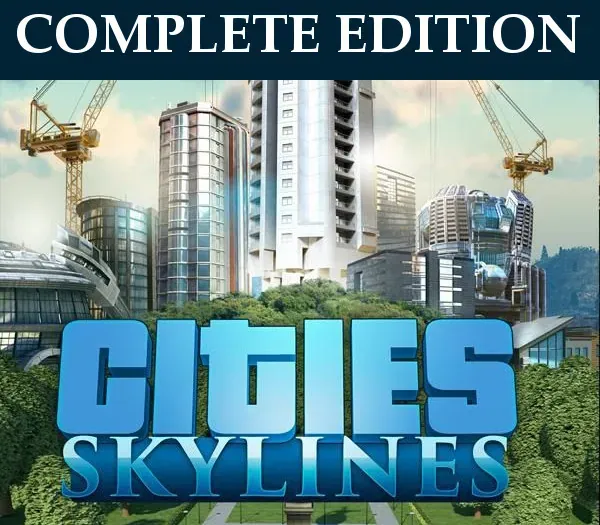
Cities: Skylines Complete Edition PC Steam CD Key
Cities: Skylines Complete Edition PC Steam CD Key is a digital key for Steam, not region-locked. Delivered instantly after payment.
⭐ 153,000+ orders delivered since 2018
 Pago Móvil
 Binance Pay
About this game
Includes
Base game After Dark DLC Snowfall DLC Extra items pack including: dog park, bouncy castle, basketball court, carousel, botanical garden. Cities: Skylines is a modern take on the classic city simulation. The game introduces new game play elements to realize the thrill and hardships of creating and maintaining a real city whilst expanding on some well-established tropes of the city building experience.
From the makers of the Cities in Motion franchise, the game boasts a fully realized transport system. It also includes the ability to mod the game to suit your play style as a fine counter balance to the layered and challenging simulation. You’re only limited by your imagination, so take control and reach for the sky!
System Requirements
- Windows: Requires a 64-bit processor and operating system OS: Microsoft Windows XP/Vista/7/8/8.1 (64-bit) Processor: Intel Core 2 Duo, 3.0GHz or AMD Athlon 64 X2 6400+, 3.2GHz Memory: 4 GB RAM Graphics: nVIDIA GeForce GTX 260, 512 MB or ATI Radeon HD 5670, 512 MB (Does not support Intel Integrated Graphics Cards) DirectX: Version 9.0c Network: Broadband Internet connection Storage: 4 GB available space
- Mac: Requires a 64-bit processor and operating system OS: OS X 10.9 (64-bit) Processor: Intel Core 2 Duo, 3.0GHz Memory: 4 GB RAM Graphics: nVIDIA GeForce GTX 260, 512 MB or ATI Radeon HD 5670, 512 MB (Does not support Intel Integrated Graphics Cards) Network: Broadband Internet connection Storage: 4 GB available space
- Linux: Requires a 64-bit processor and operating system OS: Ubuntu 12.04 (64-bit) Processor: Intel Core 2 Duo, 3.0GHz or AMD Athlon 64 X2 6400+, 3.2GHz Memory: 4 GB RAM Graphics: nVIDIA GeForce GTX 260, 512 MB or ATI Radeon HD 5670, 512 MB (Does not support Intel Integrated Graphics Cards) Network: Broadband Internet connection Storage: 4 GB available space
How to activate
- Launch the Steam desktop client and log in to your account, or visit store.steampowered.com/account/registerkey in your browser.
- Click the "Games" menu at the top of the client (or click "+ Add a Game" at the bottom-left) and select "Activate a Product on Steam...".
- Follow the on-screen prompts, accept the Steam Subscriber Agreement, and enter your CD-Key in the "Product Code" field.
- Click "Next" and "Finish" to register the game. It will now appear permanently in your Steam Library ready to install.
Customer Reviews
Frequently asked questions
Which region is this for?
This is the Global version: it is not region-locked.
How do I activate Cities: Skylines Complete Edition PC Steam CD Key on Steam?
1. Launch the Steam desktop client and log in to your account, or visit store.steampowered.com/account/registerkey in your browser. 2. Click the "Games" menu at the top of the client (or click "+ Add a Game" at the bottom-left) and select "Activate a Product on Steam...". 3. Follow the on-screen prompts, accept the Steam Subscriber Agreement, and enter your CD-Key in the "Product Code" field. 4. Click "Next" and "Finish" to register the game. It will now appear permanently in your Steam Library ready to install.
How fast is delivery?
Your key appears in your account and is emailed to you right after payment.