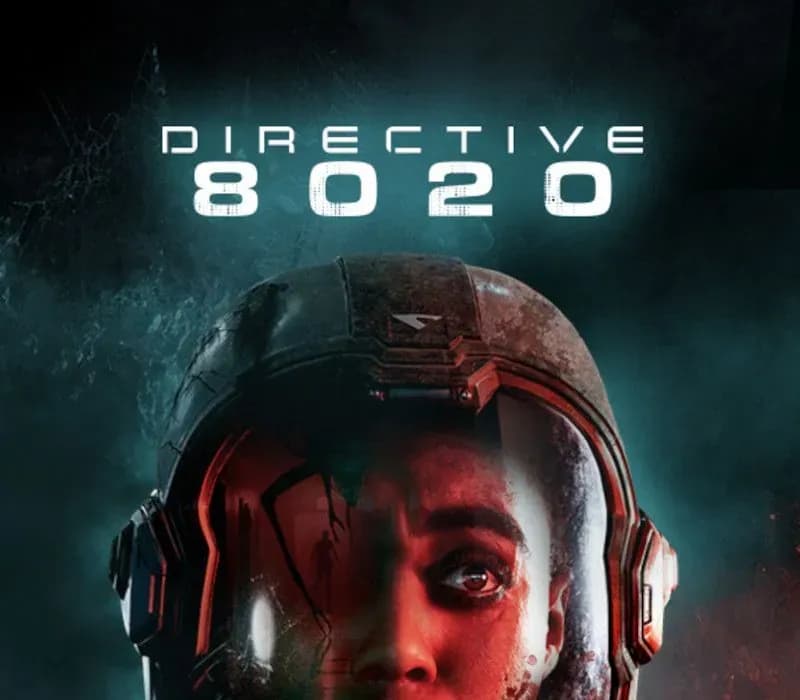
 1 of 12
Directive 8020 PS5 Account
Release: May 12, 2026 · Developer: Supermassive Games · Publisher: Avalanche Studios
Directive 8020 — PSN account for PS5, Global. Not a code — read the account-ban notice before buying.
- Pay securelyInstant
- Key revealed in your account~60s
- Redeem on PlayStationDirect activation
 Pago Móvil
 Binance Pay
 Crypto
 Wallet
154,000+ sales in our store and on marketplaces · Latest order delivered: 23 minutes ago
How to activate
- 1Turn on your PlayStation console, select "Add User", and choose "Get Started" (do not select "Play as a One-Time Guest").
- 2Sign in to PlayStation Network with the delivered account email and password, entering the 2FA code provided if prompted.
- 3Enable console sharing: on PS5 go to Settings -> Users and Accounts -> Other -> "Console Sharing and Offline Play" -> Enable (on PS4: Settings -> Account Management -> "Activate as Your Primary PS4").
- 4Open Game Library -> "Your Collection", start downloading the purchased game, and switch back to your main personal profile to play and earn trophies.
About this game
Directive 8020 PS5 Account is a game account for PlayStation, not region-locked.
Important — please read before buying: This is a PlayStation account created and supplied by a third-party seller, not a code for your own account. Sony's Terms of Service do not allow buying or selling PSN accounts, so a ban of the account (or restrictions on the console) is a likely possibility, though not a certainty, and we cannot guarantee the account will not be restricted. Do not change the account's country/region or add a payment method; play on your own profile via Console Sharing and Offline Play.
From the creators of UNTIL DAWN and THE QUARRY, an all-new cinematic sci-fi horror adventure that blends intense survival gameplay with meaningful choices and a branching storyline.
Earth is dying and humanity is running out of time. 12 light years from home, Tau Ceti f offers a small sliver of hope. When the colony ship Cassiopeia crash lands on the planet, its crew soon realize they are far from being alone.
Hunted by an alien organism capable of mimicking its prey, the crew of the Cassiopeia must outwit their pursuers to make it home alive. As they battle to survive, they are confronted with the hardest choice of all: to save themselves, they must risk the lives of everyone on Earth.
Featuring Hollywood actor, Lashana Lynch (Bob Marley: One Love, The Woman King) as the ground-breaking astronaut, ‘Young’, experience immersive cinematic storytelling and edge-of-your-seat horror on a deep space mission to save humanity.
Evade a deadly alien threat that roams the dark corridors of the ship, intent on eradicating human life. Overcome your enemies using improvised weapons, lightning reflexes, and stealth.
Encounter an alien lifeform that perfectly imitates its prey. Years of training and trust are lost among the crew when their enemy hides in plain sight. Who is human and who is not? Your choices are now more important than ever!
Rewrite your destiny and change the course of your story with our new Turning Points story tree. Uncover multiple endings, unlock hidden paths, and save your crew from their fateful deaths.
Recruit up to five players to join you on your mission in couch-co-op movie night mode. Choose which crew members to control and work together with your friends to survive alien infiltrators, deadly dilemmas, and catastrophic system failures.
Frequently asked questions
Which region is this for?
This is the Global version: it is not region-locked.
How do I activate Directive 8020 PS5 Account on PlayStation?
1. Turn on your PlayStation console, select "Add User", and choose "Get Started" (do not select "Play as a One-Time Guest"). 2. Sign in to PlayStation Network with the delivered account email and password, entering the 2FA code provided if prompted. 3. Enable console sharing: on PS5 go to Settings -> Users and Accounts -> Other -> "Console Sharing and Offline Play" -> Enable (on PS4: Settings -> Account Management -> "Activate as Your Primary PS4"). 4. Open Game Library -> "Your Collection", start downloading the purchased game, and switch back to your main personal profile to play and earn trophies.
What does “account” mean?
You receive login details for a PlayStation account that already owns the game.
Customer Reviews
See all reviews and write yours
Customer Reviews
Nobody has reviewed this game yet. If you buy it, tell us how it went.