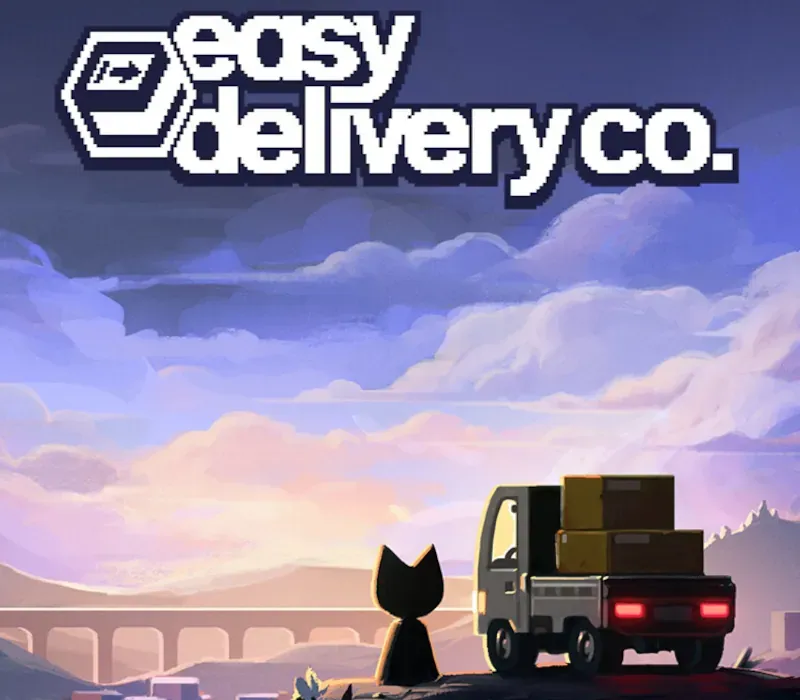

Easy Delivery Co. PC Steam CD Key
Easy Delivery Co. PC Steam CD Key is a digital key for Steam, not region-locked. Delivered instantly after payment. Price: $5.04, 61% below the Steam MSRP of $12.99.
⭐ 153,000+ orders delivered since 2018
 Pago Móvil
 Binance Pay
About this game
Easy Delivery Co. is a relaxing driving game, with definitely no secrets. You’ve been hired as a delivery driver in a once-lively scenic mountain town now plagued with inhospitable weather. Make deliveries and uncover the story of the town’s not-at-all mysterious residents, all while earning well below minimum wage.
Features
Earn a "living" by delivering packages with your kei truck Take in the atmospheric scenery or blitz through (road safety not required) Buy drastically overpriced gas and get to know the locals Simple controls and retro graphics Listen to cool beats while driving Nothing strange going on, no lore, nothing at all, we promise
System Requirements
- Windows: Minimum: OS: Windows 10 Processor: Intel Core i3 / Ryzen 5 3500 Memory: 8 GB RAM Storage: 1 GB available space
- Mac: Minimum: OS: macOS 10.14 Processor: Apple M1 or Intel Core i5 Memory: 8 GB RAM Storage: 1 GB available space
How to activate
- Launch the Steam desktop client and log in to your account, or visit store.steampowered.com/account/registerkey in your browser.
- Click the "Games" menu at the top of the client (or click "+ Add a Game" at the bottom-left) and select "Activate a Product on Steam...".
- Follow the on-screen prompts, accept the Steam Subscriber Agreement, and enter your CD-Key in the "Product Code" field.
- Click "Next" and "Finish" to register the game. It will now appear permanently in your Steam Library ready to install.
Customer Reviews
Frequently asked questions
Which region is this for?
This is the Global version: it is not region-locked.
How do I activate Easy Delivery Co. PC Steam CD Key on Steam?
1. Launch the Steam desktop client and log in to your account, or visit store.steampowered.com/account/registerkey in your browser. 2. Click the "Games" menu at the top of the client (or click "+ Add a Game" at the bottom-left) and select "Activate a Product on Steam...". 3. Follow the on-screen prompts, accept the Steam Subscriber Agreement, and enter your CD-Key in the "Product Code" field. 4. Click "Next" and "Finish" to register the game. It will now appear permanently in your Steam Library ready to install.
How fast is delivery?
Your key appears in your account and is emailed to you right after payment.