
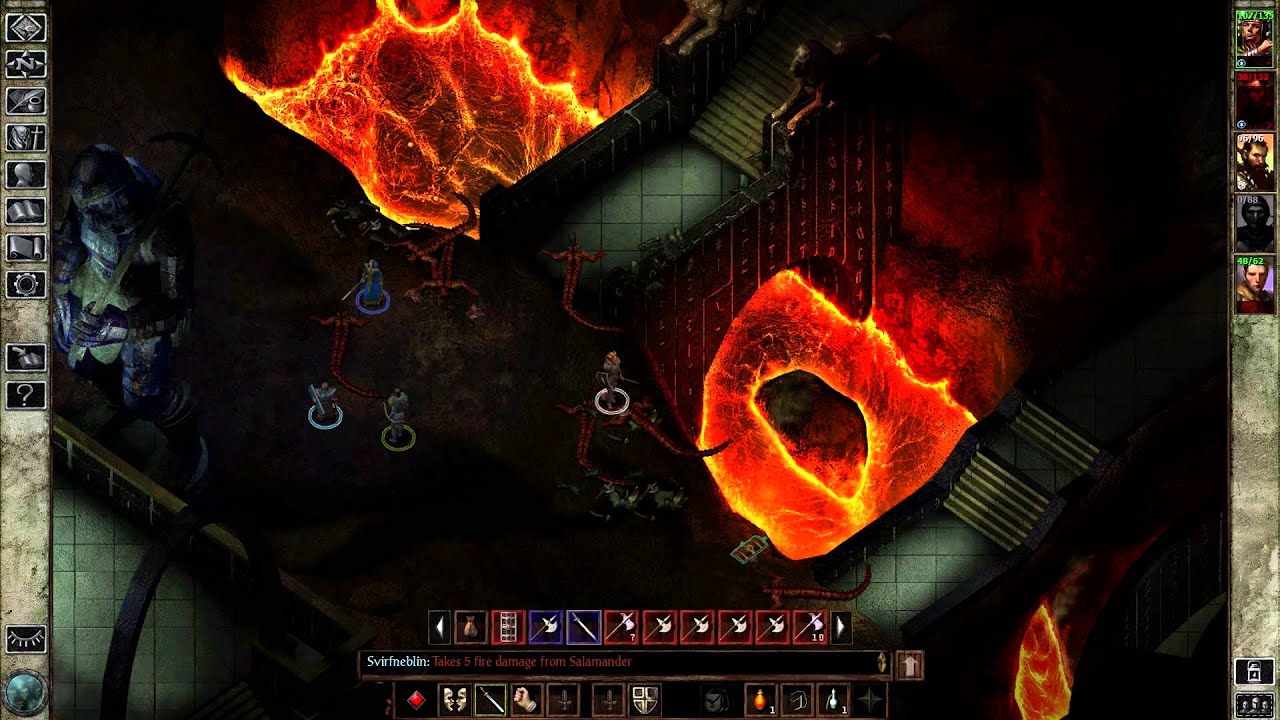
Icewind Dale: Enhanced Edition PC Steam CD Key
Icewind Dale: Enhanced Edition PC Steam CD Key is a digital key for Steam, not region-locked. Delivered instantly after payment. Price: $2.23, 88% below the Steam MSRP of $19.99.
⭐ 153,000+ orders delivered since 2018
 Pago Móvil
 Binance Pay
About this game
Includes
3 items: Icewind Dale, Heart of Winter, Trials of the Luremaster In the northernmost reaches of the Forgotten Realms lies the region of icy tundra known as Icewind Dale. Journey deep into the Spine of the World mountains, a harsh and unforgiving territory settled by only the hardiest folk. Encounter fearsome beasts that have learned the cunning and ferocity needed to survive among the snow-shrouded peaks.
Confront an evil that schemes beneath the carven glaciers and mountainsides to wreak destruction upon the face of Faerûn. This is the world of Icewind Dale: Enhanced Edition. Originally released in 2000, Icewind Dale is a Dungeons & Dragons game set in Wizards of The Coast's legendary Forgotten Realms.
Features
Swords and Sorcery: Discover dozens of new spells and items, including new magic armor and weapons. Blackguards and Wizard Slayers: Select from more than 30 new kits and classes to create the perfect adventuring party. A New Look: Experience the Enhanced Edition's all new interface, including the new Quickloot bar. Bring A Friend: Join your fellow adventurers in cooperative, cross-platform multiplayer games.
See The Unseen: Explore quest content cut from the original game, now finished and restored. More to Experience: Enjoy the countless bug fixes and improvements that await you in Icewind Dale: Enhanced Edition!
System Requirements
- Windows: OS: Windows XP, Windows Vista, Windows 7, or Windows 8 Processor: Intel Core 2 Duo or equivalent Memory: 1 GB RAM DirectX: Version 9.0c Storage: 2 GB available space
- Mac: OS: Mac OS X 10.6.8 or later Processor: Intel Core 2 Duo or equivalent Memory: 1 GB RAM Storage: 2 GB available space
- Linux: Processor: Intel Core 2 Duo or equivalent Memory: 1 GB RAM Storage: 2 GB available space Additional Notes: Requires Steam Run-Time
How to activate
- Launch the Steam desktop client and log in to your account, or visit store.steampowered.com/account/registerkey in your browser.
- Click the "Games" menu at the top of the client (or click "+ Add a Game" at the bottom-left) and select "Activate a Product on Steam...".
- Follow the on-screen prompts, accept the Steam Subscriber Agreement, and enter your CD-Key in the "Product Code" field.
- Click "Next" and "Finish" to register the game. It will now appear permanently in your Steam Library ready to install.
Customer Reviews
Frequently asked questions
Which region is this for?
This is the Global version: it is not region-locked.
How do I activate Icewind Dale: Enhanced Edition PC Steam CD Key on Steam?
1. Launch the Steam desktop client and log in to your account, or visit store.steampowered.com/account/registerkey in your browser. 2. Click the "Games" menu at the top of the client (or click "+ Add a Game" at the bottom-left) and select "Activate a Product on Steam...". 3. Follow the on-screen prompts, accept the Steam Subscriber Agreement, and enter your CD-Key in the "Product Code" field. 4. Click "Next" and "Finish" to register the game. It will now appear permanently in your Steam Library ready to install.
How fast is delivery?
Your key appears in your account and is emailed to you right after payment.