LEGO MARVEL's Avengers Xbox One / Xbox Series X|S Account
LEGO MARVEL's Avengers Xbox One / Xbox Series X|S Account is a game account for Xbox, not region-locked. Price: $10.96, 45% below the MSRP of $19.99.
Choose your version
Platform
How to buy it
- Xbox
- Global
- Account
154,000+ sales in our store and on marketplaces
 Pago Móvil
 Binance Pay
About this game
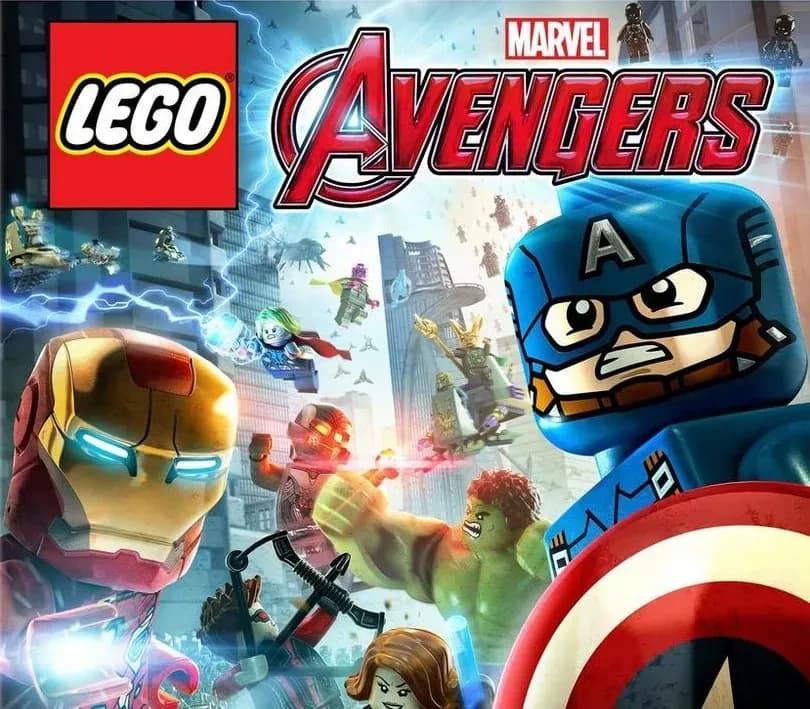
Avengers Assemble! The best-selling LEGO® MARVEL videogame franchise returns with a new action-packed, Super Hero adventure. Join the LEGO® MARVEL's Avengers team and experience a videogame featuring characters and storylines from the critically-acclaimed films and more. Play as the most powerful Super Heroes in their quest to save the world.
How to activate
- Press the Xbox button on your controller, navigate to "Profile & system" -> "Add or switch" -> "Add new".
- Enter the Microsoft email and password provided in your order details; select "No barriers" for sign-in security.
- Go to Settings -> General -> Personalisation -> "My home Xbox" and select "Make this my home Xbox".
- Open "My games & apps" -> "Full library" -> "Owned games", download the purchased game, then switch back to your main personal profile to play.
About this game
Avengers Assemble! The best-selling LEGO® MARVEL videogame franchise returns with a new action-packed, Super Hero adventure. Join the LEGO® MARVEL's Avengers team and experience a videogame featuring characters and storylines from the critically-acclaimed films and more. Play as the most powerful Super Heroes in their quest to save the world.
Customer Reviews
Nobody has reviewed this game yet. If you buy it, tell us how it went.
Frequently asked questions
Which region is this for?
This is the Global version: it is not region-locked.
How do I activate LEGO MARVEL's Avengers Xbox One / Xbox Series X|S Account on Xbox?
1. Press the Xbox button on your controller, navigate to "Profile & system" -> "Add or switch" -> "Add new". 2. Enter the Microsoft email and password provided in your order details; select "No barriers" for sign-in security. 3. Go to Settings -> General -> Personalisation -> "My home Xbox" and select "Make this my home Xbox". 4. Open "My games & apps" -> "Full library" -> "Owned games", download the purchased game, then switch back to your main personal profile to play.
What does “account” mean?
You receive login details for a Xbox account that already owns the game.
What does the Standard include?
LEGO MARVEL's Avengers (base game)