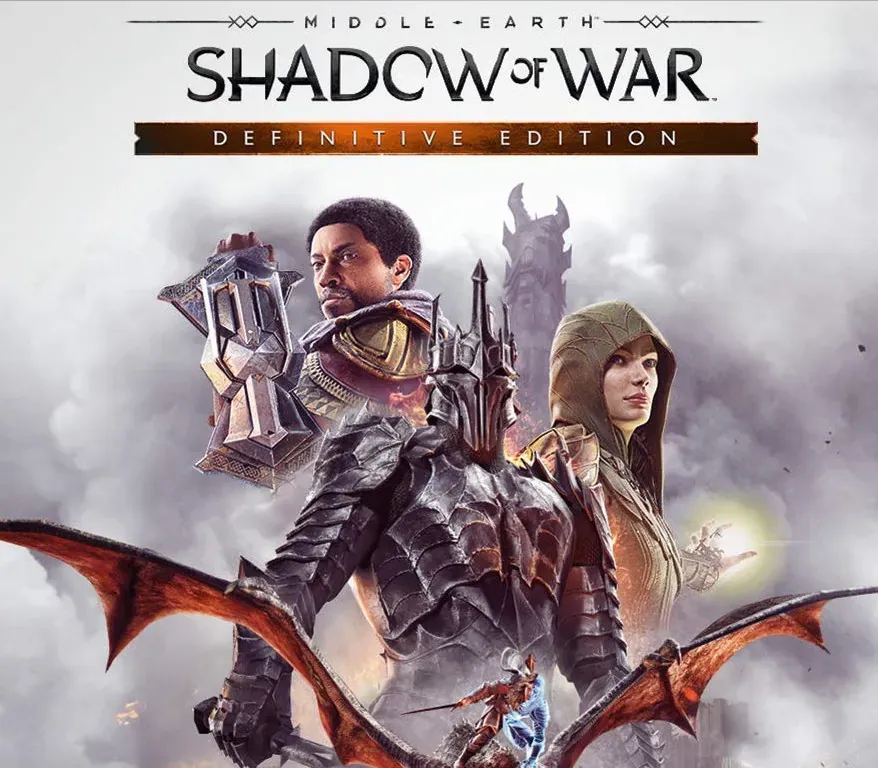

Middle-earth: Shadow of War Definitive Edition PC Steam CD Key
Middle-earth: Shadow of War Definitive Edition PC Steam CD Key is a digital key for Steam, not region-locked. Delivered instantly after payment.
⭐ 153,000+ orders delivered since 2018
 Pago Móvil
 Binance Pay
Choose your edition
Edition
Delivery
Compare editions
See what's included in each edition
| Middle-earth: Shadow of War | Definitive EditionYour edition | |
|---|---|---|
Base game | ||
Blade of Galadriel Story Expansion Play as Eltariel wielding dual light blades with unique combat abilities | — | |
Desolation of Mordor Story Expansion Play as Baranor in the desert of Lithlad with roguelike survival elements | — | |
Slaughter Tribe Nemesis Expansion New Orc tribe, fortresses, missions, and Legendary gear set | — | |
Outlaw Tribe Nemesis Expansion Outlaw Orc tribe, rebellions, missions, and Legendary gear set | — | |
| Source | Steam | Steam |
About this game
Includes
7 items: Middle-earth: Shadow of War base game Middle-earth: Shadow of War Expansion Pass Middle-earth: Shadow of War Story Expansion Pass Outlaw Tribe Nemesis Expansion Slaughter Tribe Nemesis Expansion The Blade of Galadriel Story Expansion The Desolation of Mordor Story Expansion Experience an epic open-world brought to life by the award-winning Nemesis System. Forge a new Ring of Power, conquer Fortresses in massive battles and dominate Mordor with your personal Orc army in the Definitive Edition of Middle-earth™: Shadow of War™.
Nemesis Expansions include a new Orc Tribe featuring new missions, enemies, followers, abilities, weapons, Fortress and wilderness updates, and a Legendary Gear Set.
Story Expansions introduce a new playable character & abilities, story campaigns, side missions, enemies, allies & more.
System Requirements
- Windows: OS: Windows 7 SP1 with Platform Update for Windows 7 Processor: Intel i5- 2550K, 3.4 GHz Memory: 8 GB RAM Graphics: GeForce 670 | Radeon HD 7950 DirectX: Version 11 Network: Broadband Internet connection Storage: 60 GB available space
How to activate
- Launch the Steam desktop client and log in to your account, or visit store.steampowered.com/account/registerkey in your browser.
- Click the "Games" menu at the top of the client (or click "+ Add a Game" at the bottom-left) and select "Activate a Product on Steam...".
- Follow the on-screen prompts, accept the Steam Subscriber Agreement, and enter your CD-Key in the "Product Code" field.
- Click "Next" and "Finish" to register the game. It will now appear permanently in your Steam Library ready to install.
Customer Reviews
Frequently asked questions
Which region is this for?
This is the Global version: it is not region-locked.
How do I activate Middle-earth: Shadow of War Definitive Edition PC Steam CD Key on Steam?
1. Launch the Steam desktop client and log in to your account, or visit store.steampowered.com/account/registerkey in your browser. 2. Click the "Games" menu at the top of the client (or click "+ Add a Game" at the bottom-left) and select "Activate a Product on Steam...". 3. Follow the on-screen prompts, accept the Steam Subscriber Agreement, and enter your CD-Key in the "Product Code" field. 4. Click "Next" and "Finish" to register the game. It will now appear permanently in your Steam Library ready to install.
How fast is delivery?
Your key appears in your account and is emailed to you right after payment.
What does the Definitive Edition include?
Base game, Slaughter Tribe Nemesis Expansion, Outlaw Tribe Nemesis Expansion, Blade of Galadriel Story Expansion, Desolation of Mordor Story Expansion