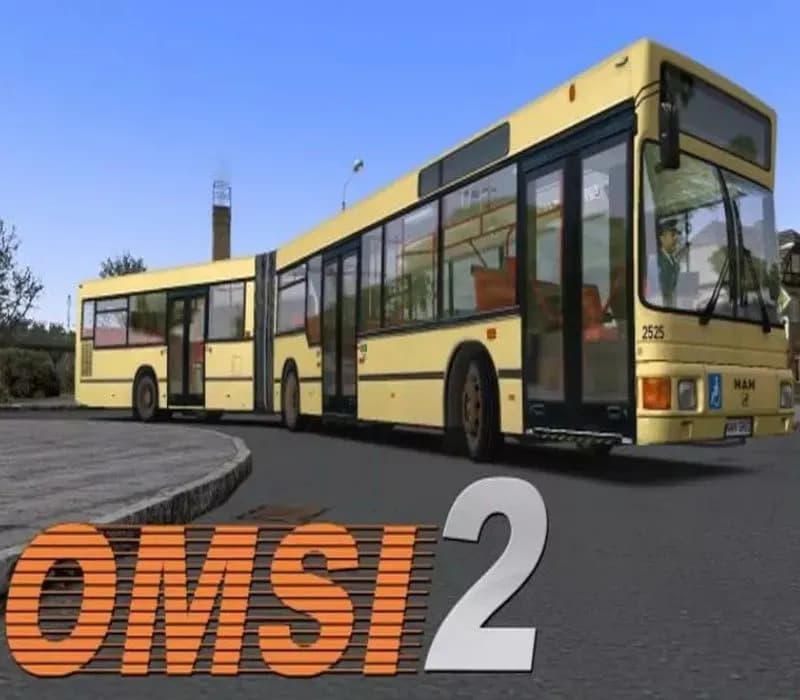
OMSI 2: Steam Edition PC Steam CD Key
OMSI 2: Steam Edition PC Steam CD Key is a digital key for Steam, not region-locked. Your key arrives as soon as payment clears. Price: $27.13, 9% below the Steam MSRP of $29.99.
Choose your version
How to buy it
- Steam
- Global
- Product code
154,000+ sales in our store and on marketplaces
 Pago Móvil
 Binance Pay
About this game
Off to the next round! Experience a new omnibus simulator with OMSI 2 and start discovering Spandau while driving the omnibus. OMSI 2 is the successor of the well-known and awarded omnibus simulator "OMSI - The Bus Simulator". OMSI 2 not only offers the routes and buses you already know from OMSI, but adds lots of exciting new features. In OMSI 2 you can drive the first ever articulated bus in the OMSI history, the MAN NG272. Explore the new omnibus line 5 covering a total distance of 12 km from the subway station Ruhleben to the psychiatric clinic Spandau. Thanks to the newly added chronology function you´ll not only be able to drive through Spandau in 1986, but also to relive the changes taking place in Spandau between 1986 and 1994.
Enjoy the charm of the 80s and 90s and find out how the period after the fall of the Berlin Wall was. And this all at wheel of a double-decker or articulated bus.
- The articulated bus MAN NG272 with the exact physical and visual recreation of the joint kinematics as well as corresponding sounds and systems (bending protection).
- The MAN NL202 as well as reworked and added models of the known types SD200 and SD202 (more years of production, emergency door openers, destination boards, sound variations depending on vehicle number).
- The Spandau omnibus line 5 from the subway station Ruhleben to the psychiatric clinic Spandau covering a total distance of 12 km, several new buildings, a squeezed timetable and a tight 5 minute rhythm with various bus termini and assignments for diverse and long lasting driving pleasure.
- Replication of original timetables and tour plans for omnibus lines 5 and 92.
- Chronology function: Relive the change taking place in Spandau between 1986 and 1994! OMSI 2 now replicates the exciting years following the German reunification and all the innovations and route expansions (line 137 to Falkensee) that came along with it. This function also allows temporary changes to maps or routes caused by construction sites or special buses.
- Advanced and improved AI traffic (better road- and steering behaviour, railway- and subway traffic)
- System damage model including different malfunctions which take time to fix
- OMSI 2 supports a world coordinate system so it is possible to import a DEM (Digital Elevation Model) with the help of a DLL you can even program yourself.
- Animated real vertical profile on the Spandau map
- New script functions such as full matrix view, advanced access to system variables.
System Requirements
Minimum
- OS: Windows 7/8
- Processor: 2.6 GHz
- Memory: 2 GB RAM
- Graphics: GeForce or comparable AMD with minimum 512 MB
- DirectX: Version 9.0c
Recommended
- OS: Windows 7/8
- Processor: Dual core processor with 2.8 GHz
- Memory: 4 GB RAM
- Graphics: GeForce or comparable AMD with 1024 MB
- DirectX: Version 9.0c
How to activate
- Launch the Steam desktop client and log in to your account, or visit store.steampowered.com/account/registerkey in your browser.
- Click the "Games" menu at the top of the client (or click "+ Add a Game" at the bottom-left) and select "Activate a Product on Steam...".
- Follow the on-screen prompts, accept the Steam Subscriber Agreement, and enter your CD-Key in the "Product Code" field.
- Click "Next" and "Finish" to register the game. It will now appear permanently in your Steam Library ready to install.
About this game
Off to the next round! Experience a new omnibus simulator with OMSI 2 and start discovering Spandau while driving the omnibus. OMSI 2 is the successor of the well-known and awarded omnibus simulator "OMSI - The Bus Simulator". OMSI 2 not only offers the routes and buses you already know from OMSI, but adds lots of exciting new features. In OMSI 2 you can drive the first ever articulated bus in the OMSI history, the MAN NG272. Explore the new omnibus line 5 covering a total distance of 12 km from the subway station Ruhleben to the psychiatric clinic Spandau. Thanks to the newly added chronology function you´ll not only be able to drive through Spandau in 1986, but also to relive the changes taking place in Spandau between 1986 and 1994.
Enjoy the charm of the 80s and 90s and find out how the period after the fall of the Berlin Wall was. And this all at wheel of a double-decker or articulated bus.
- The articulated bus MAN NG272 with the exact physical and visual recreation of the joint kinematics as well as corresponding sounds and systems (bending protection).
- The MAN NL202 as well as reworked and added models of the known types SD200 and SD202 (more years of production, emergency door openers, destination boards, sound variations depending on vehicle number).
- The Spandau omnibus line 5 from the subway station Ruhleben to the psychiatric clinic Spandau covering a total distance of 12 km, several new buildings, a squeezed timetable and a tight 5 minute rhythm with various bus termini and assignments for diverse and long lasting driving pleasure.
- Replication of original timetables and tour plans for omnibus lines 5 and 92.
- Chronology function: Relive the change taking place in Spandau between 1986 and 1994! OMSI 2 now replicates the exciting years following the German reunification and all the innovations and route expansions (line 137 to Falkensee) that came along with it. This function also allows temporary changes to maps or routes caused by construction sites or special buses.
- Advanced and improved AI traffic (better road- and steering behaviour, railway- and subway traffic)
- System damage model including different malfunctions which take time to fix
- OMSI 2 supports a world coordinate system so it is possible to import a DEM (Digital Elevation Model) with the help of a DLL you can even program yourself.
- Animated real vertical profile on the Spandau map
- New script functions such as full matrix view, advanced access to system variables.
System Requirements
Minimum
- OS: Windows 7/8
- Processor: 2.6 GHz
- Memory: 2 GB RAM
- Graphics: GeForce or comparable AMD with minimum 512 MB
- DirectX: Version 9.0c
Recommended
- OS: Windows 7/8
- Processor: Dual core processor with 2.8 GHz
- Memory: 4 GB RAM
- Graphics: GeForce or comparable AMD with 1024 MB
- DirectX: Version 9.0c
Customer Reviews
Nobody has reviewed this game yet. If you buy it, tell us how it went.
Frequently asked questions
Which region is this for?
This is the Global version: it is not region-locked.
How do I activate OMSI 2: Steam Edition PC Steam CD Key on Steam?
1. Launch the Steam desktop client and log in to your account, or visit store.steampowered.com/account/registerkey in your browser. 2. Click the "Games" menu at the top of the client (or click "+ Add a Game" at the bottom-left) and select "Activate a Product on Steam...". 3. Follow the on-screen prompts, accept the Steam Subscriber Agreement, and enter your CD-Key in the "Product Code" field. 4. Click "Next" and "Finish" to register the game. It will now appear permanently in your Steam Library ready to install.
How fast is delivery?
Your key appears in your account and is emailed to you right after payment.