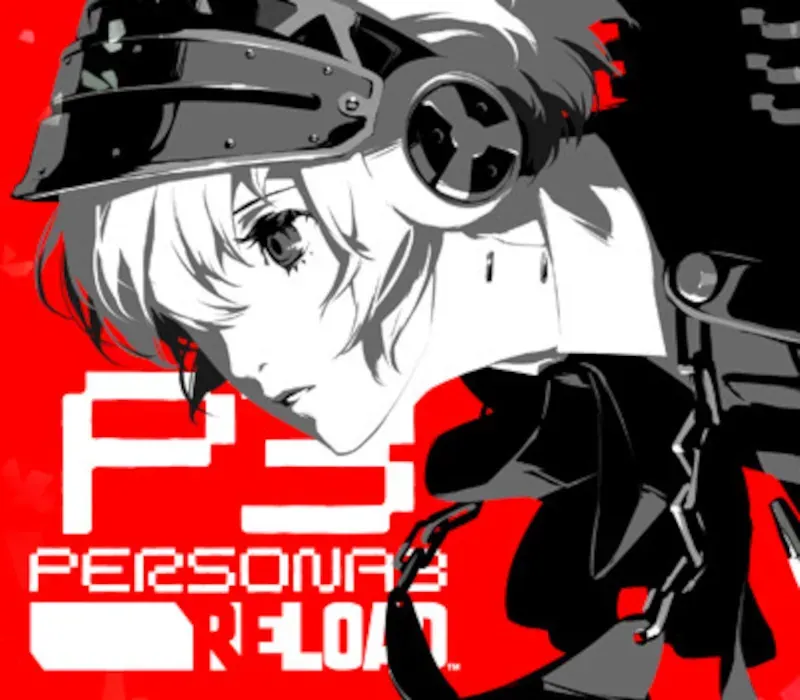
Persona 3 Reload: Expansion Pass PC Steam CD Key
Persona 3 Reload: Expansion Pass PC Steam CD Key is a digital key for Steam, not region-locked. Delivered instantly after payment. Price: $14.91, 57% below the Steam MSRP of $34.99.
⭐ 153,000+ orders delivered since 2018
 Pago Móvil
 Binance Pay
About this game
Dive deeper into the world of Persona 3 Reload with this expansion pass featuring new costumes, BGM, and an extended story content scenario “Episode Aigis -The Answer-”, offering over 30 hours of additional gameplay. Content will be released as follows:
Wave 1 - Persona 5 Royal EX BGM Set and Persona 4 Golden EX BGM Set
Release Date: March 2024
Unlock and listen to additional tracks from Persona 5 Royal and Persona 4 Golden while exploring and battling in dungeons in Persona 3 Reload and Persona 3 Reload: Episode Aigis -The Answer-.
Wave 2 - Velvet Costume & BGM Set
Release Date: May 2024
Unlock Velvet Room themed costumes and BGM to further customize your dungeon experience in Persona 3 Reload and Persona 3 Reload: Episode Aigis -The Answer-.
Wave 3 - New Expansive Story Scenario, “Episode Aigis -The Answer-”
Release Date: September 2024
After unravelling the mysteries of the Dark Hour, fighting epic battles through Tartarus, and all the unforgettable events of Persona 3 Reload, the S.E.E.S. members find themselves trapped in a never-ending March 31st. Journey through the Abyss of Time as Aigis, undertake new challenges, and uncover the cause of this strange fate and the truth of what happened on that day...
Delve into this final chapter now with cutting-edge graphics, modernized quality-of-life features, fresh animations and UI, and a rearranged soundtrack.
Persona 3 Reload: Persona 5 Royal EX BGM Set Track List (8 total): - Dungeon BGM: Life Will Change - Dungeon BGM: Beneath the Mask - Dungeon BGM: Kichijoji 199X - Dungeon BGM: Gentle Madman - Dungeon BGM: I believe - Battle BGM: Keeper of Lust - Battle BGM: Blooming Villain - Battle BGM: Triumph (Appears on battle results screen)
Triumph will automatically be applied as the battle result theme when you set one of the tracks in this pack as your battle BGM. It cannot be applied individually.
Persona 3 Reload: Persona 4 Golden EX BGM Set Track List (8 total): - Dungeon BGM: Backside Of The TV - Dungeon BGM: Game - Dungeon BGM: Junes Theme - Dungeon BGM: Heaven - Dungeon BGM: Long Way - Battle BGM: Revelations: Mitsuo - Battle BGM: The Almighty - Battle BGM: Period (Appears on battle results screen)
Period will automatically be applied as the battle result theme when you set one of the tracks in this pack as your battle BGM. It cannot be applied individually.
System Requirements
Minimum
- OS: Windows10
- Additional Notes: Microsoft no longer supports Windows 10 or older versions.
Recommended
- OS: Windows10
- Additional Notes: Microsoft no longer supports Windows 10 or older versions.
How to activate
- Launch the Steam desktop client and log in to your account, or visit store.steampowered.com/account/registerkey in your browser.
- Click the "Games" menu at the top of the client (or click "+ Add a Game" at the bottom-left) and select "Activate a Product on Steam...".
- Follow the on-screen prompts, accept the Steam Subscriber Agreement, and enter your CD-Key in the "Product Code" field.
- Click "Next" and "Finish" to register the game. It will now appear permanently in your Steam Library ready to install.
Customer Reviews
Frequently asked questions
Which region is this for?
This is the Global version: it is not region-locked.
How do I activate Persona 3 Reload: Expansion Pass PC Steam CD Key on Steam?
1. Launch the Steam desktop client and log in to your account, or visit store.steampowered.com/account/registerkey in your browser. 2. Click the "Games" menu at the top of the client (or click "+ Add a Game" at the bottom-left) and select "Activate a Product on Steam...". 3. Follow the on-screen prompts, accept the Steam Subscriber Agreement, and enter your CD-Key in the "Product Code" field. 4. Click "Next" and "Finish" to register the game. It will now appear permanently in your Steam Library ready to install.
How fast is delivery?
Your key appears in your account and is emailed to you right after payment.