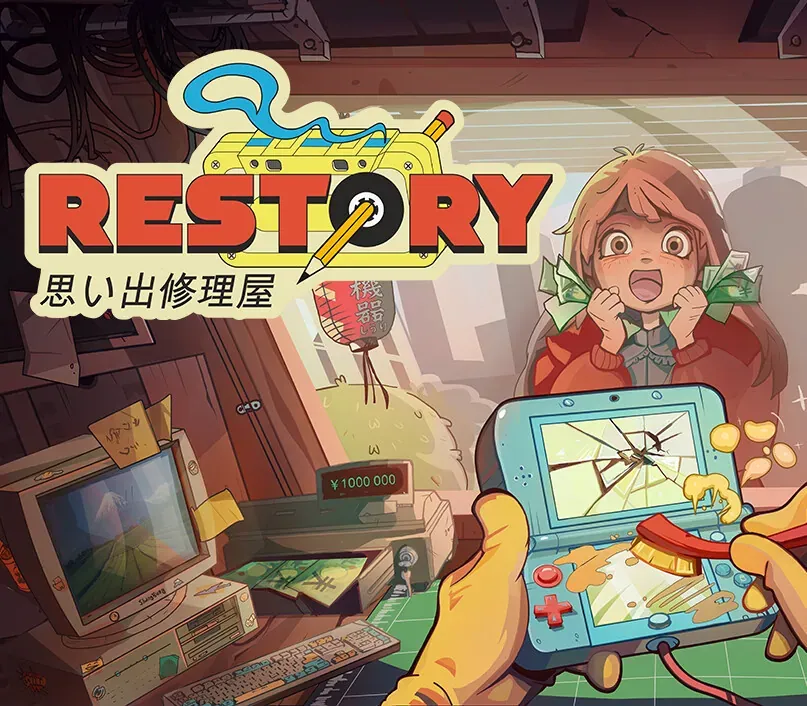
ReStory: Chill Electronics Repairs PC Steam CD Key
ReStory: Chill Electronics Repairs PC Steam CD Key is a digital key for Steam, not region-locked. Delivered instantly after payment. Price: $17.89, 10% below the Steam MSRP of $19.99.
⭐ 153,000+ orders delivered since 2018
 Pago Móvil
 Binance Pay
About this game
ReStory is a chill, narrative-driven shop management simulator from the creators of I Am Future, set on the bustling streets of mid-2000s Tokyo and featuring an in-depth device repair system. In this game, you run an electronics repair shop, meticulously restore nostalgic Y2K-era devices, including officially licensed Atari consoles, and interact with customers to experience a branching storyline with multiple endings that depend on your choices.
Greet customers, take their devices in for repairs, manage your finances, and surf the web for spare parts. Relax and enjoy running your own small shop in a game created with love and respect for the one-of-a-kind vibe of the Japanese urban life in the mid-2000s. Fix a variety of nostalgic devices inspired by iconic game consoles, handhelds, phones, cameras, music players, and home appliances.
Carefully take each gadget apart, clean it, replace faulty parts, and assemble it back together using your trusty toolset. The way you interact with each customer can change their lives forever. Will you report on a disturbing find inside the former gangster’s phone, or help a lovestruck student confess to his crush? Make your own choices and see how they impact the branching storyline.
Key Features
Relaxing electronics repair shop management A wide range of nostalgic 2000s devices to repair In-depth device cleaning and restoration system Y2K-era web browser to hunt for spare parts A variety of in-person and online orders to fulfill Multiple tools for device repairs Iconic Atari consoles, officially licensed for the game Customers with unique stories and dialogues Replayable branching storyline with choices impacting the ending A distinct, chill vibe of urban life in Japan
System Requirements
- Windows: Minimum: OS: Win10 x64 Processor: 2-core / 4-thread CPU Memory: 4 GB RAM Graphics: GTX 750ti DirectX: Version 11 Storage: 1 GB available space
- Mac: Minimum: OS: macOS 14 or newer Processor: Apple M1 Memory: 8 GB RAM Graphics: Apple integrated GPU (M1) Storage: 1 GB available space Additional Notes: Requires an Apple processor
How to activate
- Launch the Steam desktop client and log in to your account, or visit store.steampowered.com/account/registerkey in your browser.
- Click the "Games" menu at the top of the client (or click "+ Add a Game" at the bottom-left) and select "Activate a Product on Steam...".
- Follow the on-screen prompts, accept the Steam Subscriber Agreement, and enter your CD-Key in the "Product Code" field.
- Click "Next" and "Finish" to register the game. It will now appear permanently in your Steam Library ready to install.
Customer Reviews
Frequently asked questions
Which region is this for?
This is the Global version: it is not region-locked.
How do I activate ReStory: Chill Electronics Repairs PC Steam CD Key on Steam?
1. Launch the Steam desktop client and log in to your account, or visit store.steampowered.com/account/registerkey in your browser. 2. Click the "Games" menu at the top of the client (or click "+ Add a Game" at the bottom-left) and select "Activate a Product on Steam...". 3. Follow the on-screen prompts, accept the Steam Subscriber Agreement, and enter your CD-Key in the "Product Code" field. 4. Click "Next" and "Finish" to register the game. It will now appear permanently in your Steam Library ready to install.
How fast is delivery?
Your key appears in your account and is emailed to you right after payment.