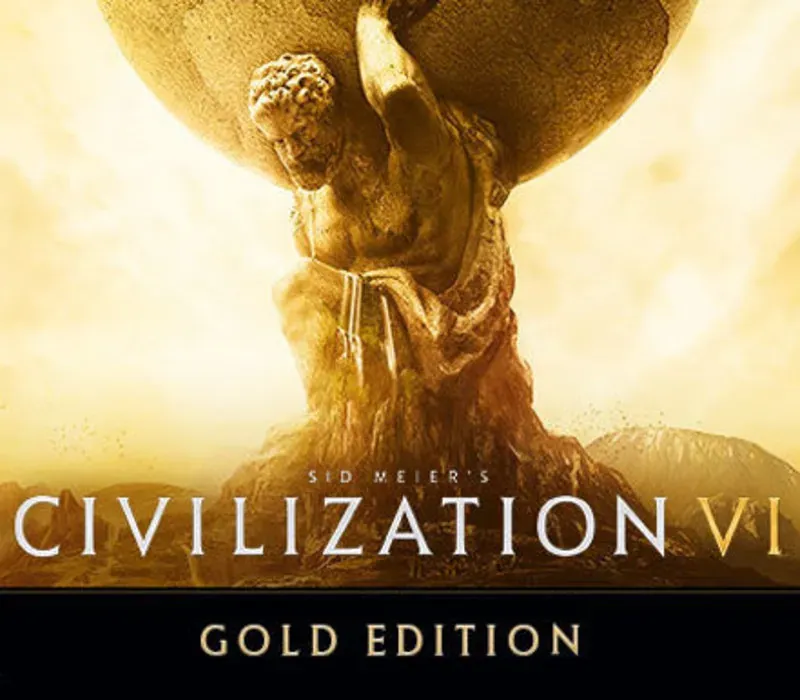
Sid Meier's Civilization VI Gold Edition PC Steam CD Key
Sid Meier's Civilization VI Gold Edition PC Steam CD Key is a digital key for Steam, not region-locked. Delivered instantly after payment. Price: $50.39, 16% below the Steam MSRP of $59.99.
⭐ 153,000+ orders delivered since 2018
 Pago Móvil
 Binance Pay
Choose your edition
Edition
Delivery
About this game
Civilization VI offers new ways to engage with your world: cities now physically expand across the map, active research in technology and culture unlocks new potential, and competing leaders will pursue their own agendas based on their historical traits as you race for one of five ways to achieve victory in the game.
- See the marvels of your empire spread across the map like never before. Each district, wonder, and improvement is built on its own hex, allowing you to customize your city to your heart’s content.
- From the Commercial Hub to the Spaceport, every district provides unique and powerful bonuses. Pick and choose which districts to build to fit your needs!
- Build better than your opponents, place yourself strategically for your allies, and become the best civilization on Earth.
- Boost your civilization’s progress through history to unlock powerful bonuses before anyone else! To advance more quickly, use your units to actively explore, develop your environment, and discover new cultures.
- Research isn’t just limited to science. Explore the Civics tree to unlock powerful new governments and cultural policies
- Cultivate the civilization that fits your playstyle, or switch it up every time you play!
- As the game progresses, so do your diplomatic relationships. From primitive first interactions where conflict is a fact of life, to late game alliances and negotiations.
- Carry influence with nearby city states to gain its diplomatic allegiance and earn game-changing city-state bonuses
- Enlist spies to gather crucial intel on rival civilizations, steal precious resources, and even topple governments.
System Requirements
Minimum
- OS: Windows 7x64 / Windows 8.1x64 / Windows 10x64
- Processor: Intel Core i3 2.5 Ghz or AMD Phenom II 2.6 Ghz or greater
- Memory: 4 GB RAM
- Graphics: 1 GB & AMD 5570 or nVidia 450 or Intel Integrated Graphics 530
- DirectX: Version 11
- Storage: 17 GB available space
- Sound Card: DirectX Compatible Sound Device
- Additional Notes: Initial installation requires one-time Internet connection for Steam authentication; software installations required (included with the game) include Steam Client, Microsoft Visual C++ 2012 and 2015 Runtime Libraries, and Microsoft DirectX. Internet connection and acceptance of Steam™ Subscriber Agreement required for activation. See for details.
Recommended
- OS: Windows 7x64 / Windows 8.1x64 / Windows 10x64
- Processor: Fourth Generation Intel Core i5 2.5 Ghz or AMD FX8350 4.0 Ghz or greater
- Memory: 8 GB RAM
- Graphics: 2GB & AMD 7970 or nVidia 770 or greater
- DirectX: Version 11
- Storage: 23 GB available space
- Sound Card: DirectX Compatible Sound Device
How to activate
- Launch the Steam desktop client and log in to your account, or visit store.steampowered.com/account/registerkey in your browser.
- Click the "Games" menu at the top of the client (or click "+ Add a Game" at the bottom-left) and select "Activate a Product on Steam...".
- Follow the on-screen prompts, accept the Steam Subscriber Agreement, and enter your CD-Key in the "Product Code" field.
- Click "Next" and "Finish" to register the game. It will now appear permanently in your Steam Library ready to install.
Customer Reviews
Frequently asked questions
Which region is this for?
This is the Global version: it is not region-locked.
How do I activate Sid Meier's Civilization VI Gold Edition PC Steam CD Key on Steam?
1. Launch the Steam desktop client and log in to your account, or visit store.steampowered.com/account/registerkey in your browser. 2. Click the "Games" menu at the top of the client (or click "+ Add a Game" at the bottom-left) and select "Activate a Product on Steam...". 3. Follow the on-screen prompts, accept the Steam Subscriber Agreement, and enter your CD-Key in the "Product Code" field. 4. Click "Next" and "Finish" to register the game. It will now appear permanently in your Steam Library ready to install.
How fast is delivery?
Your key appears in your account and is emailed to you right after payment.