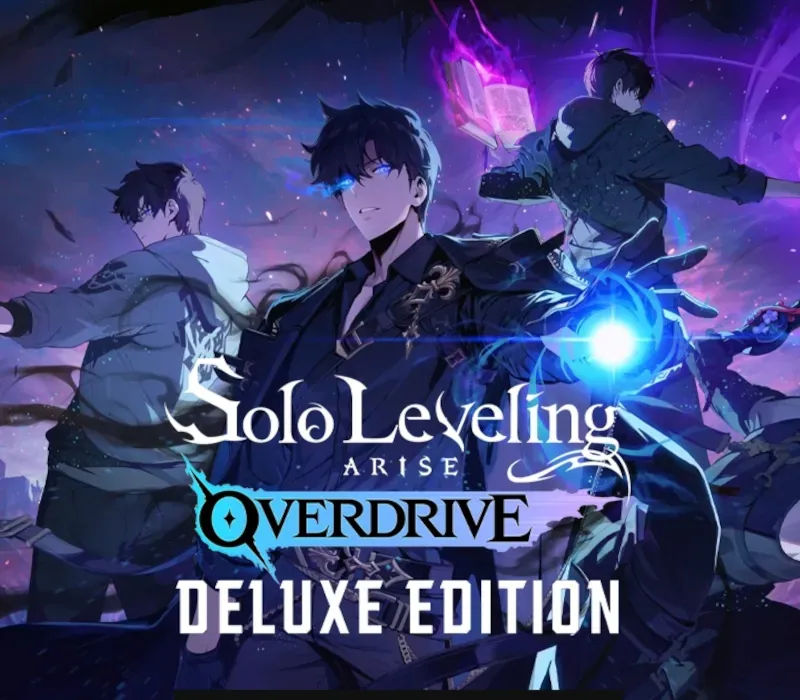
Solo Leveling: Arise Overdrive Deluxe Edition PC Steam CD Key
Solo Leveling: Arise Overdrive Deluxe Edition PC Steam CD Key is a digital key for Steam, not region-locked. Delivered instantly after payment. Price: $35.07, 12% below the Steam MSRP of $39.99.
⭐ 153,000+ orders delivered since 2018
 Pago Móvil
 Binance Pay
About this game
Includes
- Base game Deluxe Edition-exclusive Sung Jinwoo costume
- Sung Jinwoo: Overdrive 1 Face Accessory for Sung Jinwoo 2 New Hairstyles for Sung Jinwoo Cha Hae-In Emoji Set (8 total) - "Hello!
", "Let's go!
", "You're the best!
", "I'm sorry!
", "Thanks!
", "Help!
", "Run!
", "Over here!
" Yaruru 'Predator Tank'A Yaruru is a cute ally character that helps hunters by picking up items and gathering resources for them. 1 New Profile Card 1 New Profile Frame 1 New Icon 1 New Profile Background [The Beloved Story Retold with Brand-new Chapters] Join Sung Jinwoo on his journey to become the world's strongest hunter!
Dive into both the original story from the webtoon and new adventures exclusive to the game! [Elevated Action] Experience dynamic, gorgeously animated combat that evolves with your choice of weapons and skill combos! Dodge monster attacks with Extreme Evasion and land a powerful counterattack with the perfect parry.
Build your own unique combat style through a skill tree that branches into 8 different job advancements! [Sung Jinwoo, the Monarch of Shadows] Overwhelm the battlefield with abilities unlocked through your Monarch's Awakening. Experience Sung Jinwoo's transformation into the [Ultimate Monarch of Shadows], succeeding Ashborn and growing through a Monarch Awakening system that adapts to every combat situation. [4-Player Co-op Raids] Defeat the mighty Commanders in co-op raids.
Choose between fighting as Jinwoo or as a party of other hunters and take them out! [A Robust Weapon Crafting System] Defeat monsters in the field and use the various items you obtain from them to craft weapons! Make and use powerful weapons from the original webtoon like Kasaka's Venom Fang and the Demon King's Daggers!
System Requirements
- Windows: Minimum: Requires a 64-bit processor and operating system OS: Windows 10/11 (64-bit Required) Processor: i5 4460 3.2 GHz Over or AMD equivalent Memory: 12 GB RAM Graphics: NVIDIA® GeForce GTX™ 1050 Over DirectX: Version 11 Network: Broadband Internet connection Storage: 40 GB available space Additional Notes: SSD recommended
How to activate
- Launch the Steam desktop client and log in to your account, or visit store.steampowered.com/account/registerkey in your browser.
- Click the "Games" menu at the top of the client (or click "+ Add a Game" at the bottom-left) and select "Activate a Product on Steam...".
- Follow the on-screen prompts, accept the Steam Subscriber Agreement, and enter your CD-Key in the "Product Code" field.
- Click "Next" and "Finish" to register the game. It will now appear permanently in your Steam Library ready to install.
Customer Reviews
Frequently asked questions
Which region is this for?
This is the Global version: it is not region-locked.
How do I activate Solo Leveling: Arise Overdrive Deluxe Edition PC Steam CD Key on Steam?
1. Launch the Steam desktop client and log in to your account, or visit store.steampowered.com/account/registerkey in your browser. 2. Click the "Games" menu at the top of the client (or click "+ Add a Game" at the bottom-left) and select "Activate a Product on Steam...". 3. Follow the on-screen prompts, accept the Steam Subscriber Agreement, and enter your CD-Key in the "Product Code" field. 4. Click "Next" and "Finish" to register the game. It will now appear permanently in your Steam Library ready to install.
How fast is delivery?
Your key appears in your account and is emailed to you right after payment.