SpiderHeck PC Steam CD Key
SpiderHeck PC Steam CD Key is a digital key for Steam, not region-locked. Your key arrives as soon as payment clears. Price: $3.36, 77% below the Steam MSRP of $14.99.
Choose your version
How to buy it
- Steam
- Global
- Product code
154,000+ sales in our store and on marketplaces
 Pago Móvil
 Binance Pay
About this game
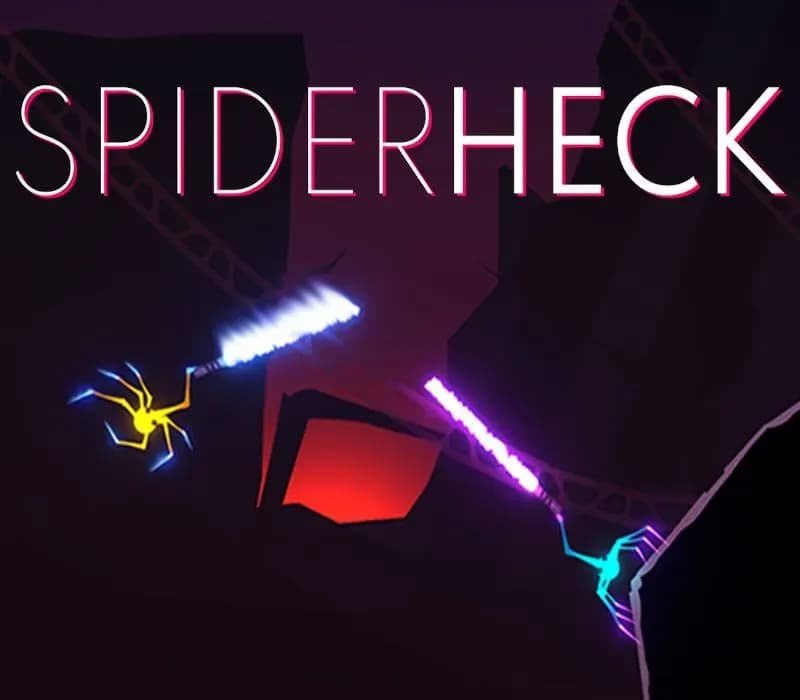
A fast physics-based brawler where you'll get dozens of "holy heck, did I just do that? that was so cool" moments.
One-hit death
One wrong move and you are out! With 25 weapons as dangerous to you as they are to your enemies, every battle feels like dancing on a razor’s edge.
Web swinging & wall crawling
Run on ceilings and ramp up wild speed using physics-based web swinging.
Wild maps
55 maps to keep your fights fresh with various physics obstacles or hazards, and you can always grab more from the Steam Workshop!
Versus
Battle friends and randoms in intense acrobatic showdowns or epicly clumsy battles.
Co-op
Fight off waves of enemies, slowly gaining various upgrades as you try your best to “avoid” friendly fire.
Play alone
Test your skills by completing a variety of themed combat and parkour challenges.
Editor
Design your own versus maps, parkour courses, and combat challenges to test yourself or your friends.
Customization
The spiders are bald - help them unlock cool hats by completing achievements!
Disclaimer: this is not Australia simulator.
System Requirements
Minimum
- OS: Windows 10
- Processor: Intel i3 2125 3.30 GHz
- Memory: 4 GB RAM
- Graphics: nVidia GTX 550 ti
- DirectX: Version 11
- Network: Broadband Internet connection
- Storage: 1100 MB available space
- Sound Card: Integrated
How to activate
- Launch the Steam desktop client and log in to your account, or visit store.steampowered.com/account/registerkey in your browser.
- Click the "Games" menu at the top of the client (or click "+ Add a Game" at the bottom-left) and select "Activate a Product on Steam...".
- Follow the on-screen prompts, accept the Steam Subscriber Agreement, and enter your CD-Key in the "Product Code" field.
- Click "Next" and "Finish" to register the game. It will now appear permanently in your Steam Library ready to install.
About this game
A fast physics-based brawler where you'll get dozens of "holy heck, did I just do that? that was so cool" moments.
One-hit death
One wrong move and you are out! With 25 weapons as dangerous to you as they are to your enemies, every battle feels like dancing on a razor’s edge.
Web swinging & wall crawling
Run on ceilings and ramp up wild speed using physics-based web swinging.
Wild maps
55 maps to keep your fights fresh with various physics obstacles or hazards, and you can always grab more from the Steam Workshop!
Versus
Battle friends and randoms in intense acrobatic showdowns or epicly clumsy battles.
Co-op
Fight off waves of enemies, slowly gaining various upgrades as you try your best to “avoid” friendly fire.
Play alone
Test your skills by completing a variety of themed combat and parkour challenges.
Editor
Design your own versus maps, parkour courses, and combat challenges to test yourself or your friends.
Customization
The spiders are bald - help them unlock cool hats by completing achievements!
Disclaimer: this is not Australia simulator.
System Requirements
Minimum
- OS: Windows 10
- Processor: Intel i3 2125 3.30 GHz
- Memory: 4 GB RAM
- Graphics: nVidia GTX 550 ti
- DirectX: Version 11
- Network: Broadband Internet connection
- Storage: 1100 MB available space
- Sound Card: Integrated
Customer Reviews
Nobody has reviewed this game yet. If you buy it, tell us how it went.
Frequently asked questions
Which region is this for?
This is the Global version: it is not region-locked.
How do I activate SpiderHeck PC Steam CD Key on Steam?
1. Launch the Steam desktop client and log in to your account, or visit store.steampowered.com/account/registerkey in your browser. 2. Click the "Games" menu at the top of the client (or click "+ Add a Game" at the bottom-left) and select "Activate a Product on Steam...". 3. Follow the on-screen prompts, accept the Steam Subscriber Agreement, and enter your CD-Key in the "Product Code" field. 4. Click "Next" and "Finish" to register the game. It will now appear permanently in your Steam Library ready to install.
How fast is delivery?
Your key appears in your account and is emailed to you right after payment.