
Star Wars Battlefront 2 (2017) PC EA App CD Key
Star Wars Battlefront 2 (2017) PC EA App CD Key is a digital key for EA App, not region-locked. Delivered instantly after payment.
⭐ 153,000+ orders delivered since 2018
 Pago Móvil
 Binance Pay
About this game
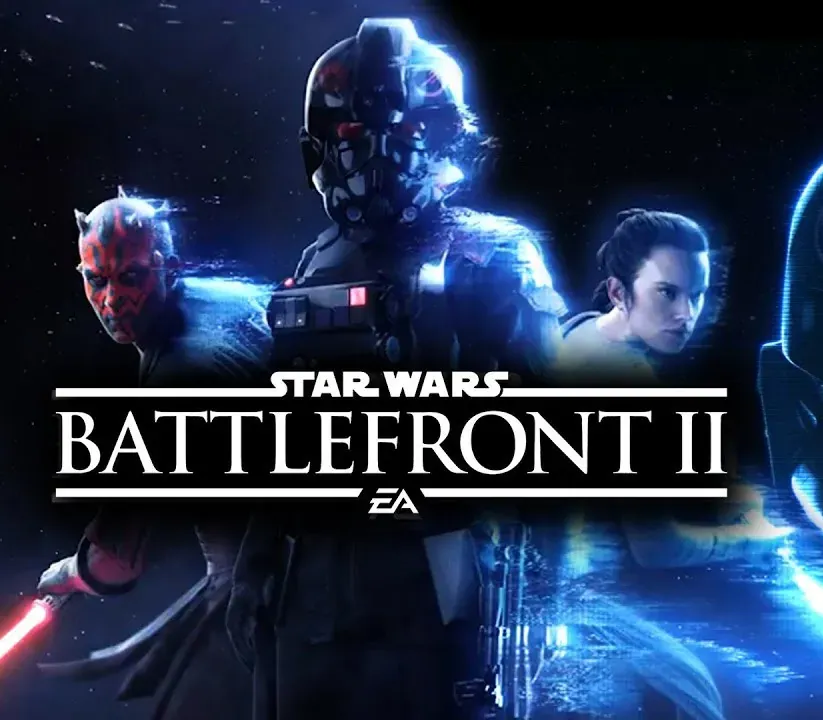
Star Wars Battlefront II lets you fight in multiplayer battlegrounds across all 3 eras (prequel, classic, and new trilogy) or play as a new hero in a single-player story spanning 30 years.
Customize and upgrade heroes, starfighters, or troopers, each with unique abilities to exploit in battle. Ride tauntauns, or take control of tanks and speeders. Use the Force against iconic characters like Kylo Ren, Darth Maul, or Han Solo, in a game inspired by 40 years of Star Wars films.
Good to know
- Single-player: play as Iden Versio, commander of Inferno Squad, in an all-new story.
- Includes all past and upcoming free game updates as they release.
- Publisher: Electronic Arts.
- Languages: English, Spanish (Mexico), Spanish (Spain), French, Portuguese, German, Italian, Japanese, Polish, Russian and Chinese (Traditional).
- An EA account and an internet connection are required to play. The game includes optional in-game purchases of virtual currency.
System Requirements
Minimum
- OS: 64-bit Windows 10
- Processor (AMD): AMD FX 6350
- Processor (Intel): Intel Core i5 6600K
- Memory: 8 GB RAM
- Graphics card (AMD): AMD Radeon HD 7850 2 GB
- Graphics card (NVIDIA): NVIDIA GeForce GTX 660 2 GB
- DirectX: 11 compatible video card or equivalent
- Online connection: 512 KBPS or faster Internet connection
- Hard-drive space: 60 GB
Recommended
- OS: 64-bit Windows 10 or later
- Processor (AMD): AMD FX 8350 Wraith
- Processor (Intel): Intel Core i7 6700 or equivalent
- Memory: 16 GB RAM
- Graphics card (AMD): AMD Radeon RX 480 4 GB
- Graphics card (NVIDIA): NVIDIA GeForce GTX 1060 3 GB
- DirectX: 11.1 compatible video card or equivalent
- Online connection: 512 KBPS or faster Internet connection
- Hard-drive space: 60 GB
How to activate
- Launch the EA App on your PC and log into your EA Account, or visit ea.com/redeem in your web browser.
- Click on "My Collection" in the left sidebar.
- Click the "Redeem Code" button located in the top-right corner of your collection.
- Enter your product code into the text box.
- Click "Next" and "Confirm". The game is added to "My Collection" ready to download.
Customer Reviews
Frequently asked questions
Which region is this for?
This is the Global version: it is not region-locked.
How do I activate Star Wars Battlefront 2 (2017) PC EA App CD Key on EA App?
1. Launch the EA App on your PC and log into your EA Account, or visit ea.com/redeem in your web browser. 2. Click on "My Collection" in the left sidebar. 3. Click the "Redeem Code" button located in the top-right corner of your collection. 4. Enter your product code into the text box. 5. Click "Next" and "Confirm". The game is added to "My Collection" ready to download.
How fast is delivery?
Your key appears in your account and is emailed to you right after payment.