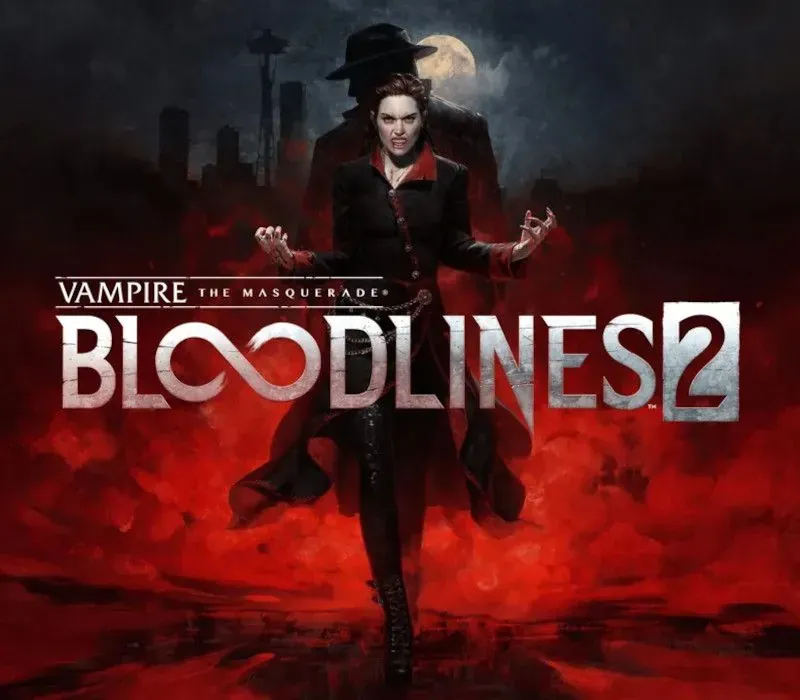
Vampire: The Masquerade - Bloodlines 2 PC Steam Gift
Vampire: The Masquerade - Bloodlines 2 PC Steam Gift is a gift for Steam, not region-locked. Price: $41.08, 31% below the Steam MSRP of $59.99.
⭐ 153,000+ orders delivered since 2018
 Pago Móvil
 Binance Pay
About this game
You are the Nomad — an elder vampire awakening from a century-long slumber, new to the modern nights. Trapped in your Blood is a stranger’s voice. This entity, a vampire detective known as Fabien, will be your guide to 21st-century Seattle. You will explore the city through his eyes as well as those of the Nomad, as you revisit a cold case from a hundred years ago that is threatening undead and mortal society alike.
Hunt your way through a modern-night Seattle on the brink of an open supernatural war in Vampire: The Masquerade - Bloodlines 2, where visceral vampire action meets a neo-noir murder mystery. Navigate the vampire Court of Seattle and its dark underbelly in this action RPG, realized by the BAFTA award-winning studio The Chinese Room.
Blood sustains you and empowers your vampiric Disciplines. You’ll stalk and feed on the city’s population at night. Use your supernatural powers or raw persuasion on unsuspecting mortals to lure them into dark alleys and slake your Hunger. However, be cautious about breaking the Masquerade: revealing your true nature risks reprisals, starting with law enforcement and escalating from there. Remember, you are not the only creature that goes bump in the night.
Experience immersive, visceral combat that rewards various playstyles and approaches based on your choice of vampire clan. Will you engage in close combat with supernatural strength, attack from a distance with blood sorcery, or silently thin the herd like the apex predator you are? Your clan choice will support these playstyles and more.
Enter the World of Darkness and rise through vampire society or rail against it. Experience Seattle - a city full of alluring, dangerous characters and factions, not to mention the mortals at stake in the clash of powers beyond their knowing. In this sequel to the cult classic, your choices, plots, and schemes will determine the balance of power and what becomes of the city and its people.
System Requirements
Minimum
- OS: Windows 10 (64-bit)
- Processor: Intel Core i3-8350K | AMD Ryzen 3 3300X
- Memory: 8 GB RAM
- Graphics: NVIDIA GeForce GTX 1060 (6GB) | AMD Radeon RX 480 (8GB) | Intel Arc A580 (8GB, Resizable BAR enabled) | AMD Radeon 780M | ROG Xbox Ally X
- DirectX: Version 12
- Storage: 30 GB available space
Recommended
- OS: Windows 11
- Processor: Intel Core i5-12600K | AMD Ryzen 5 5600X
- Memory: 16 GB RAM
- Graphics: NVIDIA GeForce RTX 3060 Ti (8GB) | AMD Radeon RX 6700 XT (12GB)
- DirectX: Version 12
- Storage: 30 GB available space
How to activate
- Log into your Steam account via the desktop client or browser at store.steampowered.com.
- If delivered via activation link, open the link from your order and follow the prompt to accept the bot's friend request or direct gift transfer.
- In the Steam client, click the gift envelope / notification icon in the top-right corner to open the pending gift prompt.
- Select "Accept Gift" and choose "Add to my library" to bind the game permanently to your account.
Customer Reviews
Frequently asked questions
Which region is this for?
This is the Global version: it is not region-locked.
How do I activate Vampire: The Masquerade - Bloodlines 2 PC Steam Gift on Steam?
1. Log into your Steam account via the desktop client or browser at store.steampowered.com. 2. If delivered via activation link, open the link from your order and follow the prompt to accept the bot's friend request or direct gift transfer. 3. In the Steam client, click the gift envelope / notification icon in the top-right corner to open the pending gift prompt. 4. Select "Accept Gift" and choose "Add to my library" to bind the game permanently to your account.
What does “gift” mean?
You receive the game as a gift on your Steam account. There is no key to redeem.