Watch Dogs 2 PC Ubisoft Connect CD Key
Watch Dogs 2 PC Ubisoft Connect CD Key is a digital key for Ubisoft, not region-locked. Delivered instantly after payment.
⭐ 153,000+ orders delivered since 2018
 Pago Móvil
 Binance Pay
About this game
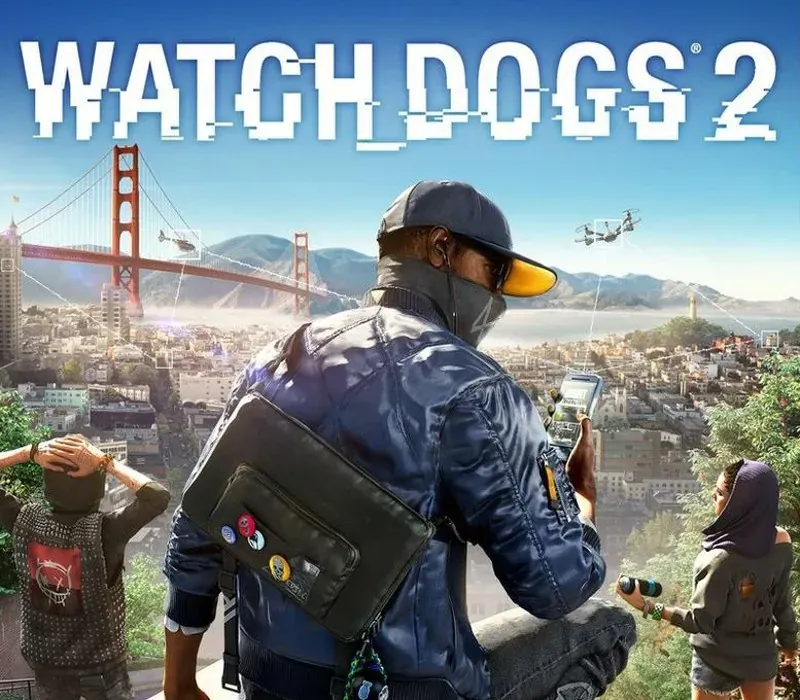
Play as Marcus Holloway, a brilliant young hacker living in the birthplace of the tech revolution, the San Francisco Bay Area. Team up with Dedsec, a notorious group of hackers, to execute the biggest hack in history; take down ctOS 2.0, an invasive operating system being used by criminal masterminds to monitor and manipulate citizens on a massive scale.
- Explore the dynamic open-world, full of gameplay possibilities
- Hack into every connected device and take control of the city infrastructure.
- Develop different skills to suit your playstyle, and upgrade your hacker tools – RC cars, Quadcopter drone, 3D printed weapons and much more.
- Stay seamlessly connected to your friends with a brand new co-op and adversarial multiplayer Watch Dogs experience.
PUT YOUR EYES IN CTRL
Get the upper hand with Tobii Eye Tracking. Let your gaze aid you in weaponizing the “internet of things”, aim at enemies and take cover while you naturally explore the environment. Combine the extensive eye tracking feature set to pinpoint enemies, interact with your surroundings, locate shelter points, and rapidly select hackable targets. Let your vision lead the hacking of the city’s digital brain.
Compatible with all Tobii Eye Tracking gaming devices. ---- Additional notes: Eye tracking features available with Tobii Eye Tracking.
System Requirements
Minimum
- OS: Originally released for Windows 7, the game can be played on Windows 10 and Windows 11 OS
- Processor: Intel Core i5 2400s @ 2.5 GHz, AMD FX 6120 @ 3.5 GHz or better
- Memory: 6 GB RAM
- Graphics: NVIDIA GeForce GTX 660 with 2 GB VRAM or AMD Radeon HD 7870, with 2 GB VRAM or better - See supported List*
- Network: Broadband Internet connection
- Storage: 27 GB available space
- Sound Card: DirectX compatible using the latest drivers
- Additional Notes: Minimum specs above for 720p , 30+ FPS, Low graphic settings // Periphericals: Microsoft Xbox One Controller, DUALSHOCK® 4 Controller, Windows-compatible keyboard, mouse, optional controller / Multiplayer: 256 kbps or faster broadband connection / Note: This product supports 64-bit operating systems only. Laptop versions of these cards may work, but are not officially supported. For the most up-to-date requirement listings, please visit the FAQ on our support website at . High speed internet access and a valid Ubisoft account are required to activate the game after installation, to authenticate your system and continue gameplay after any re-activation, access online features, play online or unlock exclusive content. Game contains EasyAntiCheat anti-cheat technology and Denuvo anti-tamper technology.
Recommended
- OS: Originally released for Windows 7, the game can be played on Windows 10 and Windows 11 OS
- Processor: Intel Core i5 3470 @ 3.2 GHz, AMD FX 8120 @ 3.9 GHz
- Memory: 8 GB RAM
How to activate
- Open the Ubisoft Connect PC application and log in with your Ubisoft account.
- Click on the key icon in the top header or click the three-line menu icon in the top-left and select "Activate a key".
- Enter your activation key into the "Activation Code" text box.
- Click "Activate" to register the game to your Ubisoft account.
- Navigate to the "Games" tab, select the game, and click "Download" to install it.
Customer Reviews
Frequently asked questions
Which region is this for?
This is the Global version: it is not region-locked.
How do I activate Watch Dogs 2 PC Ubisoft Connect CD Key on Ubisoft?
1. Open the Ubisoft Connect PC application and log in with your Ubisoft account. 2. Click on the key icon in the top header or click the three-line menu icon in the top-left and select "Activate a key". 3. Enter your activation key into the "Activation Code" text box. 4. Click "Activate" to register the game to your Ubisoft account. 5. Navigate to the "Games" tab, select the game, and click "Download" to install it.
How fast is delivery?
Your key appears in your account and is emailed to you right after payment.