 1 de 11
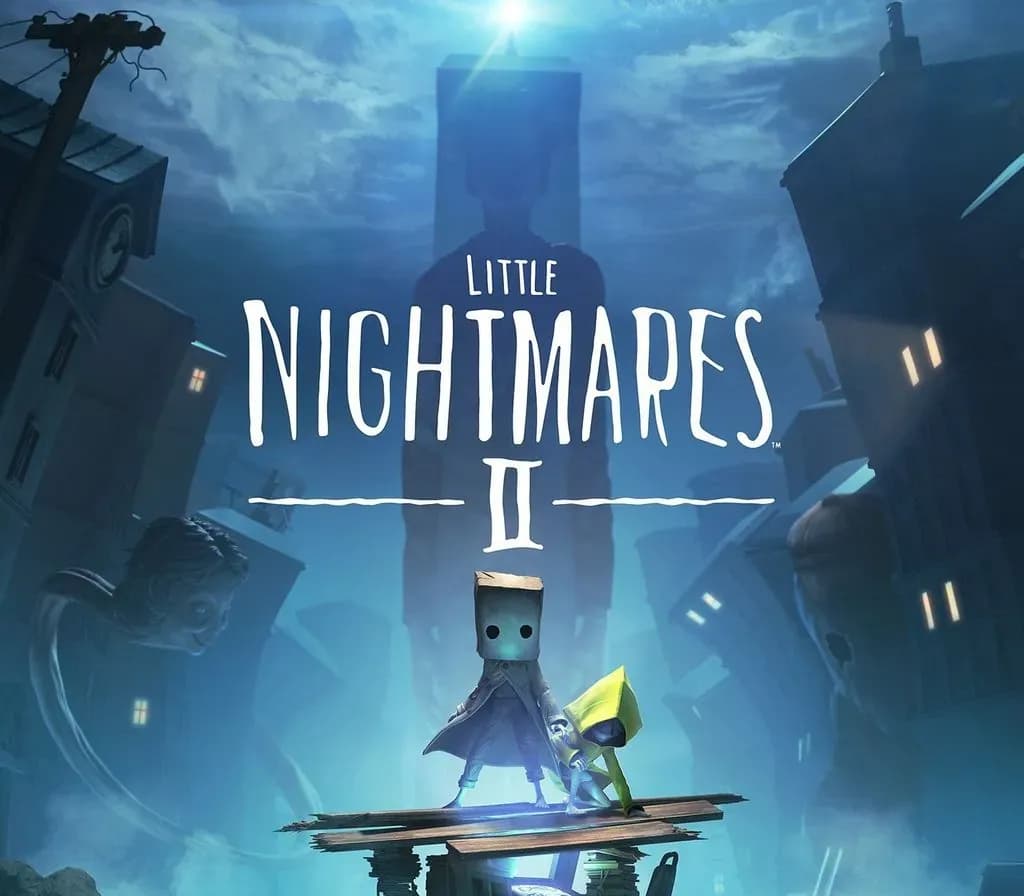
Little Nightmares II PS5 Account
Lançamento: 11 de fev. de 2021 · Desenvolvedora: Tarsier Studios · Publicadora: BANDAI NAMCO Entertainment
Little Nightmares II — PSN account for PS5, Global. Not a code — read the account-ban notice before buying.
Escolha sua versão
- Pague com segurançaInstantâneo
- Chave revelada na sua conta~60s
- Resgate no PlayStationAtivação direta
 Pago Móvil
 Binance Pay
 Criptomoedas
 Carteira
154.000+ vendas na loja e em marketplaces · Último pedido entregue: há 32 minutos
Como ativar
- 1Ligue a consola PlayStation, selecione "Adicionar utilizador" e prima "Começar" (não escolha "Jogar como convidado temporário").
- 2Inicie sessão na PSN com o e-mail e palavra-passe fornecidos, inserindo o código 2FA se for solicitado.
- 3Ative a partilha: na PS5 vá a Definições -> Utilizadores e contas -> Outros -> "Partilha de consola e jogo offline" -> Ativar (na PS4: Definições -> Gestão de contas -> "Ativar como a sua PS4 principal").
- 4Abra a Biblioteca de jogos -> "A sua coleção", inicie a transferência e regresse ao seu perfil pessoal para jogar e ganhar troféus.
Sobre este jogo
Little Nightmares II PS5 Account é uma conta de jogo para PlayStation, sem bloqueio de região.
Important — please read before buying: This is a PlayStation account created and supplied by a third-party seller, not a code for your own account. Sony's Terms of Service do not allow buying or selling PSN accounts, so a ban of the account (or restrictions on the console) is a likely possibility, though not a certainty, and we cannot guarantee the account will not be restricted. Do not change the account's country/region or add a payment method; play on your own profile via Console Sharing and Offline Play.
A boy wakes up alone in the woods surrounded by the husks of burnt-out televisions. After stumbling through traps and pitfalls in the wilderness, he finds a girl locked in the basement of a dark and terrible house with only a music box to keep her company.
This is their story.
WORK TOGETHER OR DIE ALONE
You play as Mono, the boy traveling with Six, his enigmatic companion. Although they never knew each other before their story began, they must find a way to cooperate as they try to survive the terrors and secrets of the Pale City.
Mono can call Six to summon her, but she is also quite independent and observant. Pay attention to her cues and work together to open hidden trapdoors, climb giant furniture, and, if you’re feeling a little scared, hold hands as you both navigate a world never meant for children.
STAY HIDDEN TO STAY ALIVE
The Residents of the Nowhere are enormous, implacable adults like the Teacher or the Hunter who stalk any child Visitor foolish enough to catch their attention. When they’re around, it’s vital to remain quiet and out of sight, or your end will be quick and unpleasant.
RUN FOR YOUR LIFE
At times, hiding won’t be enough. If a Resident is chasing you, you’ll have to run as fast as you can, clambering over any obstacles in your way. Maybe you’ll be able to stay alive long enough to find a place where the danger can’t reach you… for now.
IF YOU CAN’T RUN AND YOU CAN’T HIDE, YOU HAVE TO FIGHT
Mono is strong-willed when he has to be. If you’re trapped with an enemy, look for something you can swing to fend them off. It’s tough work for a such a little kid, so time your attacks carefully. You won’t get a chance to make the same mistake twice…
FIND THE SIGNAL
Mono is the only one who can stop the ominous Thin Man, the Resident who seems to be the source of the Signal luring him into the heart of the city. Find the courage to confront your nightmares and just maybe both Mono and Six can get out of this alive.
Good luck, little ones.
Perguntas frequentes
Para qual região é?
Esta é a versão Global: não tem bloqueio de região.
Como ativo Little Nightmares II PS5 Account no PlayStation?
1. Ligue a consola PlayStation, selecione "Adicionar utilizador" e prima "Começar" (não escolha "Jogar como convidado temporário"). 2. Inicie sessão na PSN com o e-mail e palavra-passe fornecidos, inserindo o código 2FA se for solicitado. 3. Ative a partilha: na PS5 vá a Definições -> Utilizadores e contas -> Outros -> "Partilha de consola e jogo offline" -> Ativar (na PS4: Definições -> Gestão de contas -> "Ativar como a sua PS4 principal"). 4. Abra a Biblioteca de jogos -> "A sua coleção", inicie a transferência e regresse ao seu perfil pessoal para jogar e ganhar troféus.
O que significa “conta”?
Você recebe os dados de acesso de uma conta PlayStation que já possui o jogo.
Avaliações de clientes
Ver todas as avaliações e escrever a sua
Avaliações de clientes
Ninguém avaliou este jogo ainda. Se você comprar, conte para a gente o que achou.