 1 de 8
Marvel's Guardians of the Galaxy PS4/PS5 Account
Lançamento: 26 de out. de 2021 · Desenvolvedora: Eidos-Montréal · Publicadora: Eidos Interactive Corp.
Marvel's Guardians of the Galaxy — PSN account for PS4/PS5, Global. Not a code — read the account-ban notice before buying.
- Pague com segurançaInstantâneo
- Chave revelada na sua conta~60s
- Resgate no PlayStationAtivação direta
 Pago Móvil
 Binance Pay
 Criptomoedas
 Carteira
154.000+ vendas na loja e em marketplaces · Último pedido entregue: há 33 minutos
Como ativar
- 1Ligue a consola PlayStation, selecione "Adicionar utilizador" e prima "Começar" (não escolha "Jogar como convidado temporário").
- 2Inicie sessão na PSN com o e-mail e palavra-passe fornecidos, inserindo o código 2FA se for solicitado.
- 3Ative a partilha: na PS5 vá a Definições -> Utilizadores e contas -> Outros -> "Partilha de consola e jogo offline" -> Ativar (na PS4: Definições -> Gestão de contas -> "Ativar como a sua PS4 principal").
- 4Abra a Biblioteca de jogos -> "A sua coleção", inicie a transferência e regresse ao seu perfil pessoal para jogar e ganhar troféus.
Sobre este jogo
Marvel's Guardians of the Galaxy PS4/PS5 Account é uma conta de jogo para PlayStation, sem bloqueio de região.
Important — please read before buying: This is a PlayStation account created and supplied by a third-party seller, not a code for your own account. Sony's Terms of Service do not allow buying or selling PSN accounts, so a ban of the account (or restrictions on the console) is a likely possibility, though not a certainty, and we cannot guarantee the account will not be restricted. Do not change the account's country/region or add a payment method; play on your own profile via Console Sharing and Offline Play.
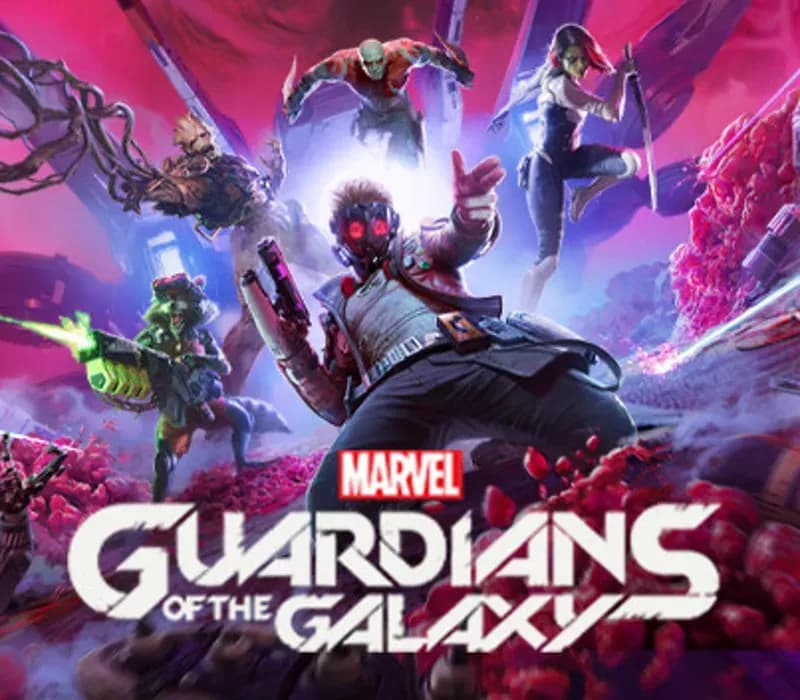
Fire up Star-Lord’s jet boots for a wild ride across the cosmos in this third-person action-adventure game, a fresh take on Marvel’s Guardians of the Galaxy. With the unpredictable Guardians at your side, blast your way from one explosive situation to another, with original and iconic Marvel characters caught in a struggle for the fate of the universe. You got this. Probably.
LEAD THE GUARDIANS OF THE GALAXY
You play as Star-Lord, so nothing’s off-limits with your bold combat style, from Element Blasters and jet boot-powered dropkicks to tag-team beat-downs. With the Guardians fighting at your side, call the shots and overwhelm your opponents with signature attacks. Meanwhile, the consequences of your decisions will range from light-hearted to downright unexpected as your journey unfolds.
ALL-NEW STORY
Your newly-formed band of legendary misfits is set to save the universe in this fresh but faithful take on the Guardians of the Galaxy. Somehow, you set off a chain of catastrophic events, leading to a wild ride through mind-blowing worlds inhabited by iconic and original Marvel characters. Turn up the all-star ‘80s mixtape and get ready to kick it.
FROM MISFITS TO SUPER HEROES
You’re the only thing holding the unpredictable Guardians together, so you’ll have to get better at this leadership thing fast. With this offbeat approximation of a family at your side, there will be tears and laughter as you set about tearing into the cosmos together. Whatever’s waiting around the next corner, you know it’s going to be a blast.
Perguntas frequentes
Para qual região é?
Esta é a versão Global: não tem bloqueio de região.
Como ativo Marvel's Guardians of the Galaxy PS4/PS5 Account no PlayStation?
1. Ligue a consola PlayStation, selecione "Adicionar utilizador" e prima "Começar" (não escolha "Jogar como convidado temporário"). 2. Inicie sessão na PSN com o e-mail e palavra-passe fornecidos, inserindo o código 2FA se for solicitado. 3. Ative a partilha: na PS5 vá a Definições -> Utilizadores e contas -> Outros -> "Partilha de consola e jogo offline" -> Ativar (na PS4: Definições -> Gestão de contas -> "Ativar como a sua PS4 principal"). 4. Abra a Biblioteca de jogos -> "A sua coleção", inicie a transferência e regresse ao seu perfil pessoal para jogar e ganhar troféus.
O que significa “conta”?
Você recebe os dados de acesso de uma conta PlayStation que já possui o jogo.
Avaliações de clientes
Ver todas as avaliações e escrever a sua
Avaliações de clientes
Ninguém avaliou este jogo ainda. Se você comprar, conte para a gente o que achou.