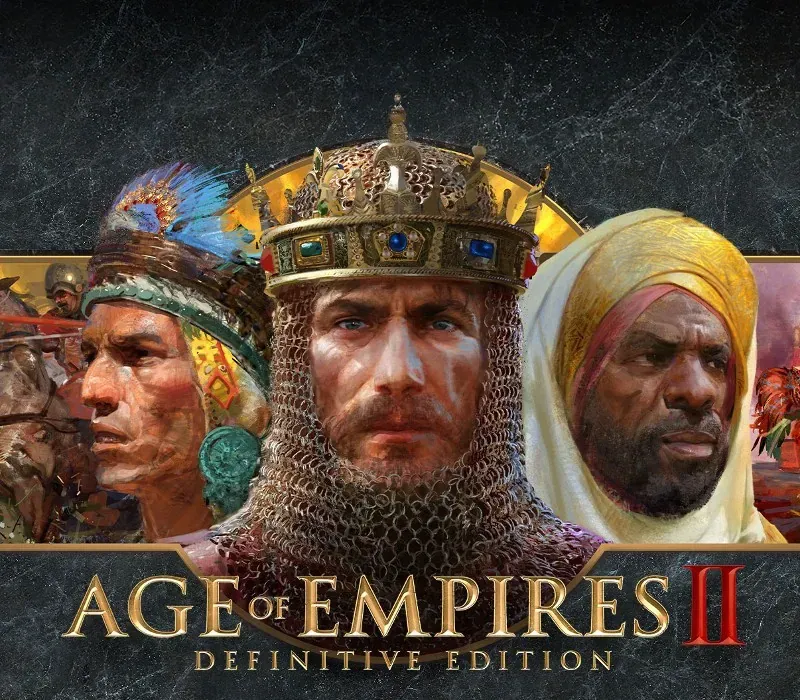
Age of Empires II: Definitive Edition PC Steam CD Key
Age of Empires II: Definitive Edition PC Steam CD Key is a digital key for Steam, not region-locked. Delivered instantly after payment. Price: $27.44, 21% below the Steam MSRP of $34.99.
⭐ 153,000+ orders delivered since 2018
 Pago Móvil
 Binance Pay
About this game
Includes
- Base Game Age of Empires II: Definitive Edition
- Lords of the West Age of Empires II: Definitive Edition
- Dynasties of India Age of Empires II: Definitive Edition
- Dawn of the Dukes. Age of Empires II: Definitive Edition celebrates the 25th anniversary of one of the most popular strategy games ever, now with stunning 4K Ultra HD graphics, a fully remastered soundtrack, and includes three expansions with the base game: “Lords of the West, ” “Dynasties of India, ” and “Dawn of the Dukes.” Frequent updates include additional content, new game modes, and enhanced features. Explore all the original Campaigns alongside best-selling expansions like never before. With over 200 hours of gameplay and 1, 000 years of human history, your definitive Age of Empires II experience awaits! Head online to challenge other players in your quest for world domination with more than 45 different Civilizations. Recent updates include Quick Play for easy social games, enhancements to the game UI, and more! Choose your path to greatness with an eye-catching and engaging remaster to one of the most beloved strategy games of all time.
System Requirements
- Windows: Requires a 64-bit processor and operating system OS: Windows 10 64bit Processor: Intel Core 2 Duo or AMD Athlon 64x2 5600+ Memory: 4 GB RAM Graphics: NVIDIA® GeForce® GT 420 or ATI™ Radeon™ HD 6850 or Intel® HD Graphics 4000 or better with 2 GB VRAM DirectX: Version 11 Network: Broadband Internet connection Storage: 30 GB available space Additional Notes: 2GB of video memory + 4GB of system memory required
- Mac: Minimum Requirements: Requires an Apple processor OS: macOS 15.7 Processor: Apple M1 (8‑core CPU)/Apple A18 Pro (6-core CPU) or better Memory: 8 GB RAM Graphics: Apple M1 (7‑core GPU)/Apple A18 Pro (5-core GPU) or better Storage: 16 GB available space
How to activate
- Launch the Steam desktop client and log in to your account, or visit store.steampowered.com/account/registerkey in your browser.
- Click the "Games" menu at the top of the client (or click "+ Add a Game" at the bottom-left) and select "Activate a Product on Steam...".
- Follow the on-screen prompts, accept the Steam Subscriber Agreement, and enter your CD-Key in the "Product Code" field.
- Click "Next" and "Finish" to register the game. It will now appear permanently in your Steam Library ready to install.
Customer Reviews
Frequently asked questions
Which region is this for?
This is the Global version: it is not region-locked.
How do I activate Age of Empires II: Definitive Edition PC Steam CD Key on Steam?
1. Launch the Steam desktop client and log in to your account, or visit store.steampowered.com/account/registerkey in your browser. 2. Click the "Games" menu at the top of the client (or click "+ Add a Game" at the bottom-left) and select "Activate a Product on Steam...". 3. Follow the on-screen prompts, accept the Steam Subscriber Agreement, and enter your CD-Key in the "Product Code" field. 4. Click "Next" and "Finish" to register the game. It will now appear permanently in your Steam Library ready to install.
How fast is delivery?
Your key appears in your account and is emailed to you right after payment.